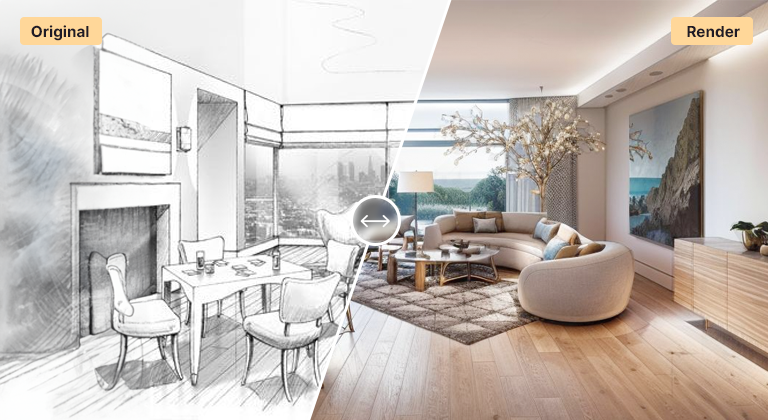
AI Interior Design — Generate Stunning Spaces in Seconds

AI interior design tool that turns room photos, sketches, or 3D models into photorealistic interiors. Test styles, materials, furniture, and lighting instantly.

Trusted by 110,000+ architects and designers

2M+ Renders Created
110K+ Design Professionals
60s Average Render Time
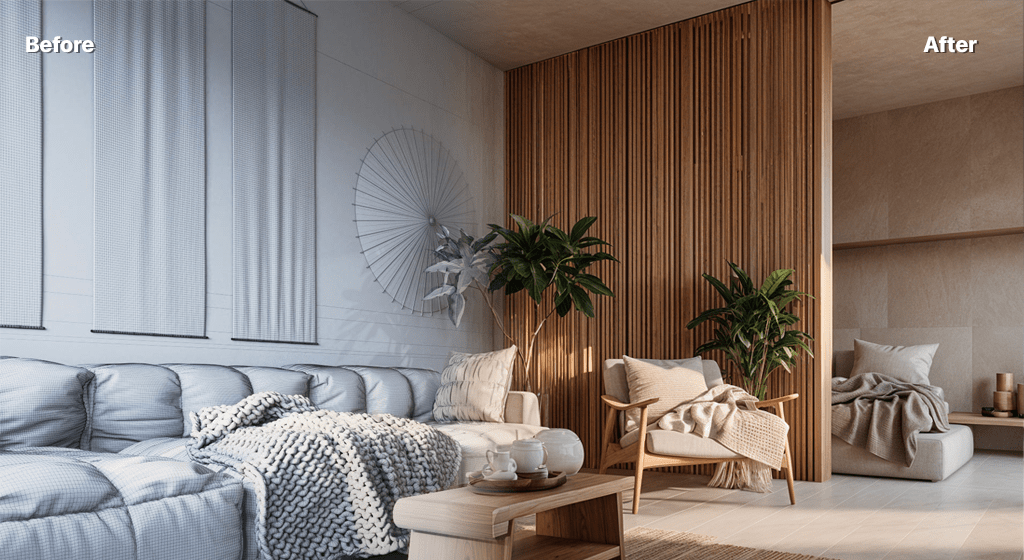
AI interior design rendering of a modern living room with natural lighting

What is AI Interior Design?

AI interior design tool that turns room photos, sketches, or 3D models into photorealistic interiors. Test styles, materials, furniture, and lighting instantly.

About AI Interior Design

AI interior design has changed how designers, homeowners, and architects explore spaces. With AI Render Studio you can generate complete interior concepts from a single room photo, a floor plan, or a basic 3D model export. The AI proposes materials, furniture, color palettes, and lighting scenarios that would normally take days of moodboarding and 3D modeling.

Upload a photo of an empty room or a SketchUp viewport of an unfurnished space, then describe the style you want — Scandinavian, Japandi, mid-century modern, industrial loft, biophilic, minimalist, traditional. Within seconds you get a photorealistic interior design rendering with cohesive furniture, decor, lighting, and atmosphere. Iterate as many times as needed to nail the direction before any procurement or construction begins.

Interior designers use AI interior design to win clients faster by showing tangible concepts during the first consultation. Homeowners use it to compare design directions before committing to a costly renovation. Real estate professionals stage listings virtually with realistic furniture and styling. The same tool serves all of them because the underlying AI understands spatial composition, material physics, and interior styling principles.
Why architects and designers choose AI Interior Design

More than just speed — precision, control, and professional quality

Design Intent Preservation

The AI understands architectural language. Your composition, geometry, and design intent are preserved while materials, lighting, and atmosphere are enhanced.

Renders in Seconds

Go from sketch or 3D viewport to a finished photorealistic render in under a minute. No render queue, no GPU, no plugin install.

Professional Control

Fine-tune style, lighting, materials, and composition with prompts and presets. AI assistance, not AI replacement.

Multiple Design Styles

From minimalist Scandinavian to Mediterranean to brutalist — switch between styles instantly to compare design directions with clients.

Sketch to Photorealism

Hand sketches, napkin drawings, SketchUp white models, Revit perspectives, Rhino viewports — every input becomes a presentation-ready render.

Rapid Iterations

Generate ten variations in the time it used to take to render one view. Test materials, lighting, and styles without committing.

See AI Interior Design in action

Real outputs from real architectural and interior workflows

Exterior Architecture

Bring exterior designs to life

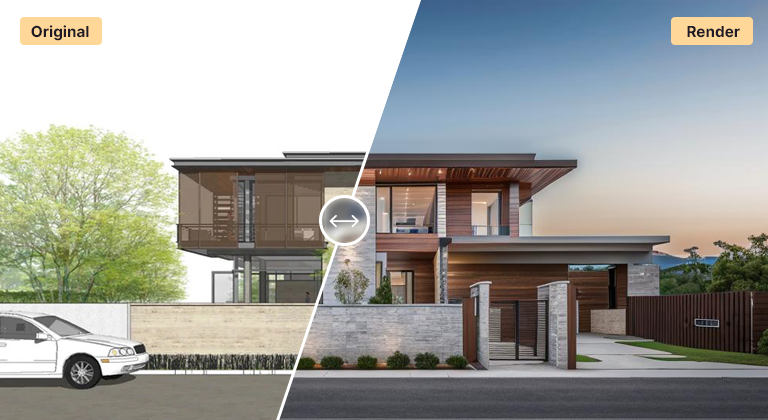
Transform 3D massing models, elevations, or quick sketches into stunning photorealistic exterior renders. Perfect for residential, commercial, and mixed-use projects at every stage of design.

  • Realistic materials and textures
  • Natural lighting and shadows
  • Context-aware landscaping
  • Multiple viewing angles
AI exterior rendering of a modern building with landscaping
Interior Design

Create compelling interior visualizations

Develop photorealistic interior renders that sell your design vision. From conceptual spaces to fully styled rooms with furniture, finishes, and atmospheric lighting.

  • Accurate materials and finishes
  • Realistic lighting design simulation
  • Furniture and styling options
  • Atmospheric mood and ambience
AI interior rendering of a residential space with furniture and decor
Concept to Reality

From rough sketch to presentation quality

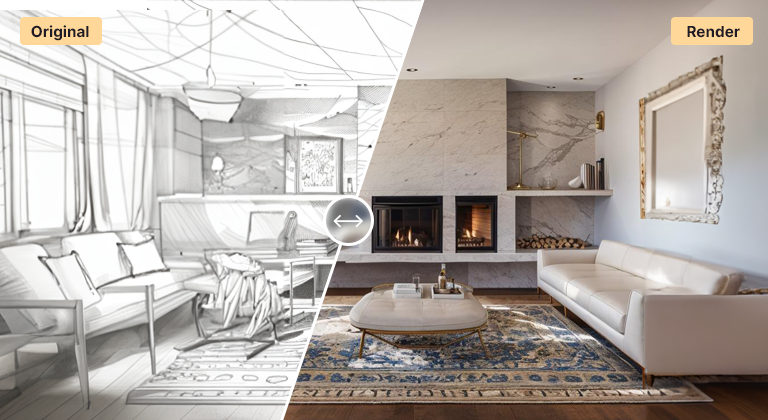
Upload hand sketches, napkin drawings, or basic line work. The AI interprets your design intent and generates professional-quality renders instantly — ideal for first client meetings and design reviews.

  • Sketch interpretation technology
  • Design intent recognition
  • Style transfer capabilities
  • Multiple output variations
AI transformation from architectural sketch to photorealistic render

How AI Interior Design fits your workflow

Four simple steps — works with the tools you already use

01

Export from your design tool

Export a viewport, perspective, or elevation as PNG or JPG from SketchUp, Revit, Rhino, AutoCAD, Blender, or any 3D / CAD software. Hand sketches and photos also work.

02

Upload and configure

Upload your image, choose a style preset, and add an optional text prompt to guide materials, lighting, and atmosphere.

03

Generate and iterate

Get a photorealistic render in seconds. Generate variations, tweak the prompt, and iterate until the result matches your vision.

04

Export and present

Download high-resolution renders licensed for commercial use — client presentations, competitions, social media, or portfolio.

Compatible with

SketchUp Revit Rhino AutoCAD Blender 3ds Max ArchiCAD Lumion

Ready to try AI Interior Design?

Join 110,000+ architects and designers shipping better visuals faster with AI.

No credit card required • Free credits to start • Cancel anytime

Built for every stage of your design process

Concept Development

Visualize multiple design directions instantly to explore options before committing to detailed modeling.

Client Presentations

Show clients photorealistic visuals from the first meeting and close the loop on direction faster.

Design Development

Test material palettes, color schemes, and spatial arrangements rapidly during refinement.

Marketing Materials

Generate portfolio-quality renders for websites, social, competition boards, and pitch decks.

Competition Submissions

Produce compelling visual narratives that make your competition entries stand out.

Portfolio Building

Turn academic projects or conceptual work into presentation-ready visuals for your professional portfolio.

Frequently asked questions about AI Interior Design

Yes. Upload a photo of any empty or furnished room, choose a style, and the AI generates a complete redesign of the same space — preserving the architecture (walls, windows, ceiling height) while replacing furniture, finishes, and decor with the new design direction you specify.
The AI is trained on millions of interior design references and understands which furniture pieces, textiles, wood tones, metals, and accessories work together within each style. You can guide the selection through prompts like "warm oak floors, cream linen sofa, brass accents" or let the AI propose a cohesive palette automatically.
Yes. Many interior designers use AI Render Studio for the concept and presentation phases, then move to traditional documentation tools for construction drawings and procurement. It accelerates the most time-consuming part of the design process — visual ideation — without replacing the technical and human aspects of project delivery.
Absolutely. Generate the same space in modern minimalist, mid-century, industrial, Mediterranean, and bohemian styles in minutes. Compare side by side with the client to align quickly on the preferred direction before any further work.

Trusted by design professionals worldwide

See how architects and designers are transforming their workflows

Jonathan Rivera testimonial photo

"As a practicing architect, AI Render Studio has become essential to my workflow. I can present multiple design options to clients in the first meeting, which has dramatically improved my close rate. The quality is presentation-ready."

Jonathan Rivera

Principal Architect, Urban Design Studio

Emma Harrison testimonial photo

"The ability to quickly visualize different material and color schemes has transformed how I work with residential clients. What used to take days now takes minutes. My clients love seeing their spaces come to life instantly."

Emma Harrison

Senior Interior Designer, Luxe Interiors

Marcus Thompson testimonial photo

"For our real estate development projects, speed and quality are everything. AI Render Studio delivers both. We've cut our rendering costs by 80% while actually improving output quality. It's been a game-changer for our marketing."

Marcus Thompson

Development Director, Metro Properties

Start creating with AI Interior Design today

No credit card required • Free credits to start • Used by 110,000+ design professionals