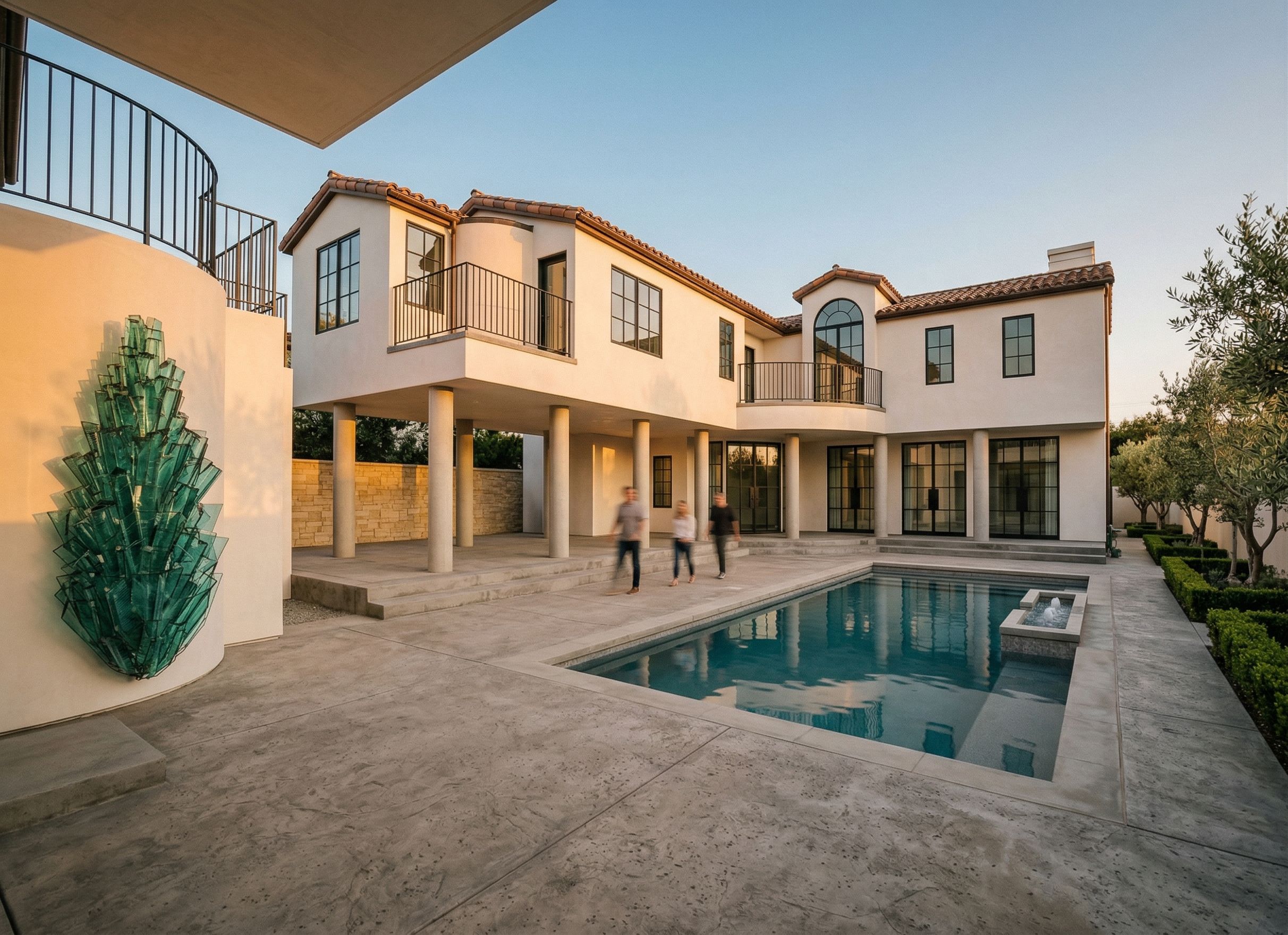
Use the provided 3D model “Villa Georgina M2” as the ONLY source of geometry, proportions, massing, and layout. DO NOT modify, reinterpret, or redesign any architectural elements. Maintain EXACT fidelity to the model including: All wall locations, building massing, and volumes Exact positions, sizes, and proportions of ALL doors and windows Roof forms, slopes, and heights Balcony locations and railing layouts Pool, spa, hardscape, and site geometry STRICTLY PROHIBITED: NO additional columns, arches, trims, beams, or architectural elements NO changes to window or door sizes, spacing, or style NO added ornamentation or redesign of façade NO shifting, scaling, or cropping of the building NO reinterpretation of structure or layout IF adding people, only adults, No children The rendering must appear as a photorealistic version of the exact 3D model, not a redesign. Apply ONLY the material palette, lighting mood, and landscape inspiration from the reference image “Villa Georgina Rendering”: Smooth white stucco exterior walls Warm Mediterranean clay tile roof Black steel window frames and balcony railings Light natural stone accents subtle, not dominant Refined, symmetrical landscaping clean hedges, soft greenery Lighting & Style: Natural daylight or warm late-afternoon light Soft shadows, realistic reflections in glass and water High-end residential architectural photography style Camera & Composition: Match the camera angle and framing EXACTLY to the provided 3D model view DO NOT crop, zoom, or alter perspective Preserve full composition including pool, courtyard, and building edges Rendering Rule Critical: “If any element is not explicitly shown in the 3D model, DO NOT add it.” Goal: Produce a photorealistic rendering that looks identical in geometry to the 3D model, with only upgraded materials, lighting, and realism inspired by the reference image—ZERO design deviation. Use ControlNet Lineart / geometry constraint mode. Treat the input image as a hard edge map. All edges must align exactly. No deviation allowed. “If any element is not explicitly shown in the 3D model, DO NOT add it.”
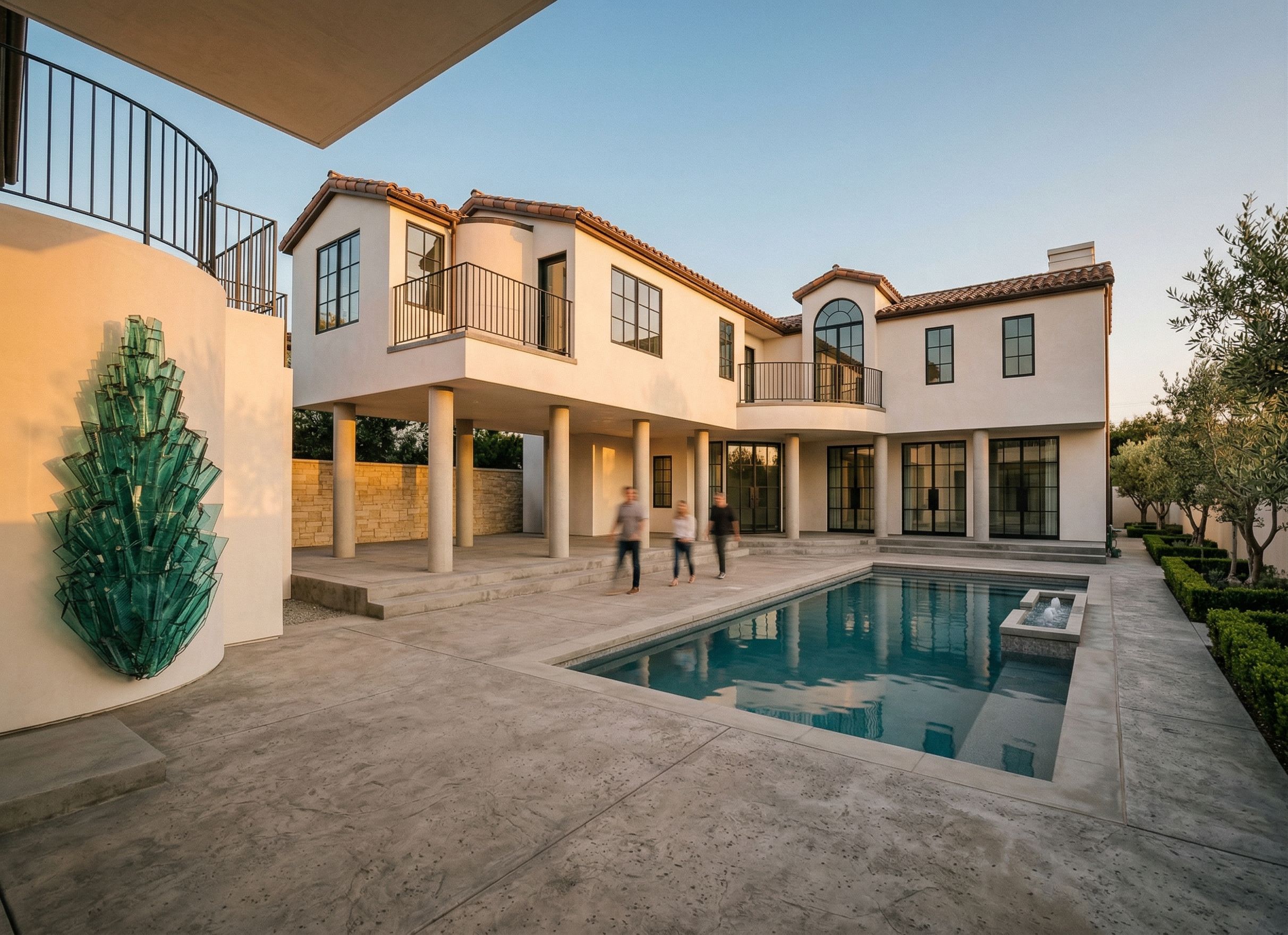
PromptUse the provided 3D model “Villa Georgina M2” as the ONLY source of geometry, proportions, massing, and layout. DO NOT modify, reinterpret, or redesign any architectural elements. Maintain EXACT fidelity to the model including: All wall locations, building massing, and volumes Exact positions, sizes, and proportions of ALL doors and windows Roof forms, slopes, and heights Balcony locations and railing layouts Pool, spa, hardscape, and site geometry STRICTLY PROHIBITED: NO additional columns, arches, trims, beams, or architectural elements NO changes to window or door sizes, spacing, or style NO added ornamentation or redesign of façade NO shifting, scaling, or cropping of the building NO reinterpretation of structure or layout IF adding people, only adults, No children The rendering must appear as a photorealistic version of the exact 3D model, not a redesign. Apply ONLY the material palette, lighting mood, and landscape inspiration from the reference image “Villa Georgina Rendering”: Smooth white stucco exterior walls Warm Mediterranean clay tile roof Black steel window frames and balcony railings Light natural stone accents (subtle, not dominant) Refined, symmetrical landscaping (clean hedges, soft greenery) Lighting & Style: Natural daylight or warm late-afternoon light Soft shadows, realistic reflections in glass and water High-end residential architectural photography style Camera & Composition: Match the camera angle and framing EXACTLY to the provided 3D model view DO NOT crop, zoom, or alter perspective Preserve full composition including pool, courtyard, and building edges Rendering Rule (Critical): “If any element is not explicitly shown in the 3D model, DO NOT add it.” Goal: Produce a photorealistic rendering that looks identical in geometry to the 3D model, with only upgraded materials, lighting, and realism inspired by the reference image—ZERO design deviation. Use ControlNet Lineart / geometry constraint mode. Treat the input image as a hard edge map. All edges must align exactly. No deviation allowed. “If any element is not explicitly shown in the 3D model, DO NOT add it.”
Date02 April 2026
Share