
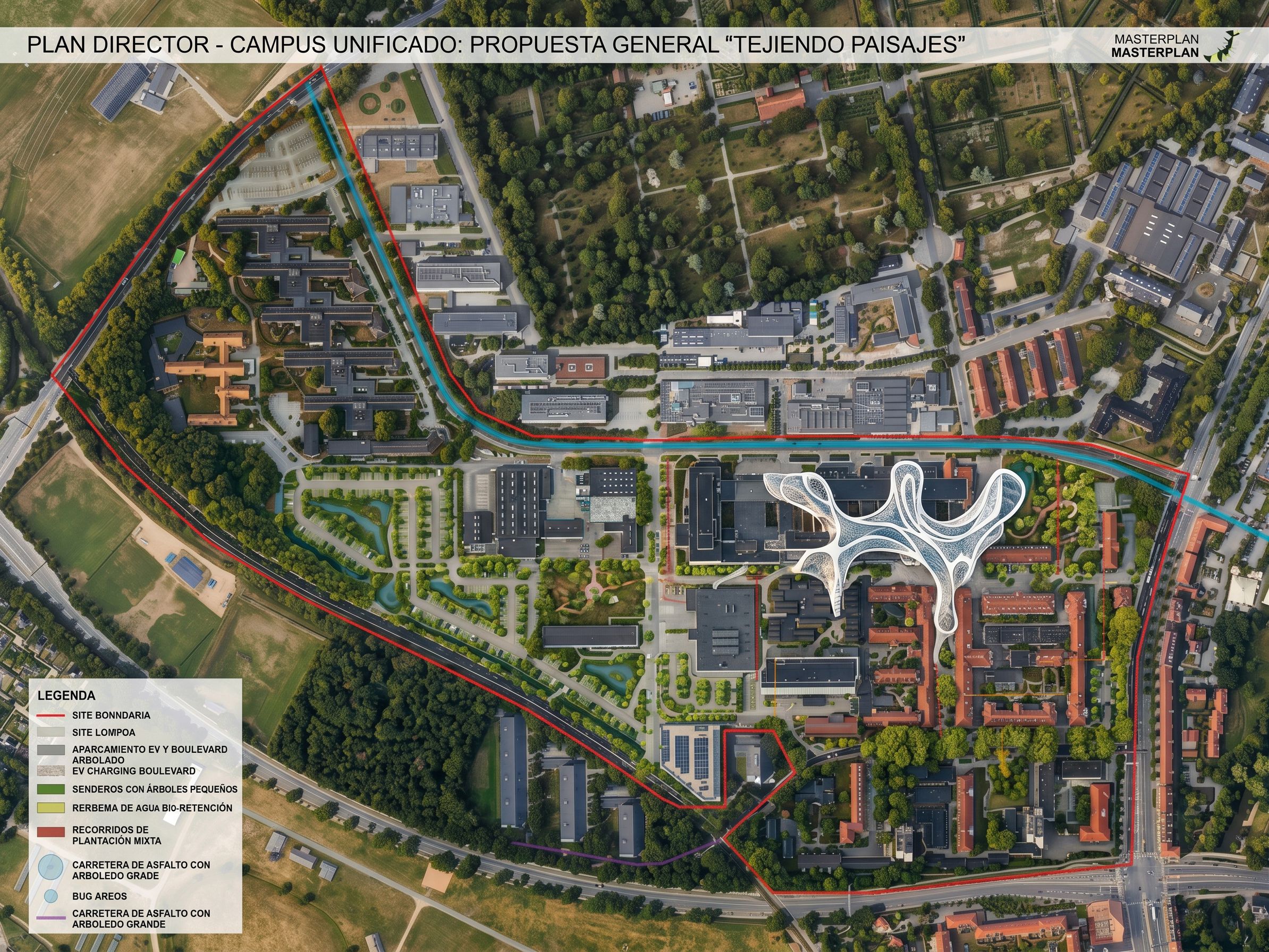
Edit this image. CREATE A MASTERPLAN IN A SIMILAR GRAPHIC STYLE TO THE MASTERPLAN IN THE "ATTACHED" REFERENCE IMAGE 1. Add rows of trees with foliage along the straight yellow line to the plan, along with some electric car parking and charging points and bus benches. Add small trees along the green "paths." Add mixed plantings along the "red" paths. Add a black asphalt road with traffic lines and large trees along the "purple" path. Add white "ergonomic" metal and glass roof structures, like the ergonomic glass structures in "Reference Image 2," corresponding to the "blue circles with orange lines." Add green tree-lined parking lots and "ergonomic" water features corresponding to the transparent "yellow" fields. All new structures must be continuous and must integrate appropriately with the landscape., keep exact camera angle
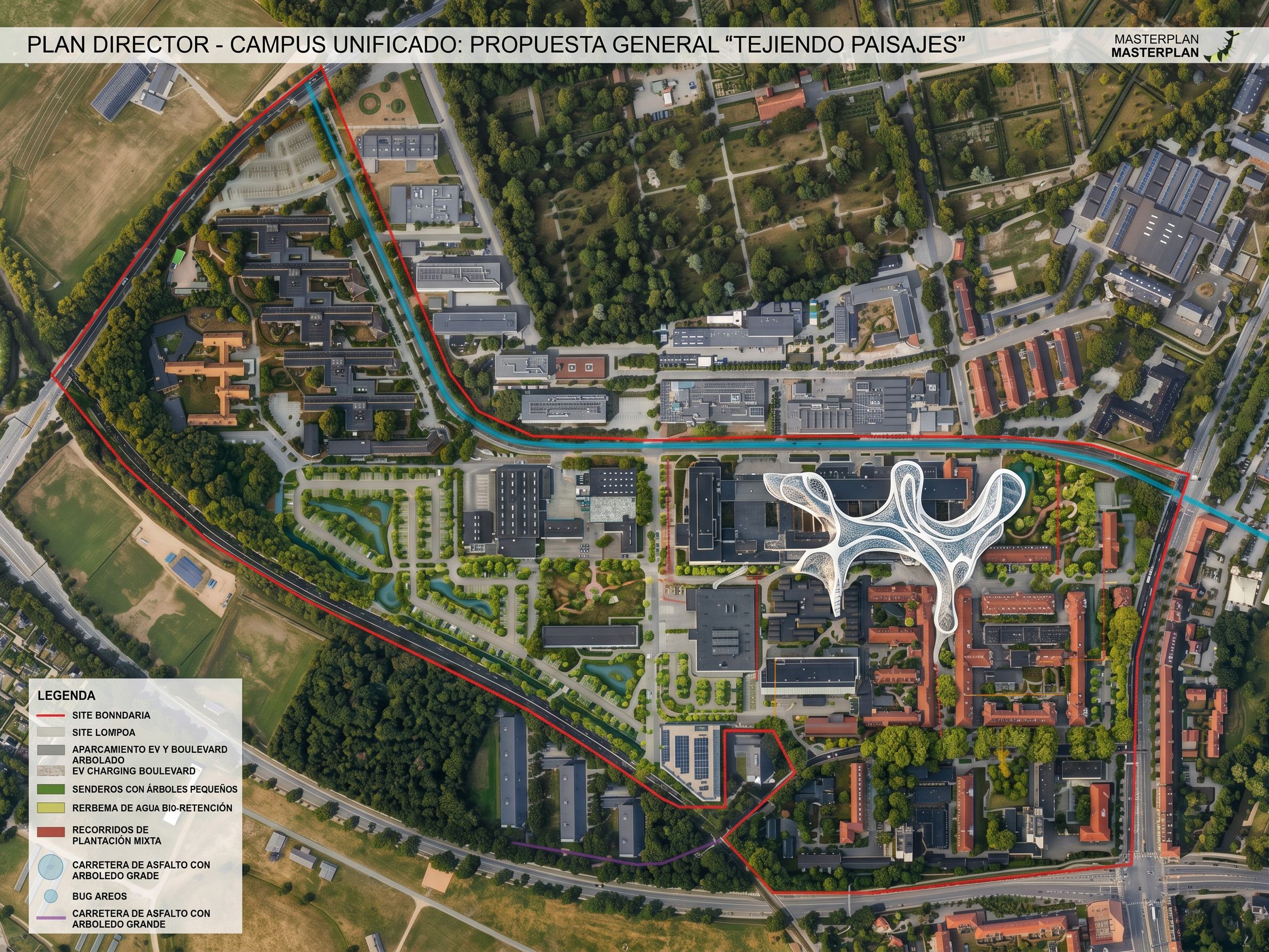
PromptEdit this image. CREATE A MASTERPLAN IN A SIMILAR GRAPHIC STYLE TO THE MASTERPLAN IN THE "ATTACHED" REFERENCE IMAGE 1. Add rows of trees with foliage along the straight yellow line to the plan, along with some electric car parking and charging points and bus benches. Add small trees along the green "paths." Add mixed plantings along the "red" paths. Add a black asphalt road with traffic lines and large trees along the "purple" path. Add white "ergonomic" metal and glass roof structures, like the ergonomic glass structures in "Reference Image 2," corresponding to the "blue circles with orange lines." Add green tree-lined parking lots and "ergonomic" water features corresponding to the transparent "yellow" fields. All new structures must be continuous and must integrate appropriately with the landscape., keep exact camera angle
Date27 April 2026
Share