
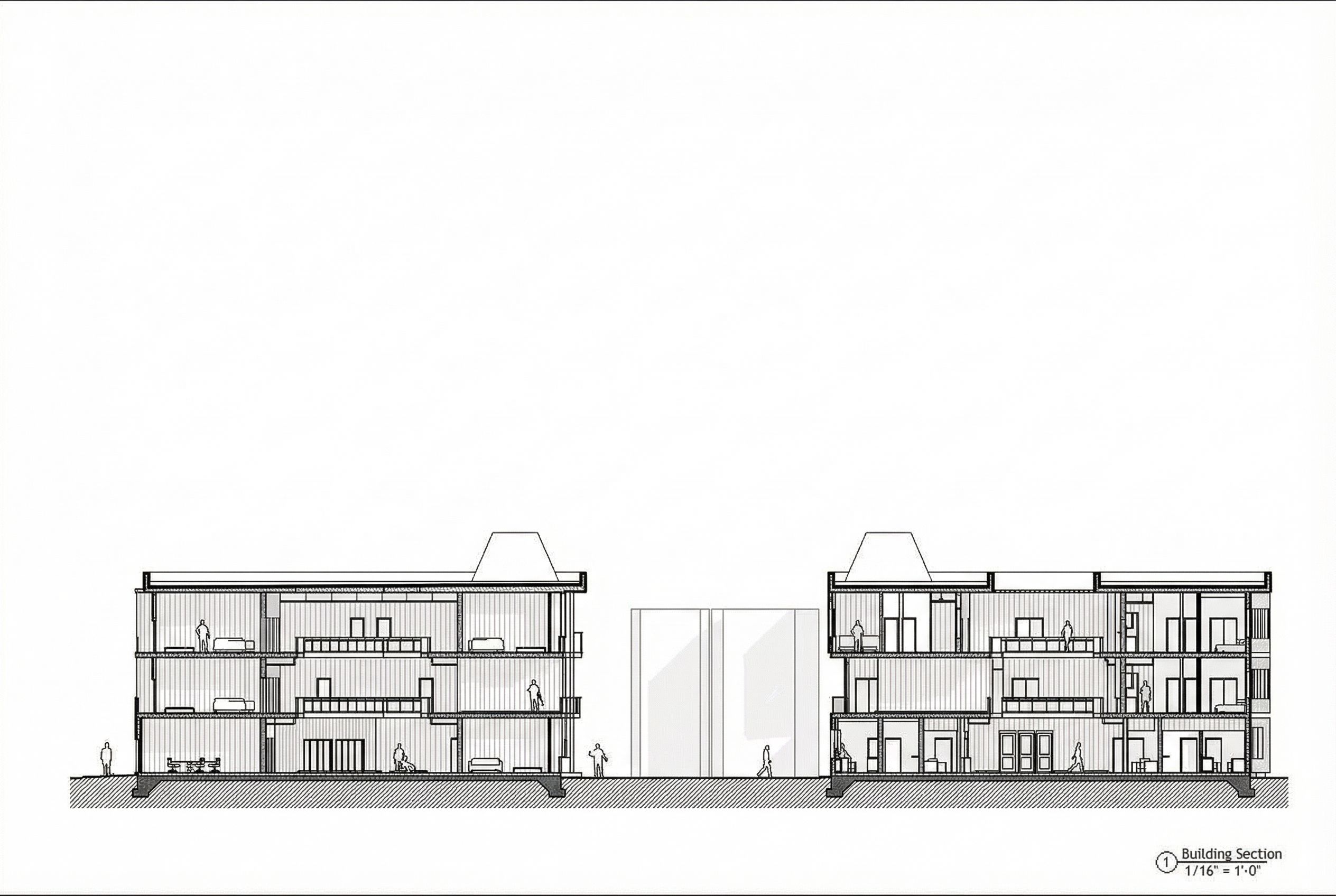
architectural sketch, render this drawing into technical drawing, Enhance the architectural section drawing exactly as shown. Do NOT modify, move, scale, or reinterpret ANY geometry, cut lines, floor heights, walls, windows, roofs, railings, circulation, furniture, or structural layout. Only refine the drawing graphically. What to Add without altering the architecture Add clean technical detailing to clarify the construction: show floor slab buildup with thin layers add subtle ceiling bulkheads where floor framing would occur add a small mechanical plenum above bathrooms/kitchens clarify parapets and roof edge with accurate line weights tighten railing profiles with crisp outlines Add material poche: concrete base → darker solid or diagonal hatch wood/composite siding → thin vertical hatch lines interior partitions → light poche for clarity Add window and door details: sill and head lines mullions and frames sliding door tracks where visible Add very minimal entourage: thin-line people outlines no shading only standing, sitting, or walking figures for scale keep them small and architectural Add soft ambient cast shadows under slabs and balconies to add depth not heavy rendering. Style Requirements Keep the style consistent with architectural section drawings OMA / MVRDV / SANAA style. Clean black + white, high contrast, no color. Background should remain white. Keep profile lines heaviest, cut lines medium, beyond lines light. Absolutely Do NOT: Do not add new furniture, railings, or geometry. Do not invent spaces not shown in the cut. Do not modify massing, scale, or proportions. Do not add shading, textures, materials beyond simple poche. Final Output Produce a high-resolution technical architectural section, more legible and detailed than the original, but still 100% faithful to the Revit cut. do the exact picture with both buildings and scale , keep exact camera angle, high quality, professional, detailed scene
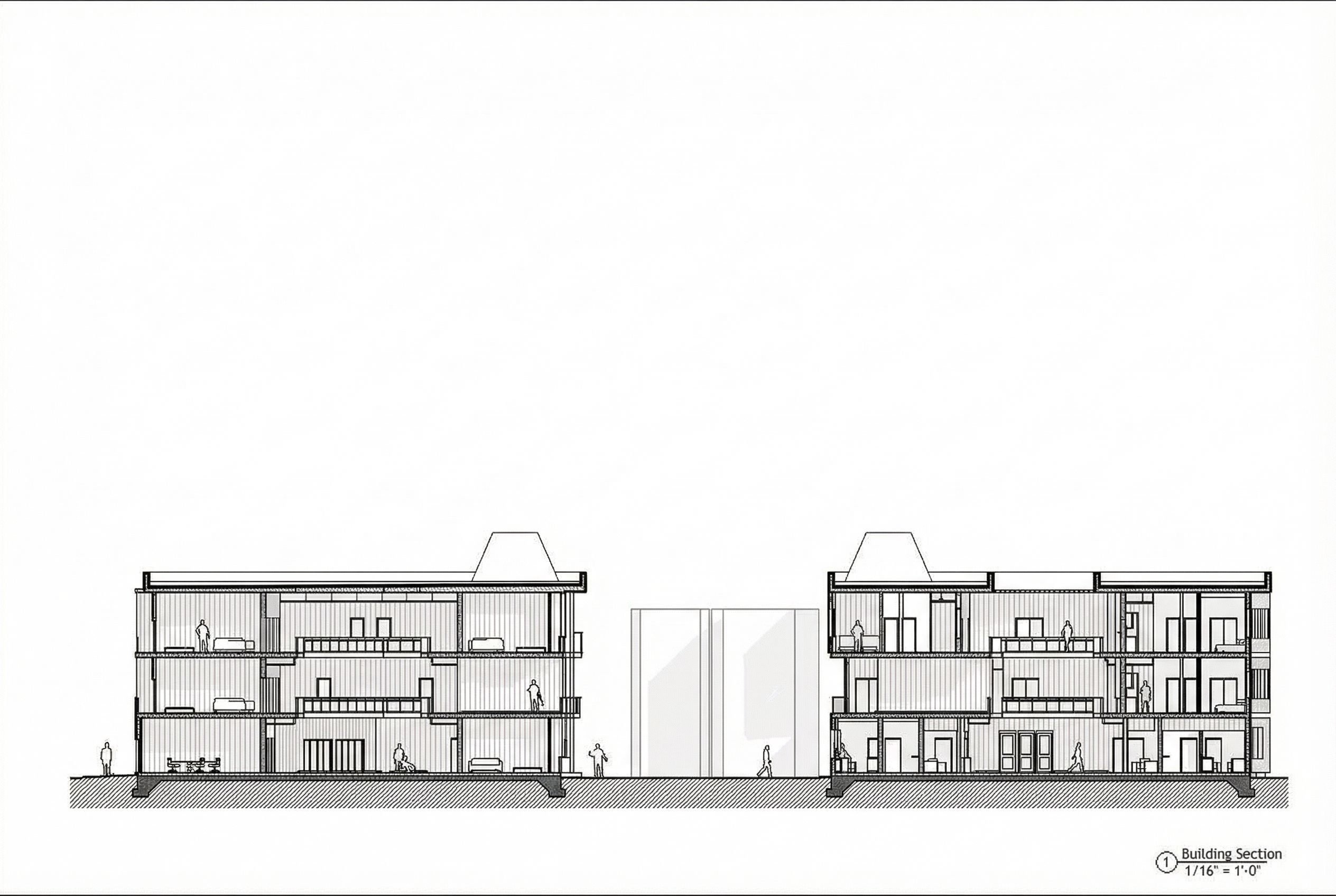
Promptarchitectural sketch, render this drawing into technical drawing, Enhance the architectural section drawing exactly as shown. Do NOT modify, move, scale, or reinterpret ANY geometry, cut lines, floor heights, walls, windows, roofs, railings, circulation, furniture, or structural layout. Only refine the drawing graphically. What to Add (without altering the architecture) Add clean technical detailing to clarify the construction: show floor slab buildup with thin layers add subtle ceiling bulkheads where floor framing would occur add a small mechanical plenum above bathrooms/kitchens clarify parapets and roof edge with accurate line weights tighten railing profiles with crisp outlines Add material poche: concrete base → darker solid or diagonal hatch wood/composite siding → thin vertical hatch lines interior partitions → light poche for clarity Add window and door details: sill and head lines mullions and frames sliding door tracks where visible Add very minimal entourage: thin-line people outlines (no shading) only standing, sitting, or walking figures for scale keep them small and architectural Add soft ambient cast shadows under slabs and balconies to add depth (not heavy rendering). Style Requirements Keep the style consistent with architectural section drawings (OMA / MVRDV / SANAA style). Clean black + white, high contrast, no color. Background should remain white. Keep profile lines heaviest, cut lines medium, beyond lines light. Absolutely Do NOT: Do not add new furniture, railings, or geometry. Do not invent spaces not shown in the cut. Do not modify massing, scale, or proportions. Do not add shading, textures, materials beyond simple poche. Final Output Produce a high-resolution technical architectural section, more legible and detailed than the original, but still 100% faithful to the Revit cut. do the exact picture with both buildings and scale , keep exact camera angle, high quality, professional, detailed scene
Date03 December 2025
Share