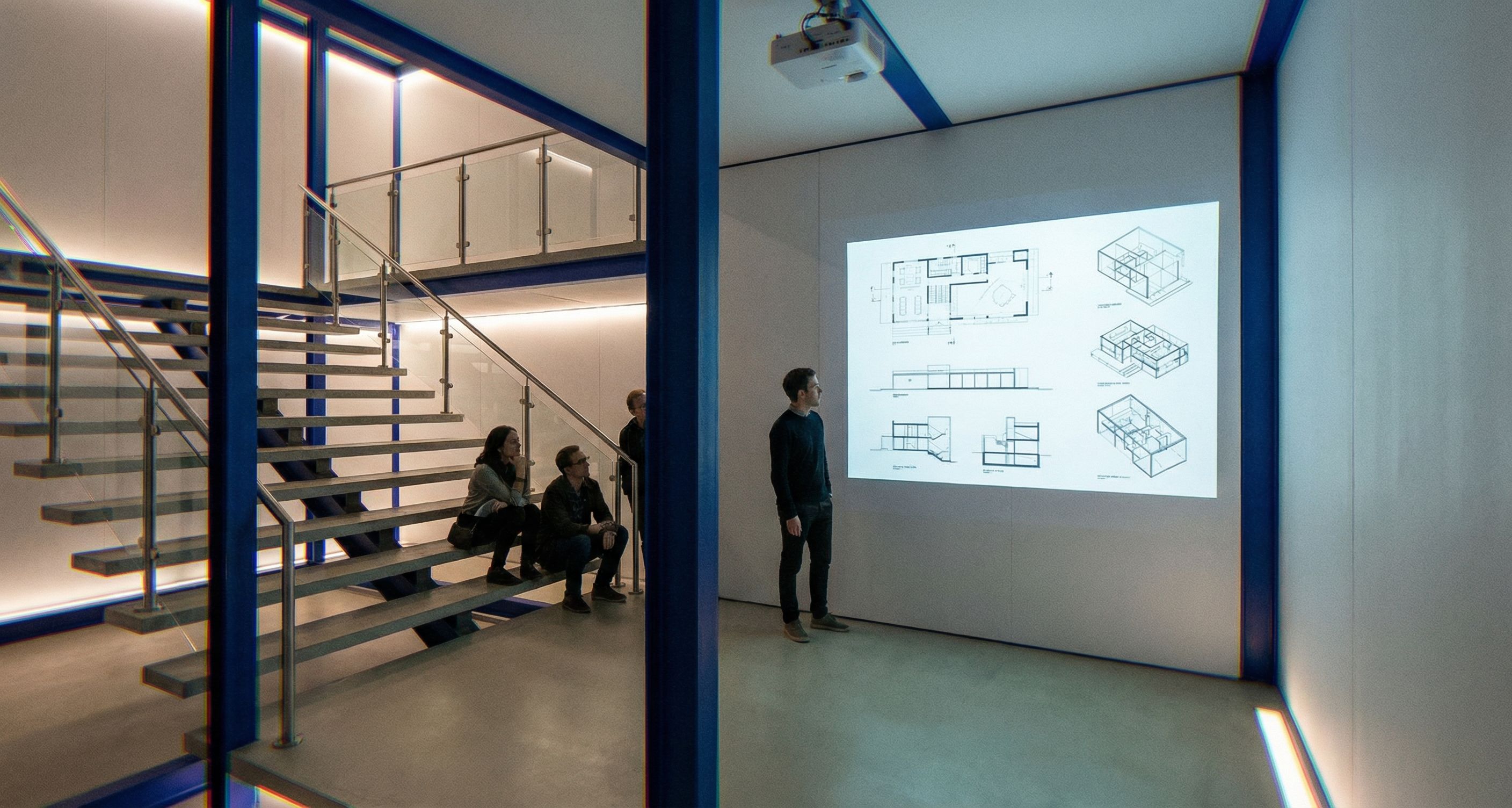
IMAGE-TO-IMAGE. Use the reference image as the base and KEEP THE GEOMETRY 100% UNCHANGED blue steel frame, walls, openings, camera view, platform position. Do not move or reshape any architectural elements. Only remove wrong furniture/lighting and add required safety elements + projection setup. STRICT REMOVALS MANDATORY: - Remove ALL tables and ALL chairs/stools completely. - Remove ALL decorative pendant/track spotlights that illuminate the projection wall or create glare. There must be NO lighting that disturbs the projector image. SPACE FUNCTION: This is a projection/critique zone for architecture presentations. The main focus is the projected content on the wall, not seating or working at tables. PROJECTOR MANDATORY: - Keep/add a projector aimed at the wall. - The projection must be clearly visible and high-contrast. - Content: architecture-related plans, sections, axonometric diagrams. NO readable text, NO logos. LIGHTING MANDATORY — projector-friendly: - Overall lighting should be dim / low ambient, “presentation mode”. - Use only minimal indirect light for safe movement very subtle wall-wash or floor-level guidance, but do not wash out the projection. - No ceiling spotlights hitting the projection wall. STAIR FIXING + SAFETY VERY IMPORTANT: - The stair must look structurally connected and stable no floating steps. Connect the steps with a realistic support system: - either a central stringer Mittelholm or concealed side stringers, - with proper brackets/attachments to the blue steel structure. - Add proper handrails and guardrails: - Handrail along the stair. - Glass or metal guardrail along the open edges near the stair and around the platform perimeter fall protection. - Use clear safety glass with slim metal posts/clamps + a simple top rail. Everything must look realistically attached no floating glass. MATERIALS / COLORS: - Everything blue stays bright saturated blue and reads as painted steel profiles no hue shift. - Walls: clean white/very light panels MDF/HPL, not concrete. - Floor: light exposed concrete / light neutral floor, clean and matte not shiny. BACKGROUND: Keep the environment neutral and minimal, no extra furniture clutter. QUALITY CONTROL: No warped geometry, no melted edges, no distorted perspective, no stretched textures. Keep it clean and believable. Output: a clean projector presentation zone with a visible projection, no tables/chairs, dim projector-friendly lighting, and safe code-like railings + properly supported stairs, while keeping the original forms unchanged. , keep exact camera angle
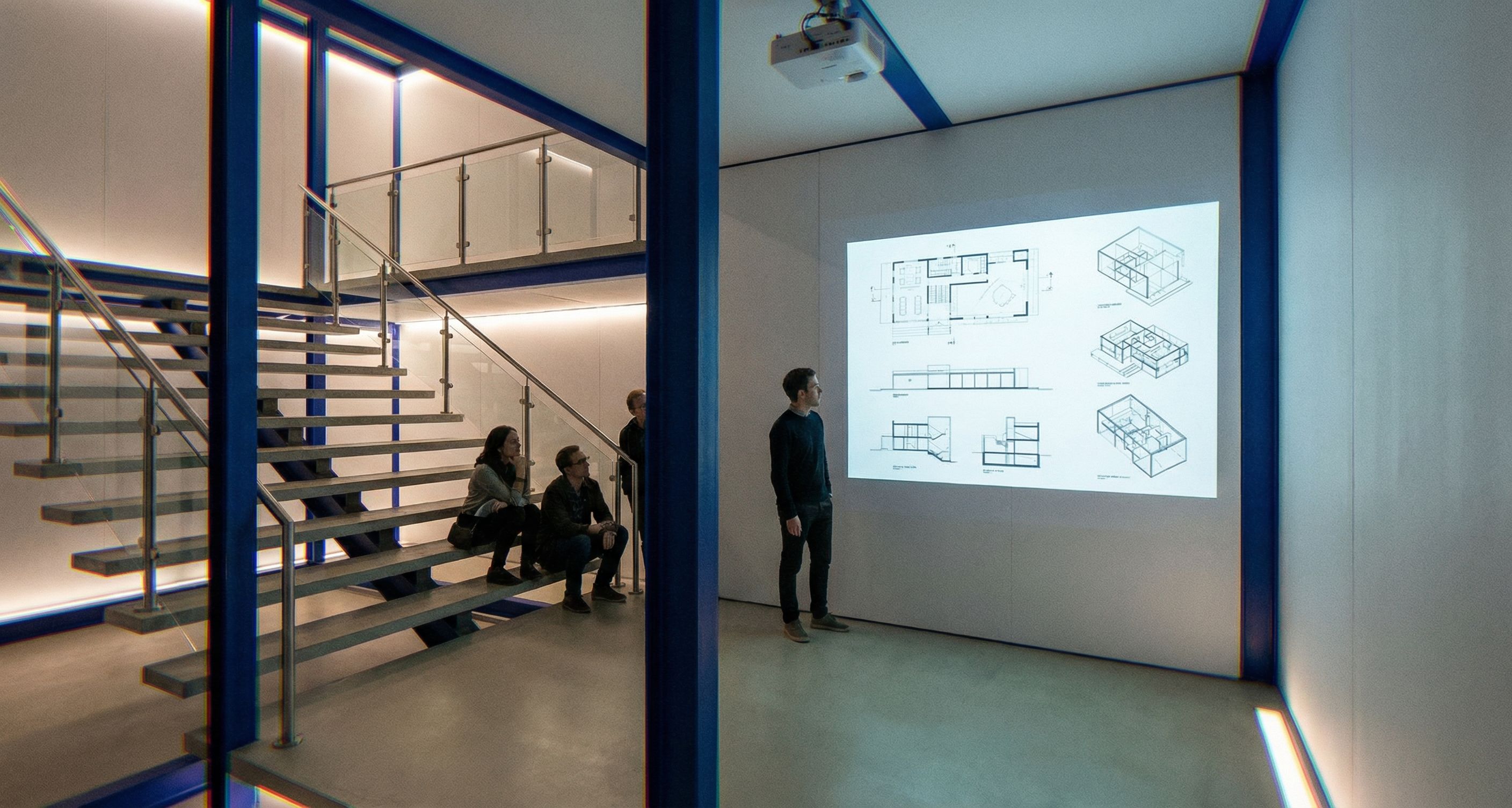
PromptIMAGE-TO-IMAGE. Use the reference image as the base and KEEP THE GEOMETRY 100% UNCHANGED (blue steel frame, walls, openings, camera view, platform position). Do not move or reshape any architectural elements. Only remove wrong furniture/lighting and add required safety elements + projection setup. STRICT REMOVALS (MANDATORY): - Remove ALL tables and ALL chairs/stools completely. - Remove ALL decorative pendant/track spotlights that illuminate the projection wall or create glare. There must be NO lighting that disturbs the projector image. SPACE FUNCTION: This is a projection/critique zone for architecture presentations. The main focus is the projected content on the wall, not seating or working at tables. PROJECTOR (MANDATORY): - Keep/add a projector aimed at the wall. - The projection must be clearly visible and high-contrast. - Content: architecture-related (plans, sections, axonometric diagrams). NO readable text, NO logos. LIGHTING (MANDATORY — projector-friendly): - Overall lighting should be dim / low ambient, “presentation mode”. - Use only minimal indirect light for safe movement (very subtle wall-wash or floor-level guidance), but do not wash out the projection. - No ceiling spotlights hitting the projection wall. STAIR FIXING + SAFETY (VERY IMPORTANT): - The stair must look structurally connected and stable (no floating steps). Connect the steps with a realistic support system: - either a central stringer (Mittelholm) or concealed side stringers, - with proper brackets/attachments to the blue steel structure. - Add proper handrails and guardrails: - Handrail along the stair. - Glass or metal guardrail along the open edges near the stair and around the platform perimeter (fall protection). - Use clear safety glass with slim metal posts/clamps + a simple top rail. Everything must look realistically attached (no floating glass). MATERIALS / COLORS: - Everything blue stays bright saturated blue and reads as painted steel profiles (no hue shift). - Walls: clean white/very light panels (MDF/HPL), not concrete. - Floor: light exposed concrete / light neutral floor, clean and matte (not shiny). BACKGROUND: Keep the environment neutral and minimal, no extra furniture clutter. QUALITY CONTROL: No warped geometry, no melted edges, no distorted perspective, no stretched textures. Keep it clean and believable. Output: a clean projector presentation zone with a visible projection, no tables/chairs, dim projector-friendly lighting, and safe code-like railings + properly supported stairs, while keeping the original forms unchanged. , keep exact camera angle
Date16 February 2026
Share