
AI Landscape Rendering
AI Landscape Rendering — Photoreal Site & Garden Views
Gardens, courtyards and site context that look alive — photoreal landscape views from plans, models or photos.


 4.9110,000+ architects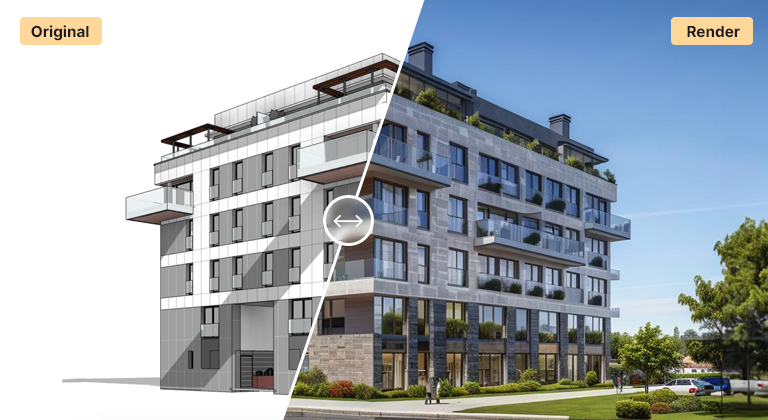
AI landscape rendering transforms site plans, sketches, and 3D exports into photoreal landscape and public-realm visualizations in seconds. Upload a masterplan view, a SketchUp or Rhino export, or a hand-drawn site sketch, and AI Render Studio adds realistic planting, paving, water, people, and natural lighting to produce a presentation-ready landscape render.
Landscape architects and urban designers use it to communicate design intent early — show clients how a courtyard, park, streetscape, or garden will read before detailed modelling begins. Test seasonal planting, day and dusk lighting, and different material palettes rapidly, then generate multiple views of the same scheme for boards and planning submissions.
Because the AI works from a simple image, it slots into landscape, masterplanning, and public-realm workflows alike. Produce context views for a building proposal, garden concepts for a residential client, or atmosphere shots for a competition entry — all without setting up a traditional render scene.
FAQ
Frequently asked questions
What inputs work for AI landscape rendering?
Site plans, masterplan views, SketchUp or Rhino exports, and hand-drawn site sketches all work. The AI adds planting, paving, water, people, and lighting on top of your composition.
Can it add planting and people for scale?
Yes. AI Render Studio automatically adds context-appropriate vegetation, trees, people, and site furniture, and you can guide species, density, and season through environment settings and text prompts.
Is it suitable for masterplans and public realm?
Yes. It handles garden-scale design through to streetscapes, courtyards, parks, and wider masterplan context views. For large urban schemes, pair it with the masterplan rendering tool.
Keep exploring
Related tools
Start free
Try AI Render Studio now.
Turn a sketch, model or photo into a photoreal render in seconds. 3 free credits, no credit card.