
AI Interior Rendering
AI Interior Rendering — Visualize Interiors Instantly
From empty shell to styled, sunlit room in one upload. Test materials, furniture and lighting before anything is built.


 4.9110,000+ architects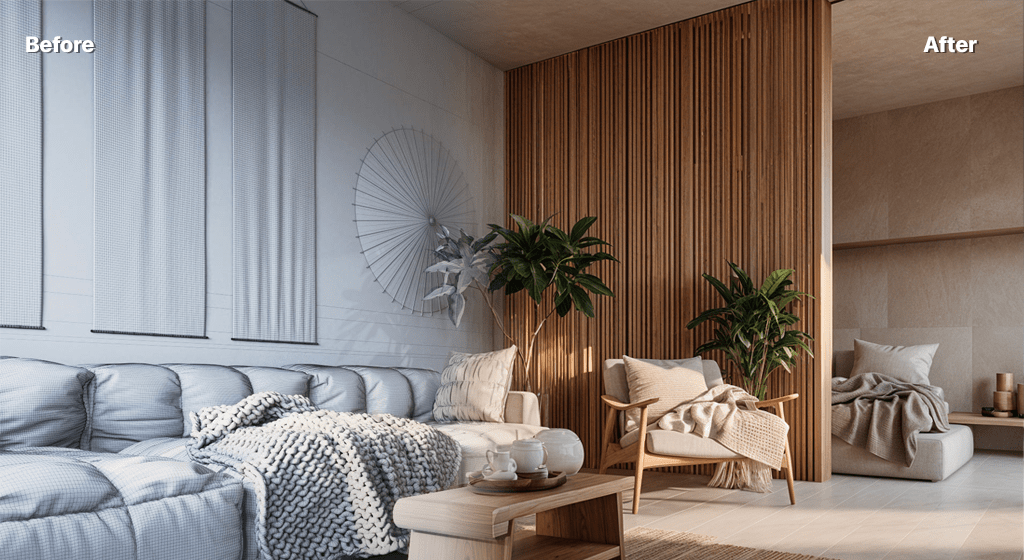
AI interior rendering helps designers and architects visualize spaces with photorealistic quality in seconds. Upload a floor plan sketch, a basic 3D model export, or a photograph of an existing space, and AI Render Studio transforms it into a compelling interior visualization complete with realistic materials, furniture, lighting, and atmosphere.
Interior designers use AI rendering to show clients how a space will feel before any construction begins. Test different material palettes, furniture arrangements, and lighting scenarios rapidly. Generate multiple design options for a single room in the time it used to take to render one view traditionally.
From residential living rooms to commercial office spaces, hospitality interiors to retail environments, AI interior rendering provides the visual communication tool that bridges the gap between design intent and client understanding. The AI understands spatial relationships, material properties, and lighting principles specific to interior design.
FAQ
Frequently asked questions
Can AI render interiors from a floor plan sketch?
Yes. AI Render Studio can transform hand-drawn floor plan sketches into 3D-looking interior visualizations. For best results, include key spatial elements like walls, windows, and door openings in your sketch. The AI interprets the spatial layout and generates a photorealistic perspective view.
Does AI interior rendering include furniture and decor?
Yes. The AI automatically adds context-appropriate furniture, lighting fixtures, decor, and interior accessories based on the design style and space type. You can guide the selection through text prompts specifying styles like minimalist, Scandinavian, industrial, or traditional.
What lighting options are available for interior renders?
You can choose from multiple lighting presets including bright daylight, warm ambient, golden hour, night scene, and overcast. The AI simulates realistic interior lighting with natural window light, artificial fixtures, and atmospheric effects like soft shadows and light bouncing.
Keep exploring
Related tools
Start free
Try AI Render Studio now.
Turn a sketch, model or photo into a photoreal render in seconds. 3 free credits, no credit card.