Skip to content

AI Render

AI Render — Photorealistic Renders in Seconds

Upload a model export, sketch, or photo and get four photoreal renders in about twelve seconds. No render engine, no waiting.

4.9110,000+ architects
airender.studio / ai-tools / AI-render
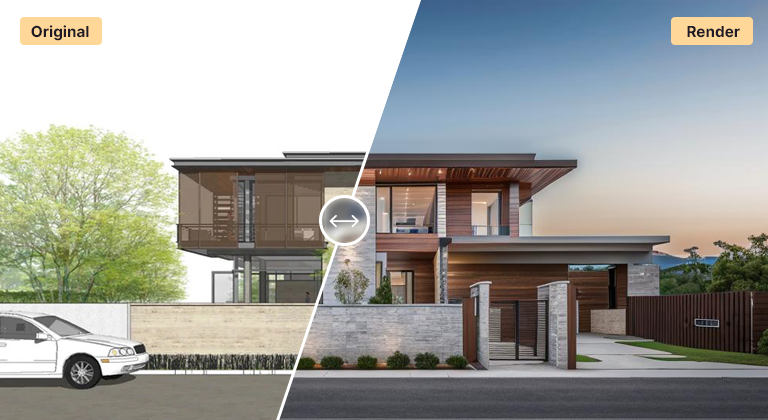
Photorealistic AI render generated from a 3D model export
1Upload your designA photo, sketch, screenshot or model export — SketchUp, Revit, Rhino, anything that makes an image.
2Pick a styleChoose from 60+ architecture-tuned styles, or describe the mood and materials in a prompt.
3Render in secondsFour photoreal variations land in about 12 seconds. Iterate, compare and upscale the winner.

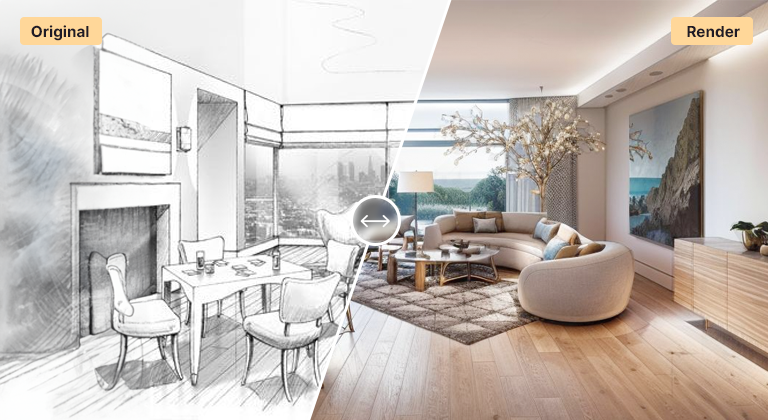
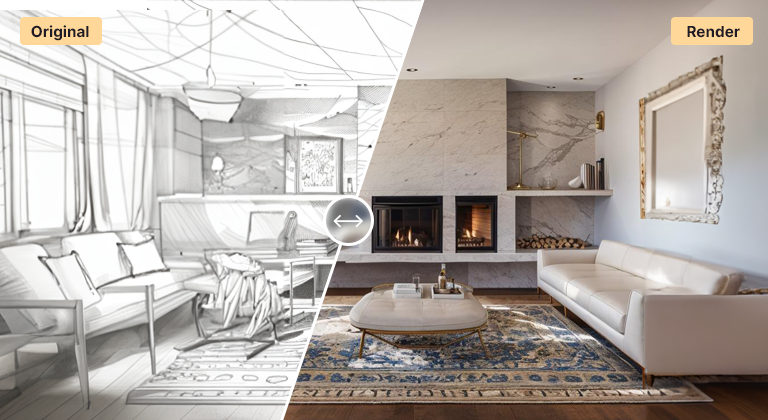
AI render replaces the slow parts of visualization — scene setup, material assignment, and long render times — with a single upload. Bring in a SketchUp, Revit, Rhino, or Blender viewport, a sketch, or a plain photo, and AI Render Studio returns four photorealistic renders in about twelve seconds, no render engine or GPU required.

Because it is fast and browser-based, AI rendering fits the parts of a project where iteration matters most: concept passes, design reviews, and client presentations. Generate several material and lighting directions for the same view, compare them side by side, and only invest in a traditional production render once the design is settled.

Every workflow — exterior, interior, masterplan, landscape, plan, and sketch-to-render — runs from the same place, so a single tool covers the whole project. Choose a style preset or describe the result in a prompt, then upscale the winner to a clean, high-resolution image.

Try it on your own project3 free credits on signup — no credit card, nothing to install.Create Your First Render

FAQ

Frequently asked questions

What do I need to start an AI render?

Just an image — a 3D model viewport export, a sketch, or a photo. There is no plugin, render engine, or dedicated GPU required; everything runs in your browser.

How long does an AI render take?

About twelve seconds per batch. Each run returns four variations so you can compare directions immediately rather than rendering them one at a time.

Is AI rendering a replacement for V-Ray or Lumion?

For concept work, iterations, and client presentations, AI rendering is faster and needs no setup. Traditional engines still offer more precise control for final production imagery, so many teams use AI rendering early and a render engine for the last mile.

Keep exploring

Related tools

Start free

Try AI Render Studio now.

Turn a sketch, model or photo into a photoreal render in seconds. 3 free credits, no credit card.

No credit card3 free credits6 AI workflows