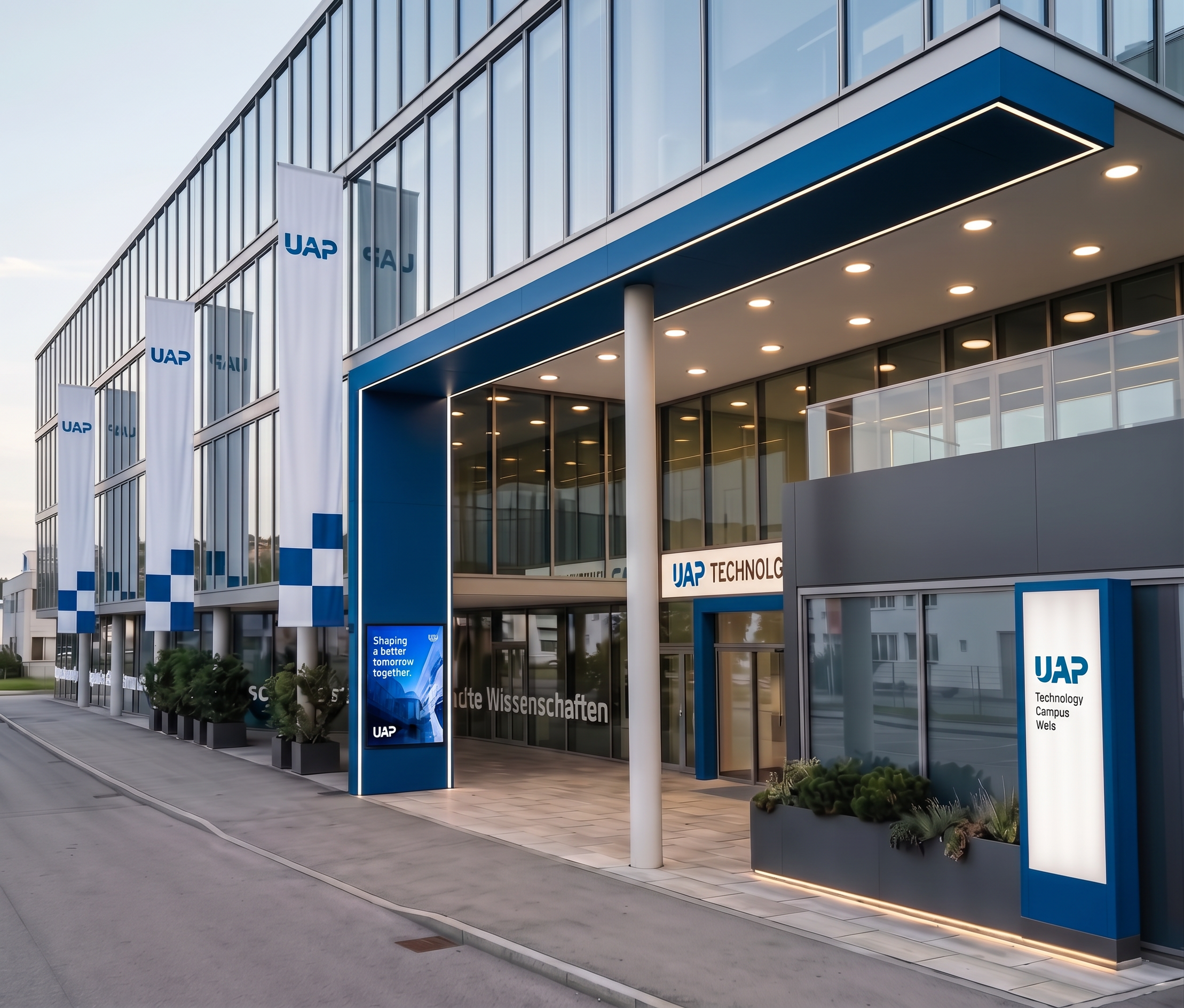
- Prompt
- Please improve the existing rendering while keeping it fundamentally exactly the same. Use the uploaded rendering as the fixed base image. The reference images should be used only for the specific changes listed below.
ONLY THESE FOUR CHANGES ARE ALLOWED:
1. Screen at the entrance
Replace the existing white sign on the blue entrance frame with the screen shown in the reference image. Match the reference exactly in terms of size, proportions, position, appearance and integration. Do not change the blue frame or any surrounding architecture.
2. Round ceiling lights
Change the lights in the white ceiling at the entrance so that they are round ceiling lights exactly like those shown in the reference image. Match their shape, size, appearance and arrangement to the reference. Keep their positions and the existing ceiling unchanged.
3. Flags
Change the existing flags so they look exactly like the flags in the reference image. Each flag must be white with exactly two blue square elements. Match the size, shape, position and appearance of the two blue squares to the reference.
- Keep the same number of flags.
- Keep all existing flagpoles and their positions unchanged.
- Do not add or remove flags.
- Do not add any additional blue elements.
4. LED strips under the plants
Add subtle, continuous LED strips underneath the existing planters/plants on the right side of the image, exactly as shown in the reference image. The LED lighting should be discreet, realistic and integrated naturally into the existing planters, creating a soft architectural glow. Do not add any other lighting.
IMPORTANT — EVERYTHING ELSE MUST REMAIN COMPLETELY UNCHANGED:
Do not redesign, reinterpret, add, remove, move, resize or alter any other architectural elements, materials, objects, facade, windows, doors, entrance, blue frame, landscaping, ground surfaces, signs, lighting, geometry, proportions, camera angle, perspective, framing or composition.
The reference images must not be used to change anything other than the four explicitly listed items above.
No additional improvements or modifications are allowed. The final result must look like the exact same original rendering with only these four carefully implemented changes, while maintaining a realistic, high-quality architectural visualization.
- Created
- October 6, 2026