Skip to content
Render tools
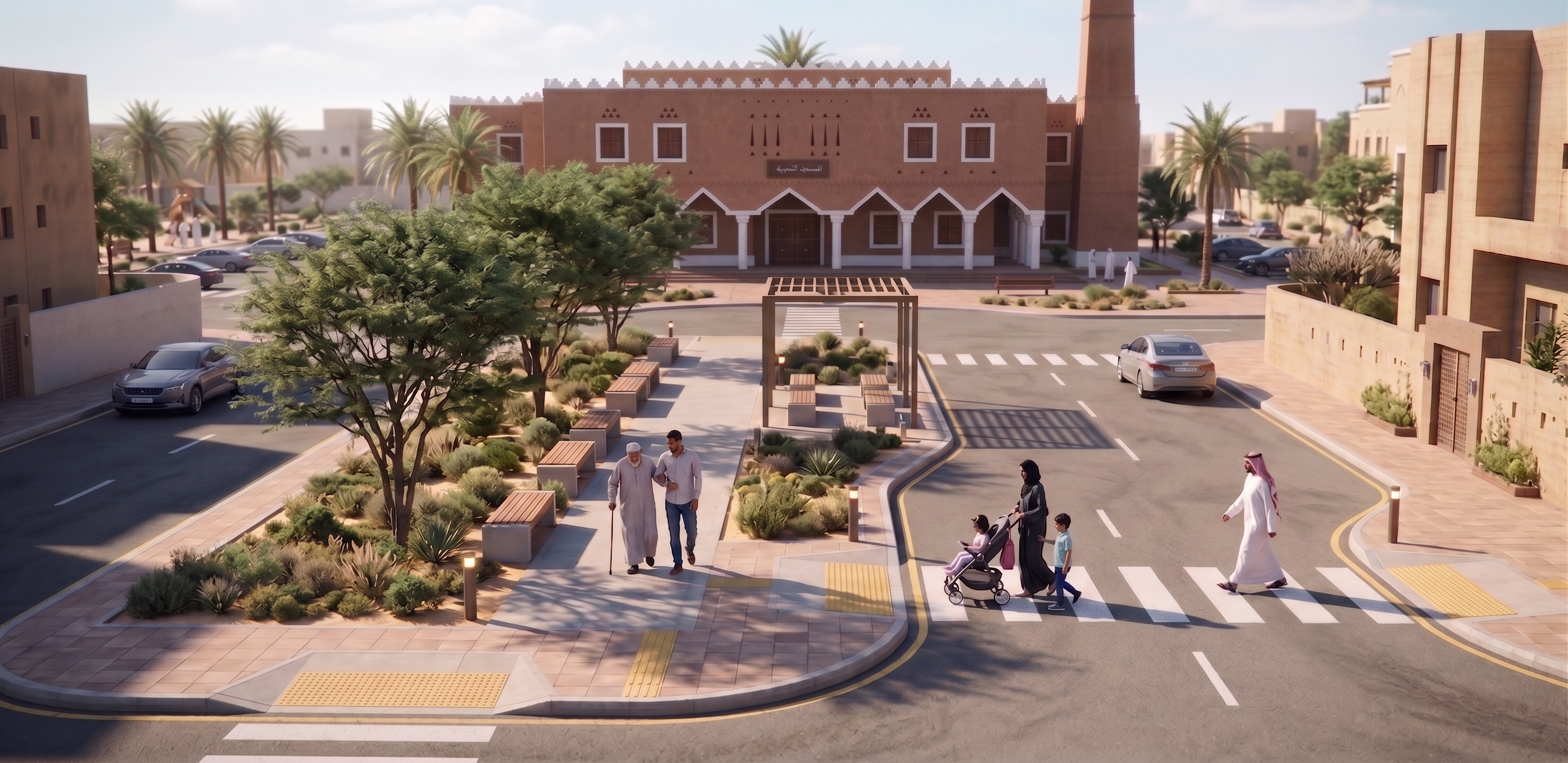
Use IMAGE 1 as the BASE SCENE.
Use IMAGE 2 as the EXACT architectural reference for the mosque.

Replace ONLY the mosque visible in the background of IMAGE 1 with the exact Traditional Najdi mosque shown in IMAGE 2.

CRITICAL:
Keep the entire foreground and public realm of IMAGE 1 unchanged:
- pedestrians and families
- elderly man and companion
- stroller and children
- pedestrian crossings
- roads and sidewalks
- benches and pergola
- trees and landscaping
- cars
- surrounding neighborhood buildings
- camera position and perspective
- overall composition

MOSQUE:
Reconstruct the mosque façade to closely match IMAGE 2:
- exact façade proportions and composition
- warm natural Najdi earth-plaster walls
- white crenellated parapet
- triangular Najdi ventilation motifs
- recessed timber windows with white frames
- continuous traditional pointed arcade
- white columns and arch outlines
- large central dark timber double door
- same entrance proportions
- tall tapered rectangular Najdi minaret on the right
- subtle handcrafted plaster texture

Do NOT invent a new mosque design.
Do NOT simplify the façade.
Do NOT change it into a generic Islamic mosque.
Do NOT add domes.
Do NOT add modern glass.
Do NOT alter the massing.

PHOTOREALISM IS VERY IMPORTANT:
The final image must look like a REAL professional architectural photograph, NOT a 3D game model, illustration, AI concept image, or miniature.

Use:
- physically realistic PBR materials
- highly detailed natural earth plaster with subtle imperfections
- realistic timber grain
- realistic stone paving
- physically accurate daylight
- natural contact shadows
- realistic global illumination
- subtle atmospheric depth
- realistic vegetation with irregular leaves and branches
- natural human proportions and clothing
- realistic cars and reflections
- subtle material weathering
- slight variation in surfaces
- realistic depth of field without excessive blur

Avoid overly perfect, smooth or plastic materials.
Avoid orange oversaturation.
Avoid artificial cinematic lighting.
Avoid excessive sharpness.
Avoid symmetrical AI-looking vegetation.

LIGHTING:
Natural clear Riyadh daytime.
Warm sunlight with neutral color balance.
Realistic strong Saudi sunlight and soft bounced light from surrounding surfaces.

IMPORTANT:
The mosque must feel physically integrated into the existing street scene with correct scale, perspective, lighting, shadows and ground contact.

Do not add or change any Arabic text.
Preserve the mosque sign from the reference exactly if possible.

FINAL RESULT:
An ultra-photorealistic architectural visualization of the SAME public realm from IMAGE 1, with ONLY the background mosque replaced by the exact Traditional Najdi mosque from IMAGE 2, looking like a real completed project photographed in Riyadh.

Create renders like this

Turn any photo, sketch, or floor plan into a photoreal render in seconds.