Skip to content
Render tools
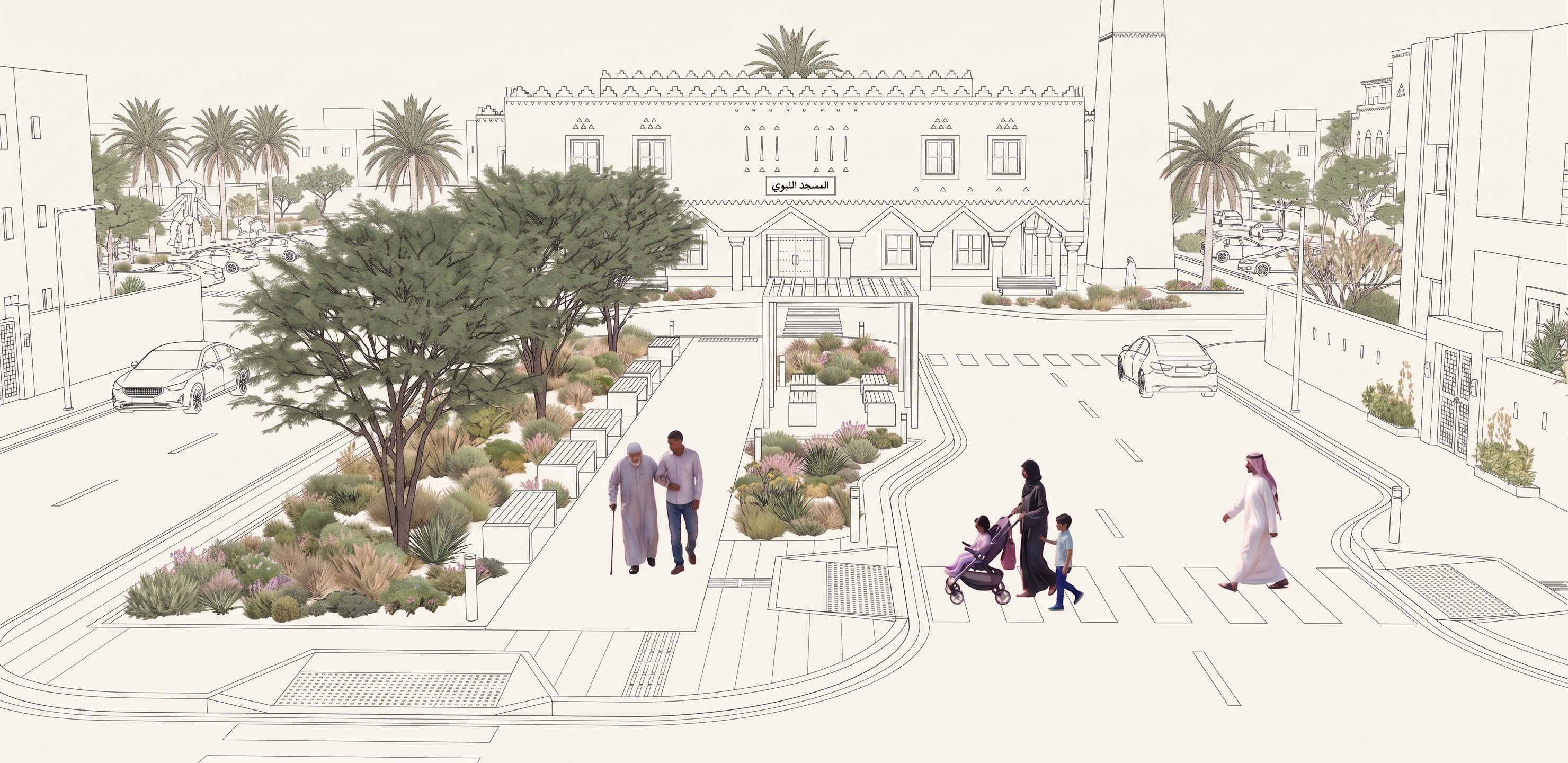
Transform the uploaded image into a precise ARCHITECTURAL TECHNICAL LINE DRAWING while preserving the exact original composition and perspective.

CRITICAL:
Keep the EXACT same mosque, minaret, surrounding buildings, streets, sidewalks, crossings, pedestrian plaza, pergola, benches, cars, people and landscaping.

Do NOT redesign, move, add, remove, resize or reinterpret anything.

ARCHITECTURE + URBAN ELEMENTS:
Convert ALL built and hardscape elements into clean technical architectural linework:
- mosque
- minaret
- surrounding buildings
- roads
- curbs
- sidewalks
- paving
- pedestrian crossings
- pergola
- benches
- street furniture
- cars

Use:
- precise thin black/dark-gray lines
- controlled architectural outlines
- accurate perspective
- subtle line-weight hierarchy
- crisp CAD-style detailing
- white/off-white background

ABSOLUTELY NO SHADOWS.
NO cast shadows.
NO ambient shadows.
NO gradient shading.
NO hatching.
NO material textures.
NO realistic lighting.
NO photorealistic surfaces.
Keep architectural surfaces completely clean and white.

IMPORTANT EXCEPTION:
DO NOT convert PEOPLE or VEGETATION into technical linework.

Keep:
- people
- trees
- palms
- shrubs
- grasses and planting

as soft natural visual elements with subtle realistic color and texture.

They should remain visually light and understated so the architectural technical drawing remains dominant.

The contrast should be clear:
BUILDINGS + SITE + ROADS = pure technical line drawing.
PEOPLE + VEGETATION = soft natural realistic elements.

NO text.
NO labels.
NO arrows.
NO dimensions.
NO annotations.

Final result: a clean professional architectural technical perspective with absolutely no architectural shading or shadows, while people and vegetation remain softly realistic.

Create renders like this

Turn any photo, sketch, or floor plan into a photoreal render in seconds.