Skip to content
Render tools
Modify ONLY the governmental signage.

Do NOT change:

• building massing
• geometry
• façade
• materials
• windows
• columns
• roof
• fire truck bays
• entrance
• camera angle
• landscaping
• lighting
• colors
• architectural style

Everything except the signage must remain IDENTICAL.

--------------------------------------------------

REMOVE the existing vertical sign panel beside the entrance completely.

Do NOT leave any trace of it.

Restore the wall behind it exactly as the surrounding façade using the same material and finish.

--------------------------------------------------

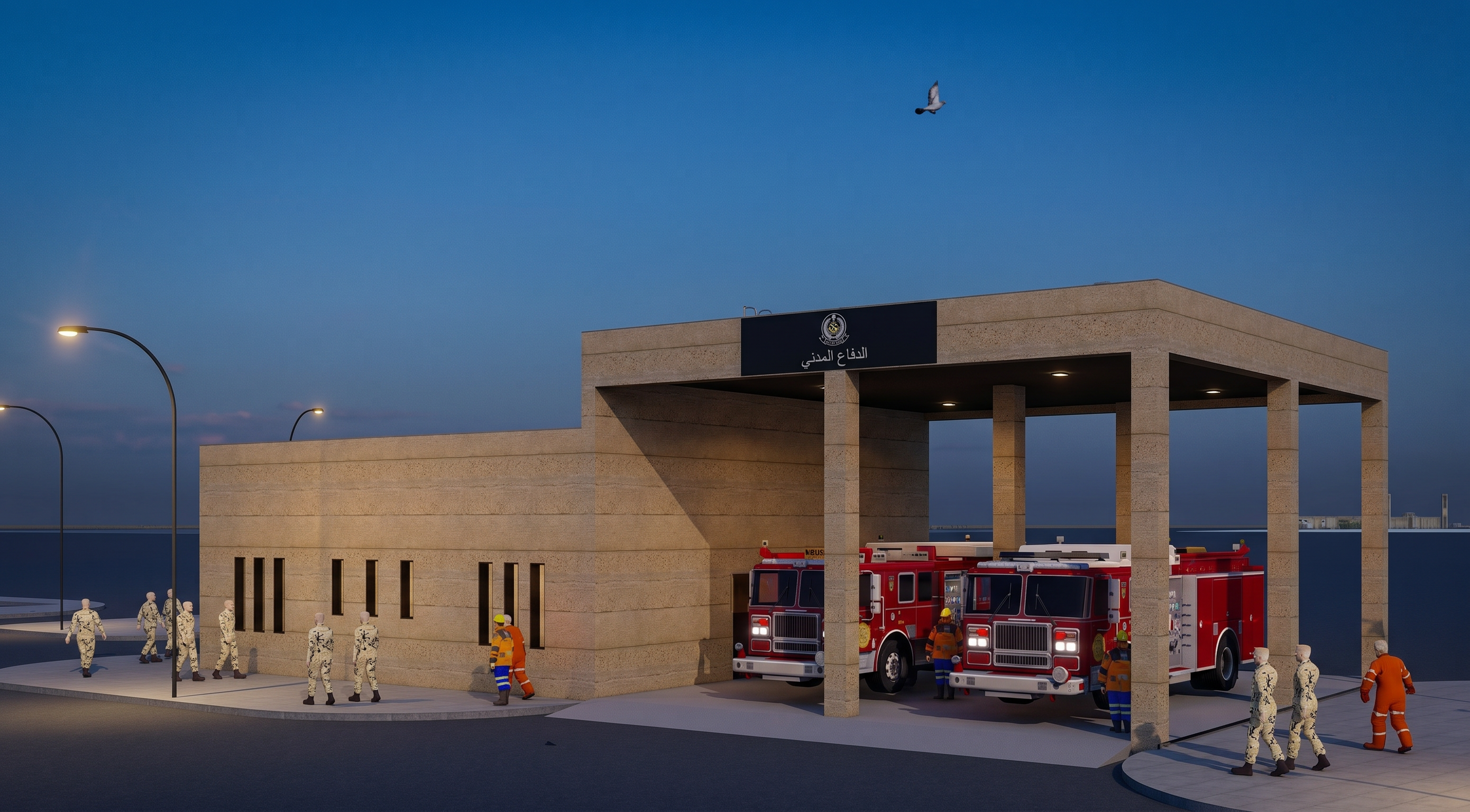
Create ONE horizontal governmental sign only.

Place it ABOVE the fire truck bays, centered on the front canopy beam exactly in the marked green location.

The sign should be integrated into the architecture, not floating.

--------------------------------------------------

SIGN DESIGN

Use a premium matte black aluminum architectural panel.

Slim profile.

Flush-mounted.

Contemporary Saudi governmental appearance.

No glow.

No lighting.

No reflections.

No oversized frame.

--------------------------------------------------

LAYOUT

Center everything.

Top:
Official Saudi Civil Defense emblem.

Bottom:
الدفاع المدني

The logo should be centered above the text.

The Arabic text should be centered below the logo.

Use elegant governmental Arabic typography.

Brushed stainless steel or matte silver lettering.

Perfect spacing and alignment.

Professional proportions.

--------------------------------------------------

The sign should feel identical to signage used on contemporary Saudi government buildings.

Simple.

Premium.

Permanent.

Architecturally integrated.

--------------------------------------------------

Do NOT redesign anything else.

The only modification in this image is replacing the old vertical entrance sign with the new centered horizontal sign above the apparatus bays.

Create renders like this

Turn any photo, sketch, or floor plan into a photoreal render in seconds.