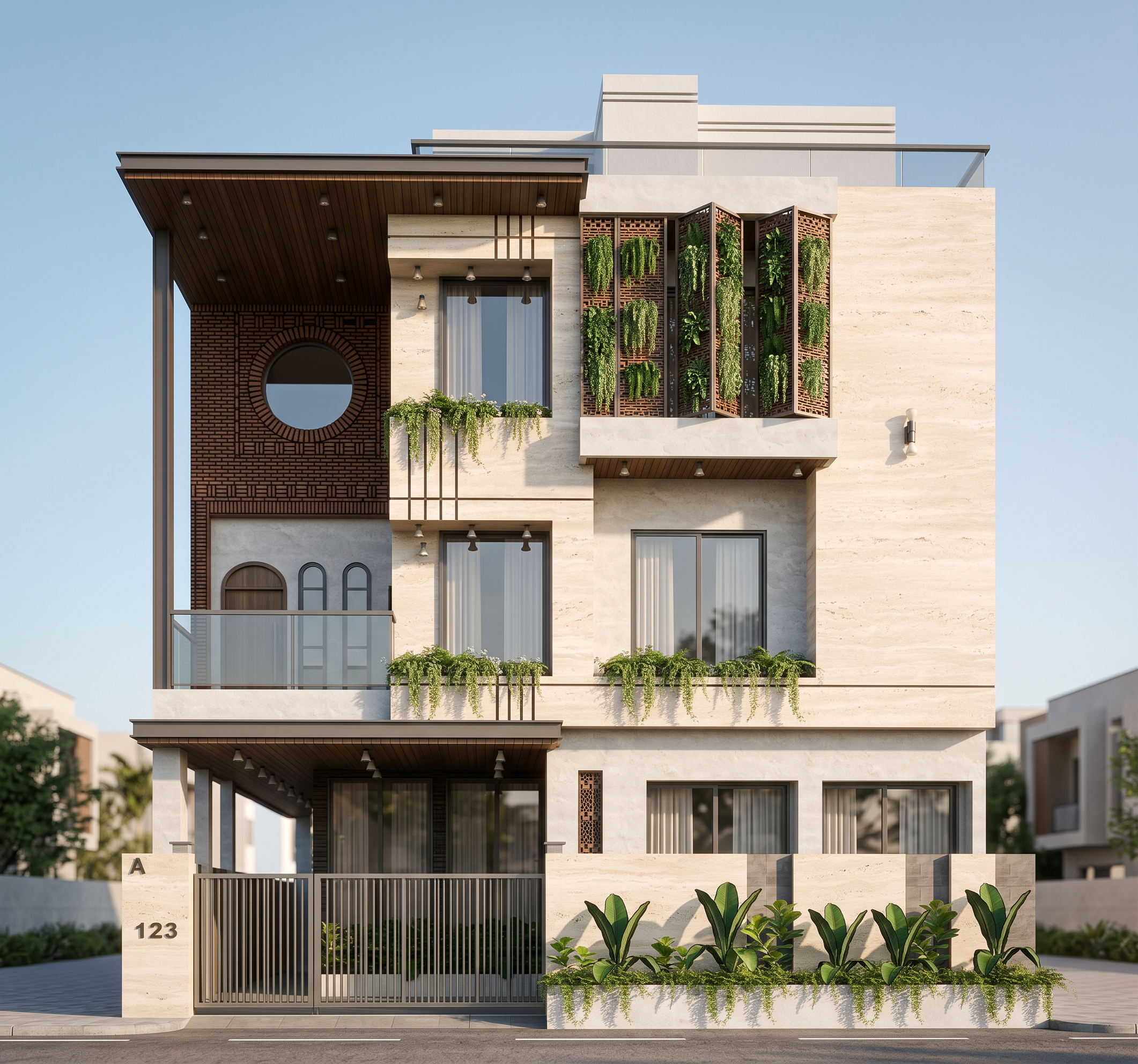
- Prompt
- Create an ultra-photorealistic architectural exterior render of the uploaded 3D model.
ABSOLUTE MODEL LOCK: Use the uploaded model as the only source of geometry. Preserve **100% of the original geometry, scale, proportions, dimensions, floor heights, slab levels, cantilevers, projections, openings, facade elements, windows, doors, railings, jali/screens, landscape elements, and overall design. Do NOT redesign, add, remove, resize, straighten, simplify, or reinterpret any architectural element. The model must remain exactly as provided.
CAMERA & COMPOSITION: Take inspiration from the reference image only for the camera treatment. Use a realistic front three-quarter architectural photography view, approximately human eye level, with a slightly elevated perspective, showing the building clearly and naturally. Use a moderate architectural lens around 35–50mm, with minimal wide-angle distortion. Keep vertical lines straight and maintain realistic proportions. Frame the complete building comfortably with some foreground road/paving visible.
SKY & LIGHTING: Recreate the reference's clean premium residential visualization atmosphere: clear soft blue daytime sky with subtle natural atmospheric depth, bright but slightly warm sunlight, soft directional shadows, realistic ambient illumination, natural contact shadows and subtle ambient occlusion. Avoid dramatic clouds, sunset lighting, excessive HDR, or artificial CGI lighting.
TRAVERTINE FINISH ONLY: Apply/enhance the existing travertine areas of the model with a highly realistic light warm ivory-beige natural travertine stone finish. The stone should have subtle natural pores, fine horizontal/organic variation, realistic stone joints and slight tonal variation. Keep it elegant and matte/satin rather than glossy. Do not apply travertine to surfaces that are not intended to be travertine in the original model.
REALISM: Make the result look like a professionally photographed real building rather than a CGI render. Use physically accurate material response, realistic sunlight, soft reflections on glass, subtle surface imperfections, natural shadow gradients, realistic depth, and high-resolution texture detail. Keep edges clean but avoid excessive sharpening, black outlines, exaggerated edge definition, or cartoon-like contrast.
SURROUNDINGS: Use a clean, realistic residential street environment inspired by the reference, with subtle paving/road texture, restrained landscaping and natural vegetation. Keep surroundings secondary to the building and do not introduce architectural elements that alter or compete with the original model.
IMPORTANT: The reference image is NOT a design reference. Do not copy its building, facade, windows, proportions, roof, landscaping, or architectural elements. Only use it as a reference for the camera angle, skybox, daylight quality, photographic composition, and travertine appearance.
Output: ultra-high-resolution, photorealistic architectural visualization, realistic 4K/8K-quality texture detail, natural daylight, professional architectural photography, crisp but not oversharpened, realistic material depth, no AI-looking artifacts, no geometry changes.
- Created
- October 3, 2026