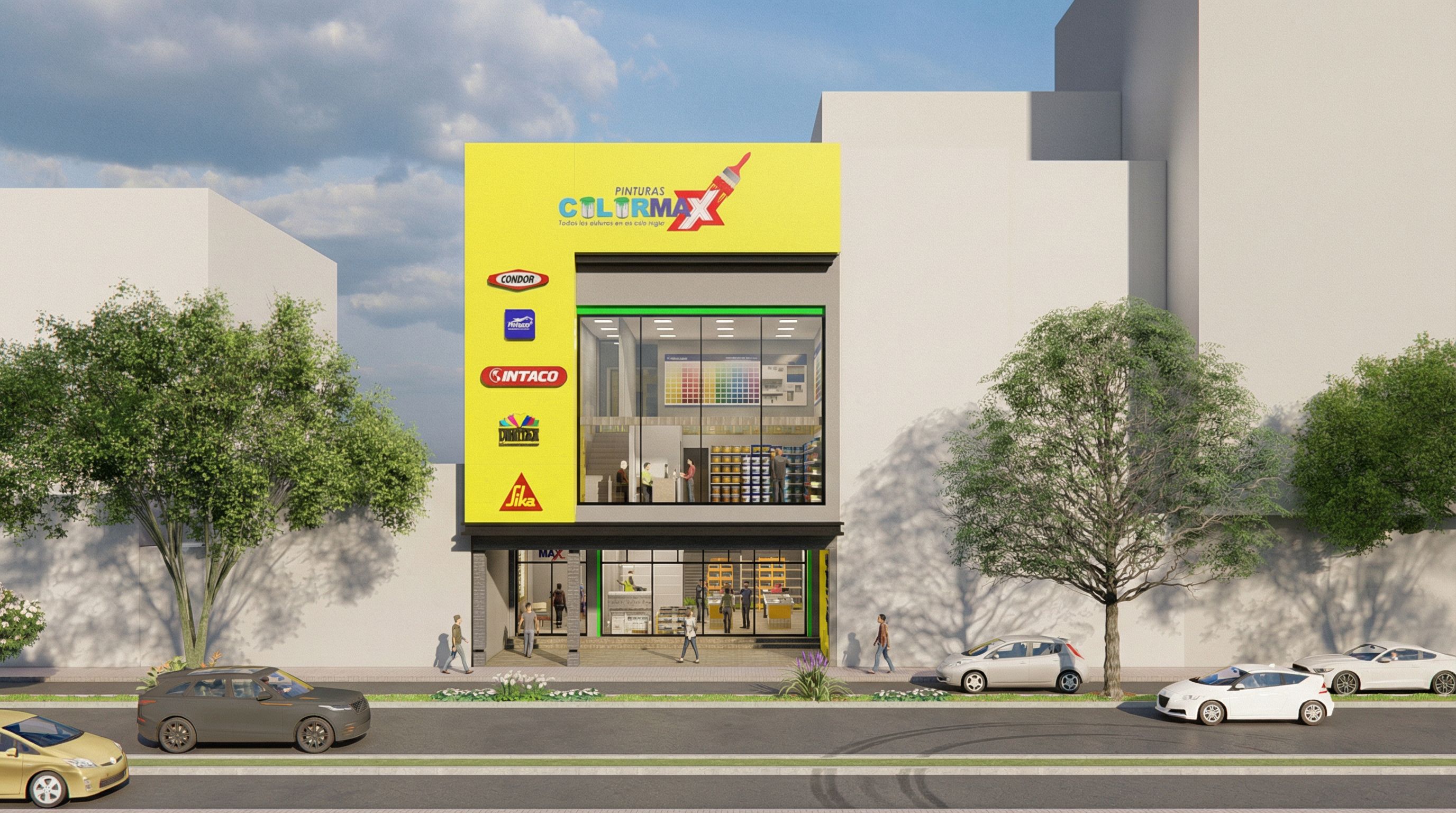
- Prompt
- Create a highly realistic architectural render with photorealistic lighting and details. Do not change any existing materials, colors, or architectural geometry. Do not modify, remove, or replace any façade colors. All façade colors must remain exactly as originally designed. Do not remove, move, or modify any walls, partitions, or structural elements. Keep all original materials exactly as they are. Do not modify, replace, redraw, or alter any icons, logos, graphics, or text present in the render; all icons and text must remain exactly as in the original image. Add realistic people at human scale to give life and context to the scene, with natural poses and proportions. On the ground floor, the right side functions as a paint store in operation, visible through the transparent glass, with subtle interior elements related to a paint shop (paint cans, color displays, shelves), without altering the architecture or walls. On the left side of the ground floor, maintain the building lobby (main hall) clearly defined and visible through the glass. Preserve full transparency of the ground-floor glass, allowing clear visibility into both the paint store and the building lobby. Maintain reflective glass on all upper floors with realistic reflections of the surroundings. The yellow material is aluminum composite panel (Alucobond) and must remain unchanged. Enhance realism with natural shadows, accurate reflections, and balanced exposure, without modifying the original design. Do not change façade colors, materials, textures, glass types, or building geometry. Do not remove or modify walls or layouts. Do not alter, replace, or stylize any icons, logos, or text. Do not add new text or signage. Avoid cartoon style, exaggerated lighting, over-saturation, blur, distortion, or unrealistic effects., keep exact camera angle
- Created
- February 4, 2026