Skip to content
Render tools
MPORTANT CAMERA MATCHING TASK

Use the uploaded interior dining room image as the composition reference.

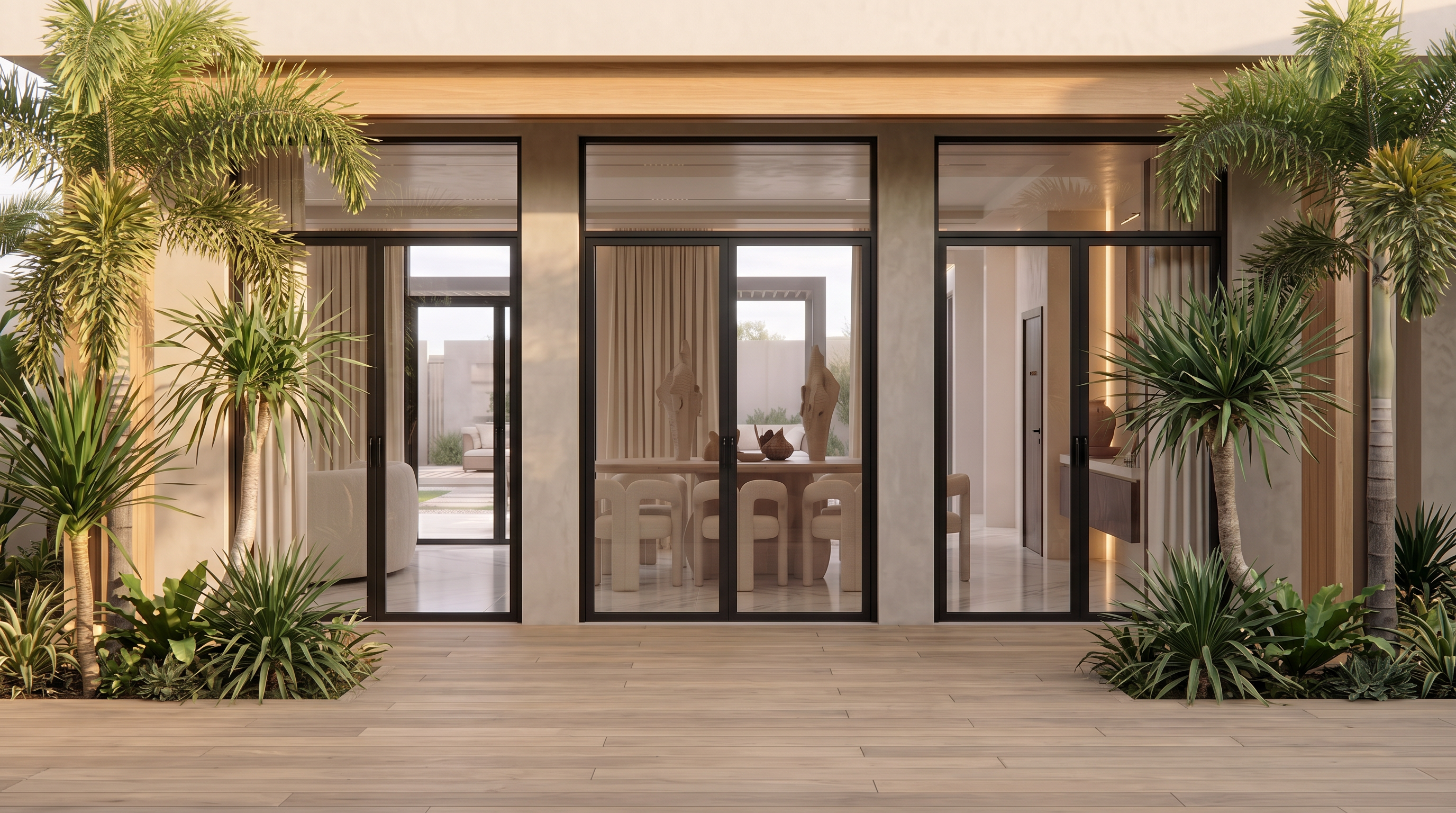
The current exterior render has the wrong camera position and perspective.

Rebuild the exterior view so that it becomes the exact exterior counterpart of the interior dining room shot.

CAMERA POSITION:

Place the camera directly outside the center glass opening.
Camera must be perpendicular to the facade.
No left or right camera offset.
No camera rotation.
No angled composition.
Camera height must match the eye level of the interior shot.
Use the exact same focal length as the interior image.
Maintain identical perspective lines.

COMPOSITION:

The dining table must be perfectly centered.
The center of the table must align with the center of the frame.
The center curtain panel visible in the interior shot must remain centered.
Left and right glazing widths must appear symmetrical.
The exterior shot should feel like the viewer stepped backward through the glass by 3-5 meters while keeping the same camera target.

VISUAL CHECK:

If the exterior image is overlaid on top of the interior image, the following elements must align:

Dining table center
Dining chairs
Curtain centerline
Main wall centerline
Ceiling centerline
Door opening positions

ARCHITECTURE:

Do not modify:

Architecture
Furniture
Materials
Lighting
Landscaping
Decorations
Openings
Scale

Only correct the camera position and perspective.

TARGET RESULT:

The final image must look like the exact reverse side of the interior render, photographed from outside the building while preserving the same composition, symmetry, framing, horizon level, lens compression, and focal length.

"Image 1 is the master composition reference. Image 2 must match Image 1 composition exactly. Copy the camera position, camera height, focal length, perspective, symmetry, and framing from Image 1 and apply them to Image 2."

Create renders like this

Turn any photo, sketch, or floor plan into a photoreal render in seconds.