Skip to content
Render tools
Use IMAGE 1 as the VISUAL STYLE and PRESENTATION reference only.

Use IMAGE 2 as the exact architectural and site reference.

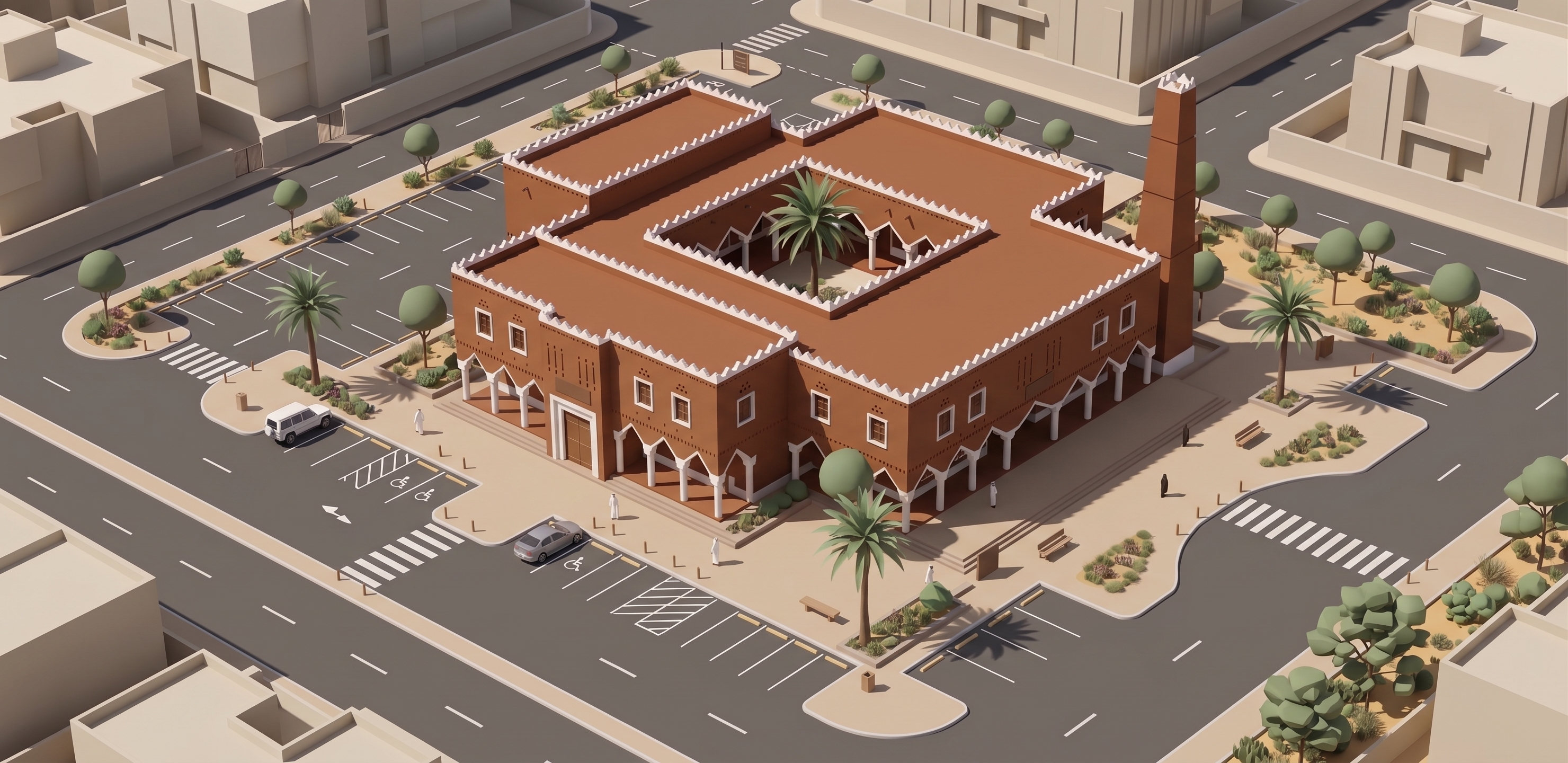
Transform IMAGE 2 into the same stylized 3D ISOMETRIC MINIATURE / ARCHITECTURAL GAME MODEL style shown in IMAGE 1.

IMPORTANT:
IMAGE 1 = STYLE, CAMERA FEEL AND GRAPHIC REPRESENTATION ONLY.
IMAGE 2 = EXACT MOSQUE, SITE AND LAYOUT.

Do NOT redesign the mosque or site.

Preserve from IMAGE 2:
- exact mosque massing and footprint
- central courtyard
- roof configuration
- Najdi façade composition
- arcades and columns
- windows and entrances
- white crenellated roof details
- minaret position and proportions
- parking location and layout
- surrounding roads
- sidewalks and pedestrian crossings
- landscape zones
- relationship between mosque and surrounding blocks

VISUAL TRANSFORMATION:

Convert the photorealistic scene into a clean stylized architectural 3D model, similar to a premium city-building or architectural simulation game.

Use:
- simplified low-detail 3D geometry
- clean isometric / axonometric appearance
- matte materials
- flat simplified colors
- soft ambient shadows
- minimal realistic texture
- slightly reduced saturation
- clean sharp building edges
- simplified vegetation
- simplified cars
- simplified surrounding buildings
- diagrammatic roads and parking markings

The mosque should remain recognizable as Najdi architecture, using simplified:
earth-brown walls,
white architectural details,
dark openings,
white crenellations,
Najdi minaret.

CONTEXT:
Simplify all surrounding buildings into neutral beige block masses like IMAGE 1.
Reduce them to basic geometric volumes without façade details.

Simplify trees and landscape into small stylized 3D objects.
Keep roads dark gray and sidewalks light beige.
Keep parking markings clearly visible.

CAMERA:
Use a clean elevated isometric/axonometric view similar to IMAGE 1.
Show the entire mosque site as one compact urban tile.
Center the mosque within the composition.
Show enough surrounding streets and simplified buildings to understand the urban context.

BACKGROUND:
Use a clean warm off-white / light beige background beyond the site tile.

NO photorealism.
NO cinematic lighting.
NO realistic sky.
NO detailed surrounding architecture.
NO excessive vegetation.
NO text, logos or labels.

CRITICAL:
Do not change the architecture to achieve the game-model look.
SIMPLIFY THE REPRESENTATION, NOT THE DESIGN.

Final result:
The exact mosque and site from IMAGE 2 represented as a clean miniature 3D isometric architectural game model matching the visual style of IMAGE 1.

Create renders like this

Turn any photo, sketch, or floor plan into a photoreal render in seconds.