- Prompt
- Edit the attached interior render. Make **one** change and leave everything else identical.
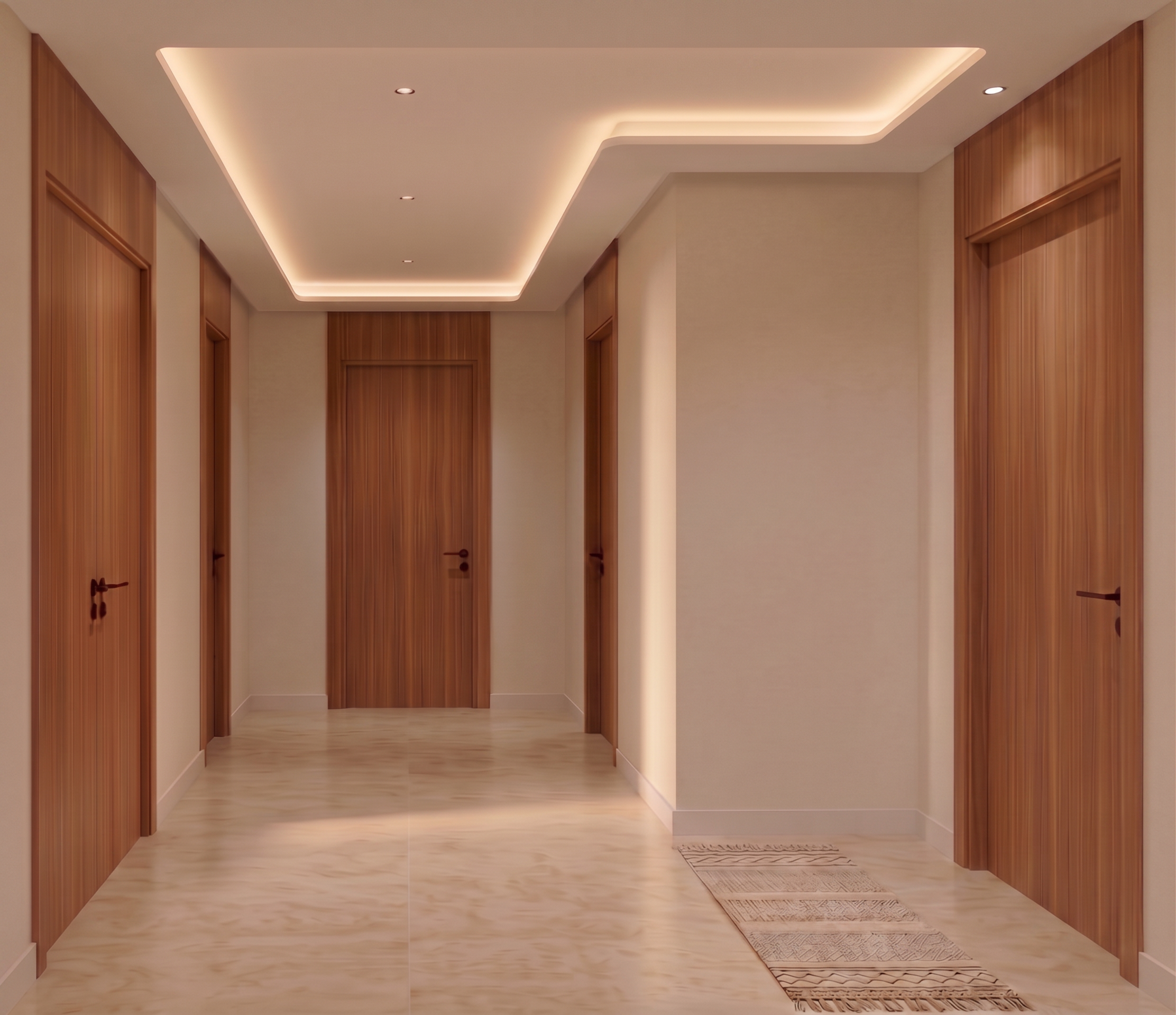
**Push the large blank wall on the right back by 50 cm.** This is the plain plaster wall on the right-hand side of the image that faces the camera directly — the tall blank surface between the ceiling cove above and the floor below, sitting to the left of the teak-panelled recess and its door on the far right. Move that wall **half a metre further away from the viewer**, so the space in front of it becomes correspondingly deeper.
Everything that meets that wall must follow it:
- The **floor extends** to meet the wall in its new position — same travertine, same laying direction, joints continuing naturally, no patch or seam where the wall used to be.
- The **ceiling extends** to meet it, and the **stepped soffit with its concealed cove lighting follows the new wall line**, keeping the same profile, the same setback and the same warm glow. The cove must still run cleanly along the top of that wall.
- The **skirting** follows the wall in its new position, unbroken.
- The **corner where this wall meets the wall on its left** stays a clean vertical corner running floor to ceiling, simply set 50 cm further back.
- The **light and shadow adjust** — the wall is now further from the camera, so it reads very slightly softer and its cove wash falls a little differently.
Everything else stays pixel-identical:
- every teak door and its frame, unchanged in position, size, height and finish — the two doors on the left, the door closing the far end, the door beyond the corner, and the door in the teak-panelled recess on the far right
- the teak panelling on the far right, unchanged
- the recessed downlights in the ceiling, unchanged
- the patterned rug runner on the floor, unchanged
- all wall colours, the floor material, every finish
- the camera position, the framing and the aspect ratio
Do not re-render or restyle the space, do not move any door, and do not add or remove anything. This is a single wall moved half a metre in an existing photograph.
---
- Created
- August 13, 2026