- Prompt
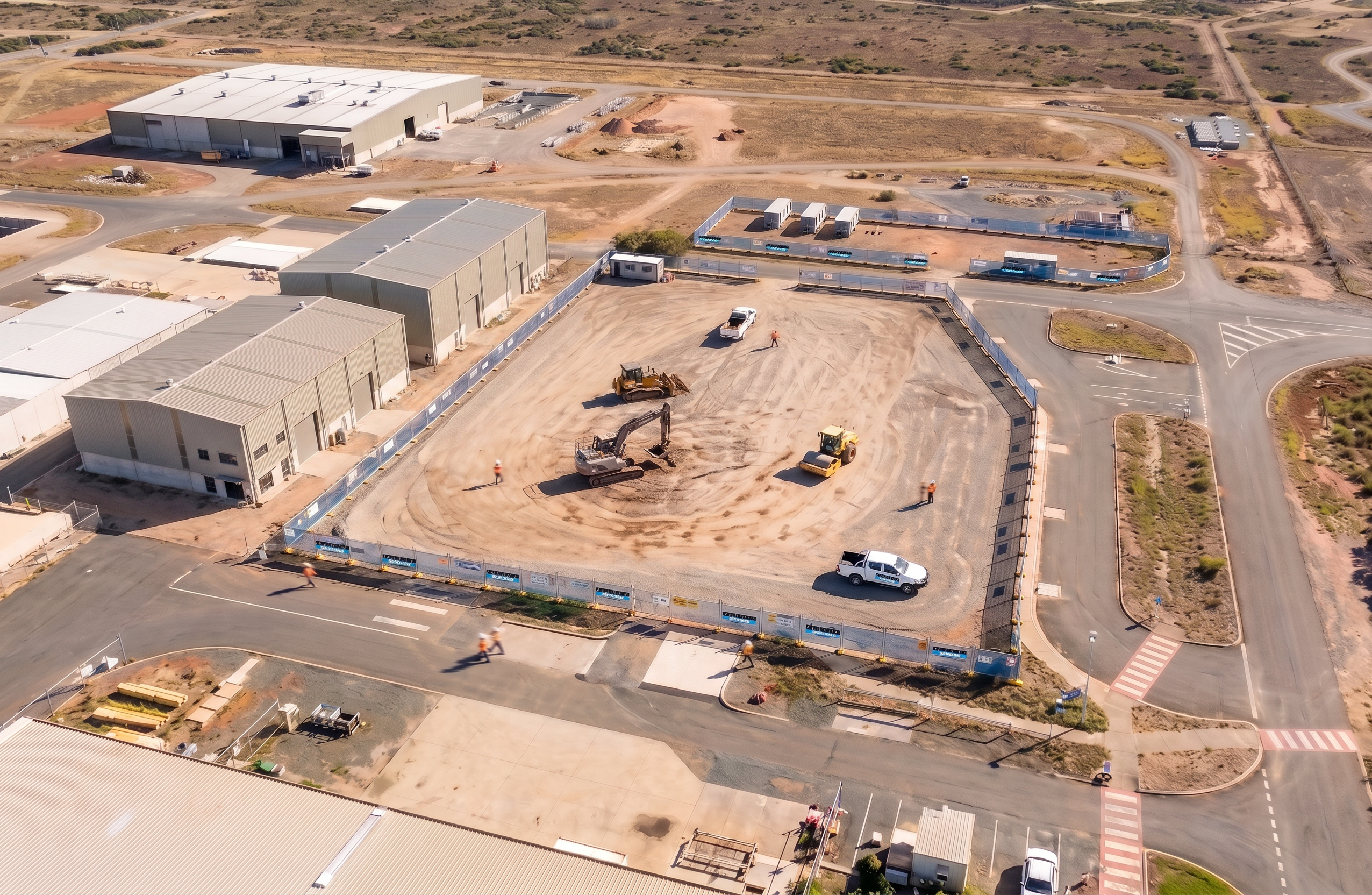
- Use the provided image as the exact base reference. Keep everything in the image exactly as it is — including camera position, perspective, scale, layout, roads, vehicles, fencing, site works, terrain, lighting, shadows, and all buildings. Do not move, resize, rotate, or reinterpret any elements in the image. Do not add or remove anything. The only modification permitted is to the two buildings on the left side of the image (mid-left area). Increase the height of these two buildings so that their roof height matches the height of the tallest building located in the far left corner of the image. Requirements for the change: Maintain the same footprint, position, width, and orientation of both buildings Extend vertically only (no horizontal or positional changes) Match existing materials, colours, façade detail, and roof style Ensure correct perspective scaling relative to the camera The final output must be photorealistic and seamless, with no change to any other part of the image. Strict constraint: The image must remain identical to the original except for the increased height of the two specified buildings.
- Created
- June 24, 2026