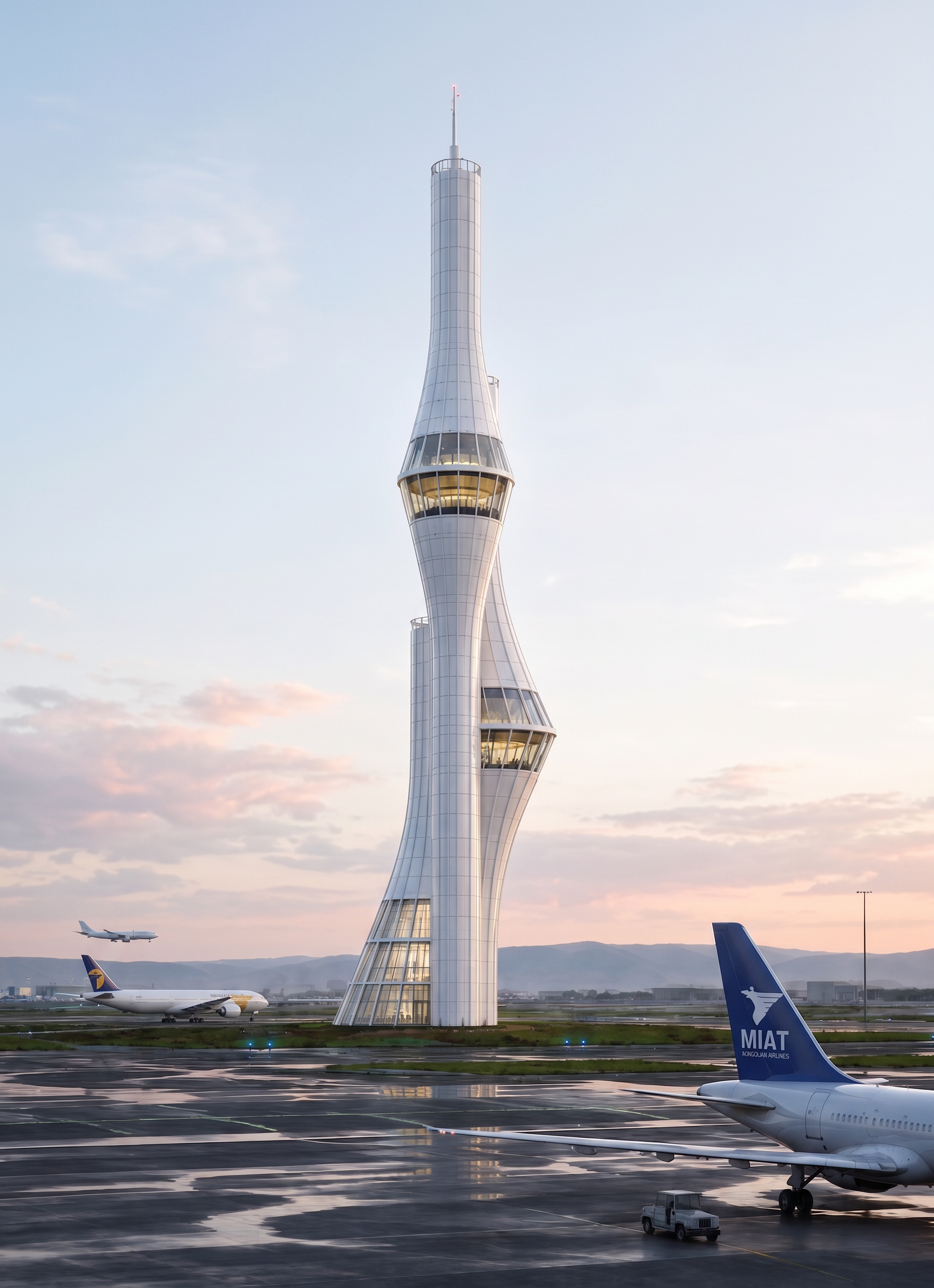
- Prompt
- Edit the building facade while preserving the original building shape, proportions, perspective, camera angle, and overall architectural design.
Make the facade divisions and panel joints much cleaner, more precise, realistic, and professionally detailed. Ensure that material transitions, construction joints, and facade depth look natural and consistent with a real building.
**Change the lowest glazed section from 3 floors to exactly 2 floors.** Do not unnecessarily change the proportions, layout, or arrangement of the other floors or the main building structure.
Make the airplane in the background **highly realistic, correctly proportioned, and accurately positioned in perspective**. Its scale, placement, lighting, and atmospheric conditions should naturally match the surrounding environment.
Replace the logo on the airplane’s **vertical stabilizer / tail fin** with the **official MIAT Mongolian Airlines logo of Mongolia**. The logo must look naturally painted or applied onto the aircraft surface, correctly following the perspective, curvature, lighting, and material of the tail fin. Do not distort the logo or add any additional symbols or markings.
**Use the reference images only as general visual references** for the overall appearance, lighting, materials, colors, and level of realism. Do not directly copy the buildings, objects, or forms from the reference images.
Make the overall scene slightly brighter, cleaner, and clearer while keeping it natural and realistic. Preserve realistic shadows, glass reflections, material textures, and natural daylight.
Keep the facade clean, realistic, modern, and architecturally believable. Do not change the original composition, main building form, or camera angle.
The final result should look like a **high-end professional architectural visualization**, with photorealistic materials, realistic glass reflections, accurate facade depth, natural daylight, and a convincingly realistic airplane in the background.
- Created
- August 17, 2026