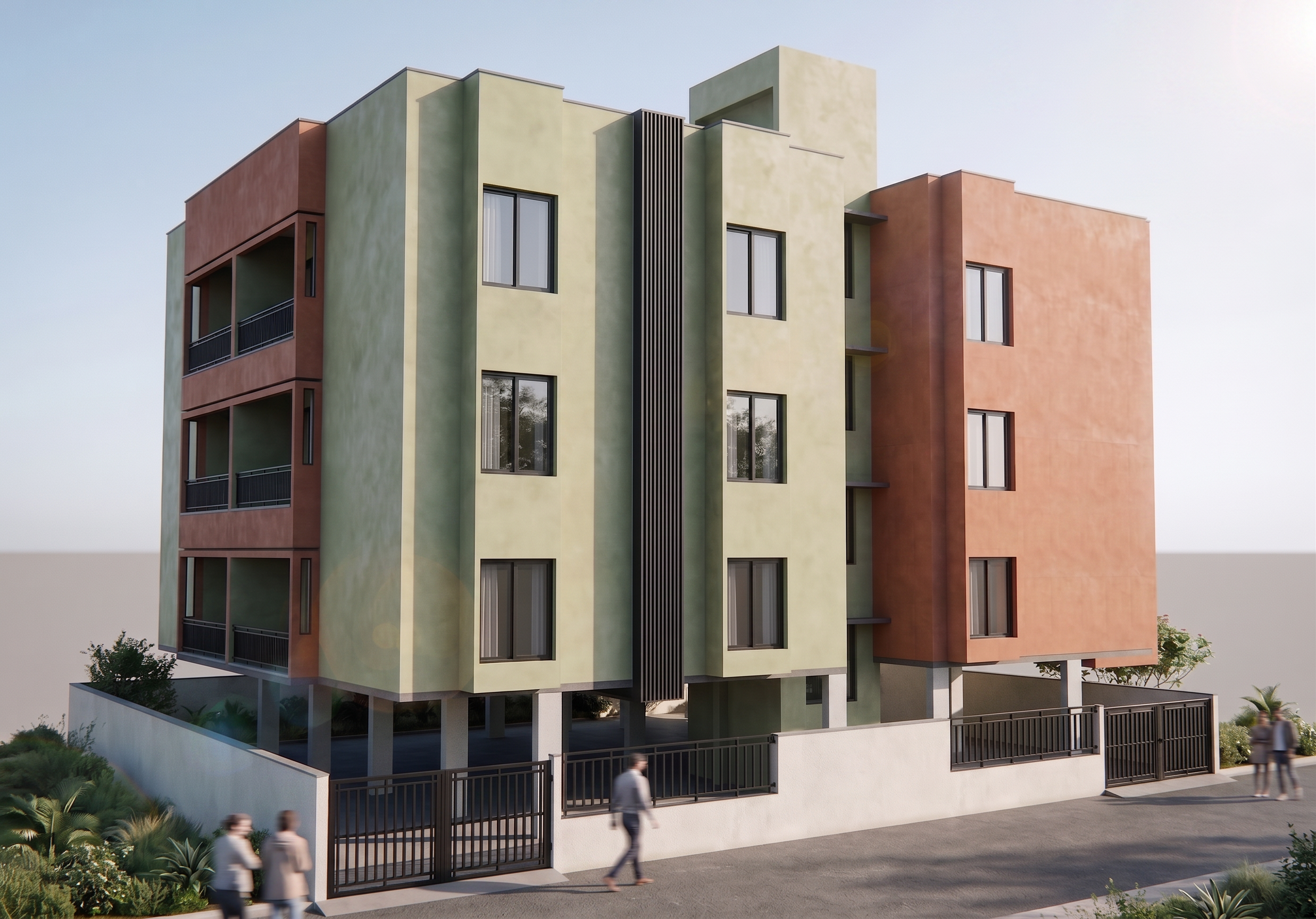
- Prompt
- ### STRICT NO DESIGN CHANGE – REMOVE HORIZONTAL LINES ONLY **"Remove ONLY the horizontal groove/reveal lines that run continuously across the façade at each floor level. Fill and blend these grooves seamlessly into the surrounding wall surface so that the façade appears as a clean uninterrupted plaster finish.** **STRICTLY PRESERVE the exact building design, geometry, dimensions, proportions, floor count, façade composition, wall projections, windows, balconies, railings, compound wall, gates, columns, parapets, staircase block, vertical fins, landscaping, camera angle, perspective, lighting, shadows, reflections, textures, and ALL architectural elements.** **STRICTLY RETAIN the exact existing earthy green plaster color, terracotta plaster color, charcoal fin color, window frame color, compound wall color, and every existing material finish. ABSOLUTELY NO COLOR SHIFT, NO BRIGHTNESS CHANGE, NO SATURATION CHANGE, NO MATERIAL CHANGE.** **Perform only a precise architectural retouch by removing the horizontal floor-divider lines and replacing them with a smooth continuous plaster surface matching the existing texture and color perfectly. Invisible edit, seamless blending, photorealistic architectural finish, professional façade cleanup, ultra-clean contemporary appearance."** ### Negative Prompt **"NO DESIGN CHANGES, NO GEOMETRY CHANGES, NO FACADE REDESIGN, NO COLOR CHANGES, NO MATERIAL CHANGES, NO TEXTURE CHANGES, NO WINDOW CHANGES, NO BALCONY CHANGES, NO COMPOUND WALL CHANGES, NO GATE CHANGES, NO CAMERA ANGLE CHANGES, NO PERSPECTIVE CHANGES, NO LIGHTING CHANGES, NO SHADOW CHANGES, NO LANDSCAPING CHANGES, NO ADDITIONAL ELEMENTS, NO REMOVAL OF ANY OTHER DETAIL, NO AI REINTERPRETATION, NO ALTERED PROPORTIONS. REMOVE ONLY THE HORIZONTAL FLOOR-LEVEL GROOVE LINES."**
- Created
- June 9, 2026