- Prompt
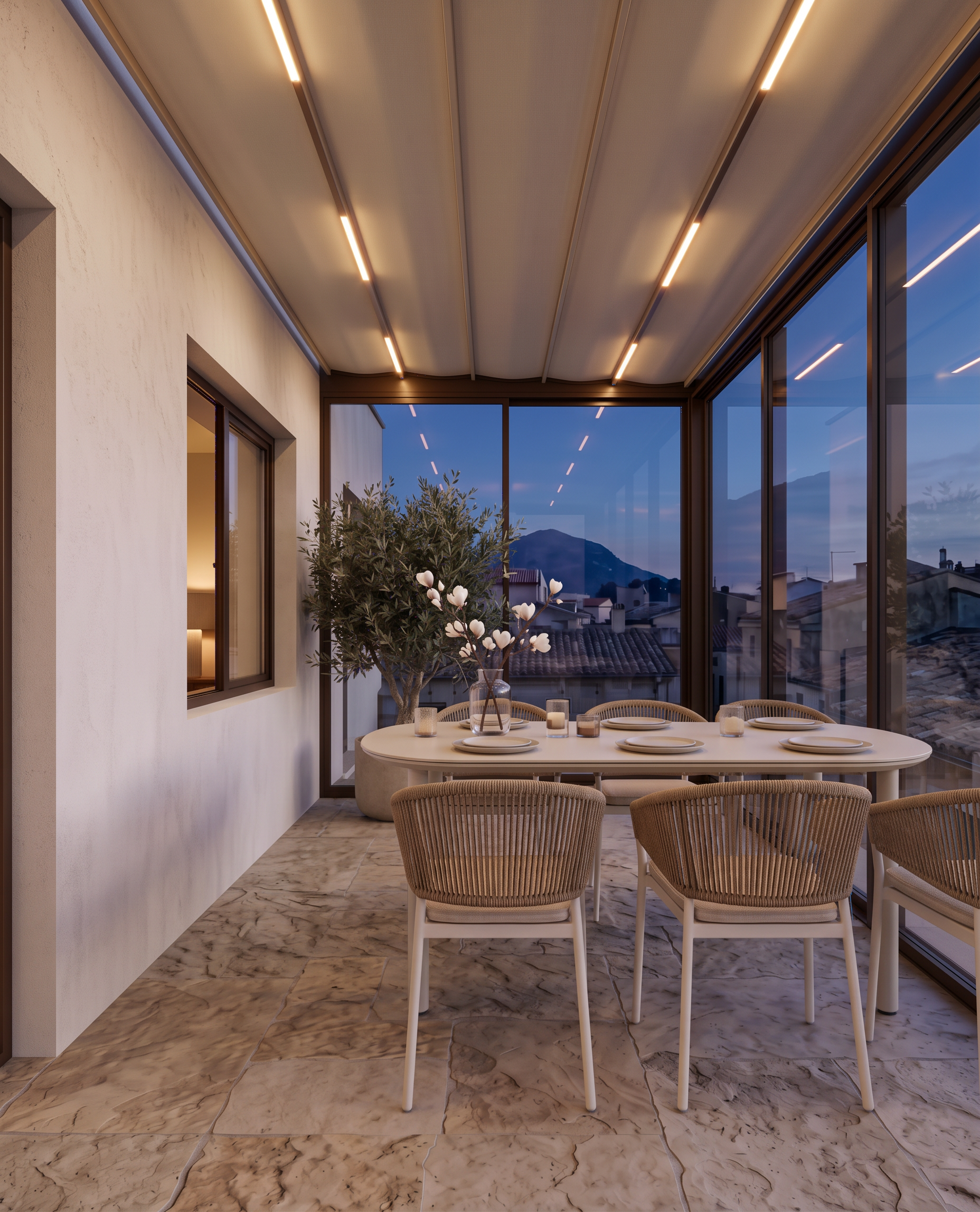
- Move the entire dining table and all six chairs to the right, closer to the glazing, to create a clear walking passage between the left facade wall and the dining table.
IMPORTANT CLARIFICATION — DINING TABLE ORIENTATION AND CHAIR PLACEMENT:
The dining table is positioned behind the window, perpendicular to the facade wall. Its long axis extends away from the facade wall into the terrace.
We see the table lengthwise from the current camera angle. Place three dining chairs in a straight line along one long side of the table, with their backs facing the camera directly. On the opposite long side, place another three chairs, of which only the upper portions of the backrests should be visible above the tabletop.
Keep the table perpendicular to the facade wall and preserve this exact orientation. Do not rotate the table parallel to the facade wall. Maintain the original camera angle, perspective, geometry, and composition.
CRITICAL: This is a translation-only adjustment. Move the complete dining furniture arrangement to the right as one unit, preserving the exact relative positions and spacing of every item.
Do not change anything else whatsoever:
• Do not rotate or change the orientation of the table.
• Do not change the table dimensions, design, materials, or position relative to the chairs.
• Do not change the number of chairs (exactly six) or their arrangement.
• Do not alter the chair designs, orientations, spacing, or alignment.
• Do not modify any architectural elements, walls, glazing, floor, ceiling, lighting, decor, olive tree, or exterior view.
• Do not change the camera angle, perspective, image dimensions, or aspect ratio.
The only permitted modification is to shift the entire dining table and chair arrangement horizontally to the right, toward the glazing, far enough to create a comfortable, unobstructed passage between the left facade wall and the table.
Preserve the original image exactly in every other respect. Do not redesign, regenerate, or reinterpret any element.
- Created
- October 14, 2026