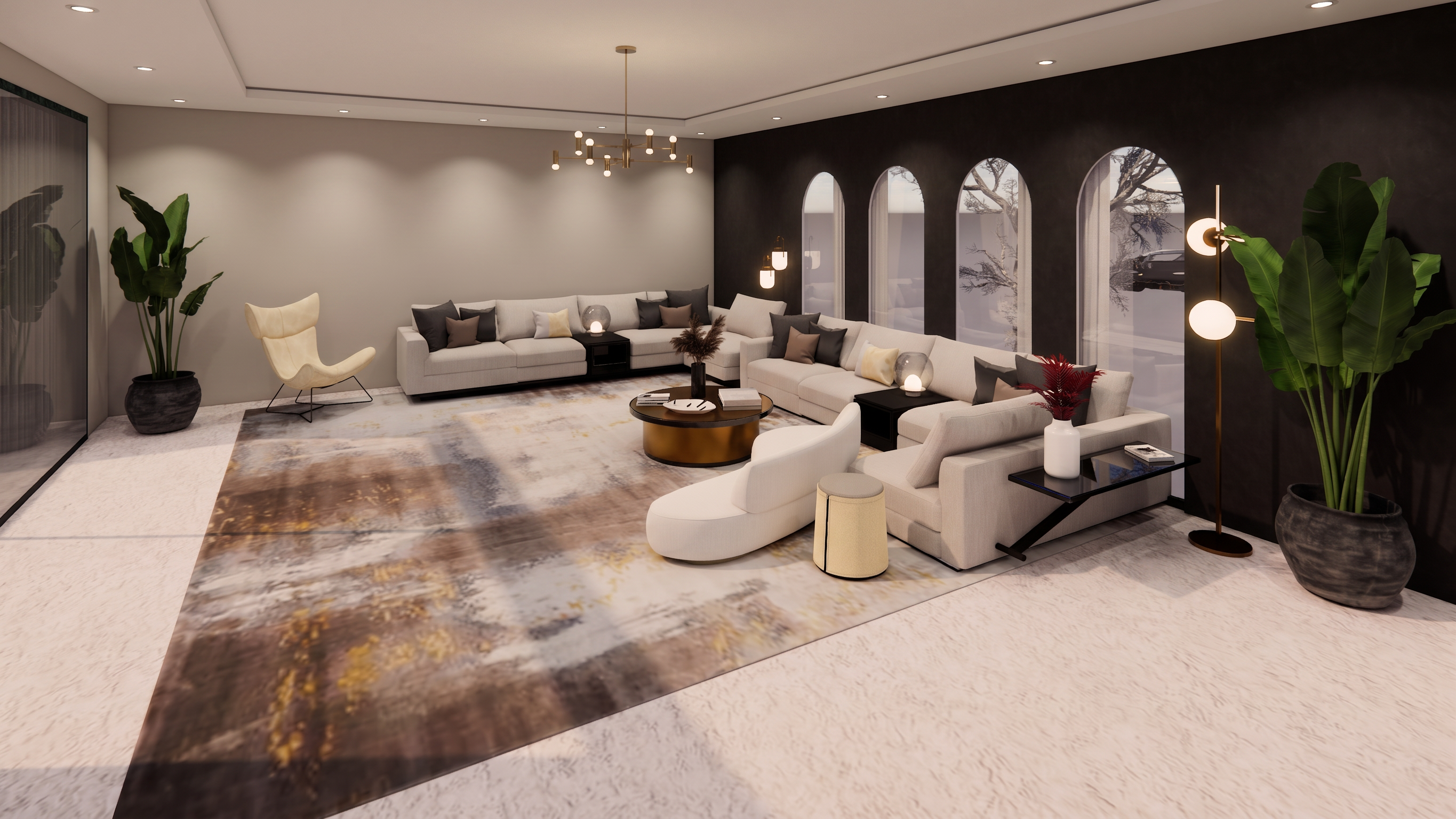
- Prompt
- Photorealistic architectural rendering of the EXACT uploaded SketchUp + Enscape interior model. IMPORTANT: All uploaded images show the same interior space from different camera angles. Use every uploaded image as a geometry, material, and consistency reference. Maintain complete consistency across all views. This is NOT a redesign. The uploaded design is final and approved. Treat the images as locked references. ABSOLUTE PRIORITY: Preserve the existing design exactly as shown. DO NOT: - Change the layout. - Change the architecture. - Change the proportions. - Change the camera angle. - Change the composition. - Change furniture placement. - Move, rotate, resize, replace, or remove anything. - Add any furniture. - Add any decoration. - Add accessories. - Add plants. - Add artwork. - Add rugs. - Add curtains. - Add shelves. - Add tables. - Add objects. - Add windows. - Add doors. - Add walls. - Add architectural elements. - Modify the room design in any way. - Invent any new details. The ONLY allowed architectural addition is a realistic ceiling because the original SketchUp model has no ceiling. Create a clean, minimal, modern ceiling that naturally fits the existing room without changing its architecture. Add ONLY: • A realistic gypsum ceiling. • Elegant recessed spotlights. • One tasteful modern chandelier positioned appropriately. No other additions are permitted. LIGHTING: Generate physically accurate architectural lighting based entirely on the added chandelier and recessed spotlights. Use: - realistic global illumination - natural indirect bounce lighting - soft ambient lighting - contact shadows - ambient occlusion - accurate shadow direction - realistic light falloff - soft reflections - cinematic interior exposure - balanced white balance - subtle highlights - natural contrast The lighting must look exactly like a professionally designed luxury interior photographed in real life. MATERIALS: Preserve EVERY material exactly as it already exists. Do NOT replace any material. Do NOT reinterpret any material. Do NOT change colors. Do NOT change wood tone. Do NOT change marble veining. Do NOT change stone. Do NOT change fabrics. Do NOT change metal finishes. Do NOT change flooring. Do NOT change paint colors. Only enhance the realism of the existing materials by improving: - texture sharpness - surface detail - micro-texture - roughness - reflections - bump - depth - physically based rendering (PBR) Every material should become more realistic while remaining IDENTICAL to the original SketchUp model. The final image should look like a premium Corona Renderer 12 or V-Ray 7 render. Rendering Style: Ultra photorealistic. Luxury interior visualization. High-end architectural rendering. Professional interior photography. Realistic soft shadows. Visible material texture. Natural reflections. Perfect exposure. Cinematic realism. Warm and comfortable atmosphere. High dynamic range. 8K quality. Extremely sharp details. Noise-free. Photo-real. Architectural magazine quality. NEGATIVE PROMPT: redesign, different furniture, extra furniture, missing furniture, decoration, accessories, plants, flowers, artwork, rugs, curtains, shelves, objects, tables, windows, doors, walls, architecture changes, geometry changes, layout changes, composition changes, camera changes, color changes, material replacement, texture replacement, new textures, different wood, different marble, different flooring, different paint, AI creativity, fantasy, stylized, illustration, cartoon, concept art, blurry, low quality, oversaturated, overexposed
- Created
- July 5, 2026