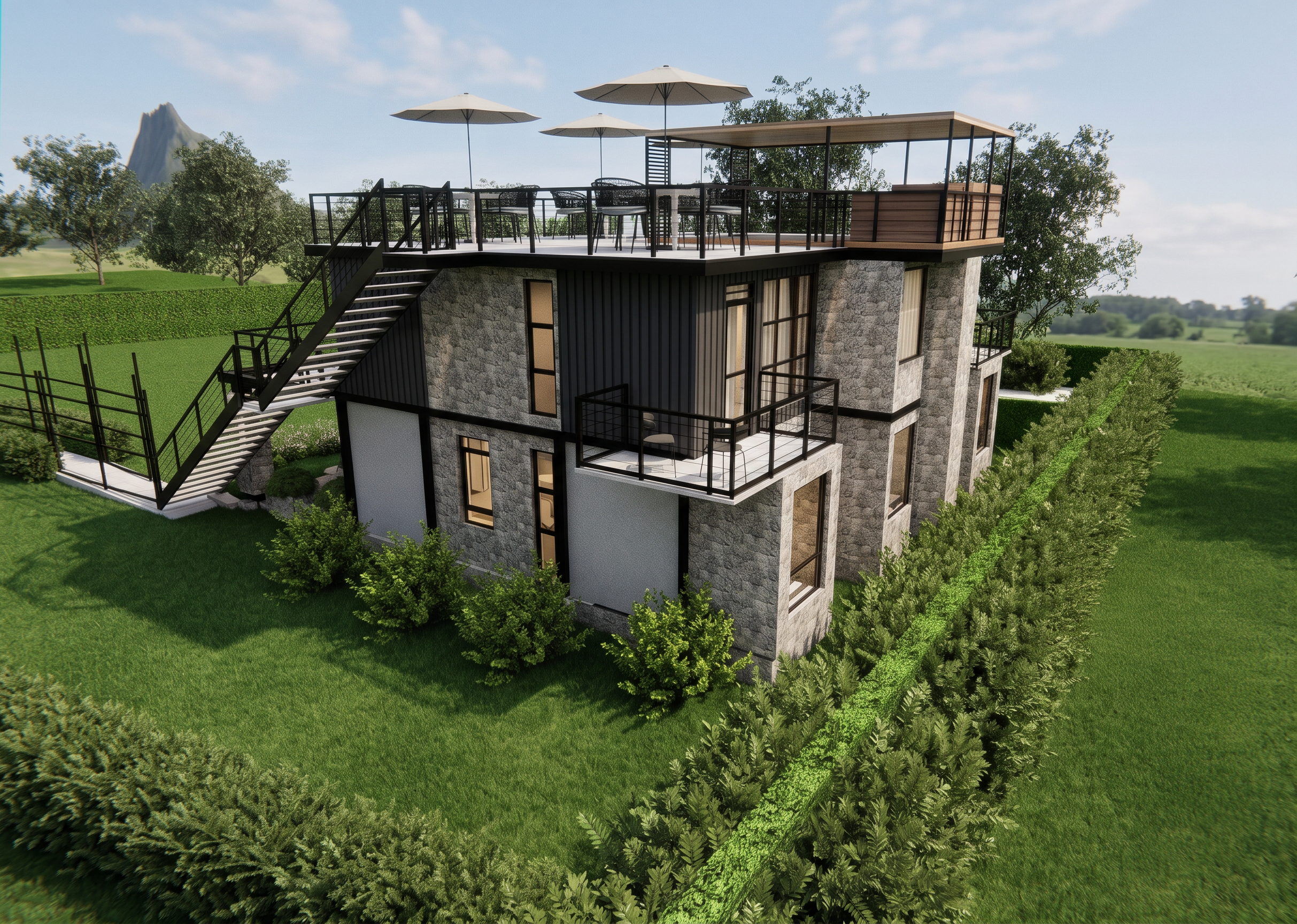
- Prompt
- Do not change the building design, geometry, proportions, materials, windows, doors, stairs, railings, furniture, landscape layout, pathways, trees, shrubs, camera angle, perspective, or composition. Do not generate new architecture, add extra landscaping, add people, vehicles, buildings, water features, or decorative elements. No stylization, no redesign, no fantasy elements, no distortion, no oversaturation, no AI artifacts. Enhance realism only.Enhance this architectural render into a highly photorealistic image while preserving the original architecture, composition, camera angle, landscaping, furniture, materials, and all design elements exactly as they are. Do not add, remove, or reposition any objects. Improve only the realism by refining the lighting, textures, material definition, reflections, glass, shadows, and overall image quality. Create a calm, soft daylight atmosphere with balanced natural lighting, subtle global illumination, realistic ambient occlusion, and soft shadows. Increase the realism of the grass, plants, trees, stone, metal cladding, timber, and glazing while keeping their original placement and design unchanged. Add subtle warm interior lighting visible through the windows for depth without changing the architecture. Improve the sky with realistic soft clouds, enhance color balance and contrast, sharpen fine details, and apply professional architectural visualization post-processing. The final result should look like a premium architectural visualization while remaining faithful to the original render.
- Created
- July 2, 2026