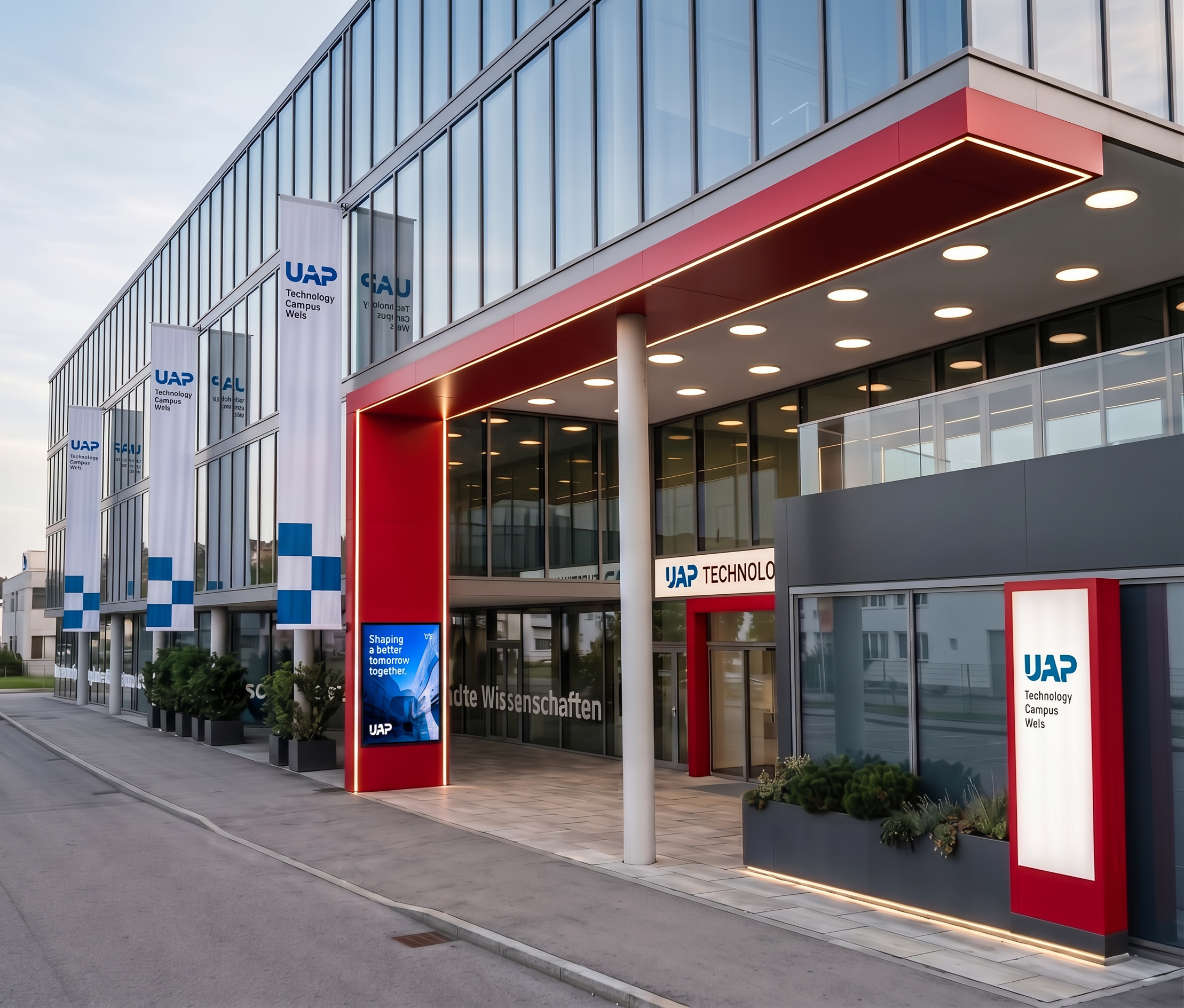
- Prompt
- Please improve the existing rendering while keeping it fundamentally exactly the same. Use the uploaded rendering as the fixed base image.
ONLY ONE CHANGE IS ALLOWED:
Flags:
Adjust only the existing flags so that they look exactly like the flags shown in the reference image. Each flag must have exactly two blue square elements, matching the reference in shape, size, colour and position.
- Keep the exact same number of flags.
- Keep all existing flagpoles in exactly the same positions.
- Do not add, remove, move, resize or rotate any flags or flagpoles.
- Do not add any additional blue elements.
- Only modify the graphic design of the existing flags to match the reference.
IMPORTANT — EVERYTHING ELSE MUST REMAIN COMPLETELY UNCHANGED:
Do not change the architecture, facade, windows, doors, entrance, red frame, UAP signs, materials, ground surfaces, landscaping, objects, people, lighting, reflections, geometry, proportions, camera angle, perspective, framing or composition.
No other changes or improvements are allowed. The reference image is only a reference for the appearance of the flags.
The final result must look like the exact same original rendering with only the existing flags adjusted to match the reference.
- Created
- October 6, 2026