Skip to content
Render tools
Construction Sequencing Visualisation

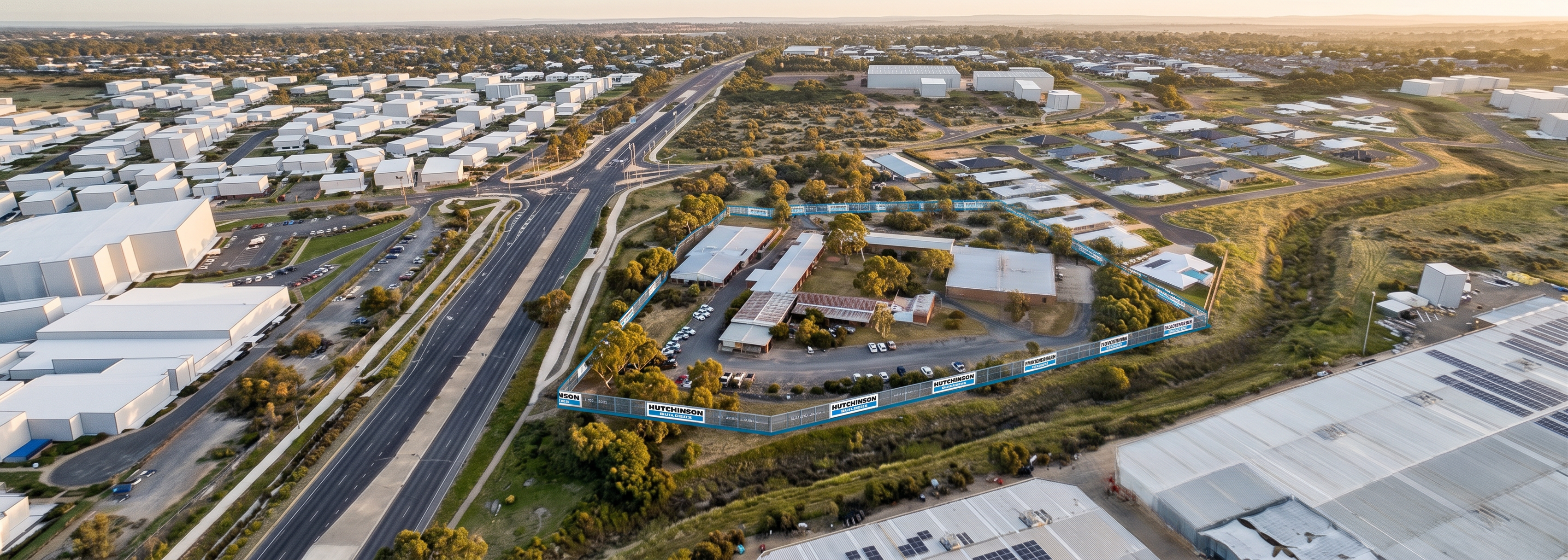
Using the supplied image as the only reference, produce a high-quality 3D visualisation of the Site Establishment phase.

Critical Requirement - Preserve Existing Buildings

The buildings located within the blue site boundary are the most important reference elements.

These buildings must remain exactly as shown in the source image.

Preserve:

Building footprints
Building locations
Building arrangement
Building spacing
Building orientation
Building roof forms
Building heights
Building proportions

The image is not to reinterpret, redesign or remodel these buildings.

The buildings must remain in exactly the same locations and occupy the same footprint as shown in the source image.

Do Not
Relocate buildings
Expand buildings
Shrink buildings
Merge buildings
Replace buildings
Simplify buildings
Create new building forms
Change roof geometry
Change building orientation

Treat all existing buildings inside the fence line as fixed geometry.

Camera Lock

Maintain exactly:

Camera position
Camera angle
Camera height
Perspective
Focal length
Field of view
Image composition

Do not rotate, zoom, crop or reposition the image.

The finished image should align with the source image when overlaid.

Site Geometry Lock

Maintain exactly:

Road alignments
Site boundary
Internal driveway
Drainage corridor
Adjacent residential development
Adjacent industrial buildings
Vegetation locations
Terrain levels

All existing site geometry must remain unchanged.

Site Establishment Scope

Only introduce:

Hutchinson Builders branded perimeter fencing
Controlled site entry
Temporary construction gate
Basic traffic control devices

The site should otherwise remain in its existing condition.

No demolition.

No earthworks.

No stockpiles.

No cranes.

No site sheds.

No construction compounds.

No building changes.

Rendering Quality

The image should appear as:

Professional 3D architectural visualisation
Government tender quality
High-resolution aerial render
Sharp geometry
Crisp edges
Accurate building forms
Realistic materials
Realistic vegetation
Realistic shadowing

Avoid:

Blurry textures
Distorted buildings
Warped roads
AI-generated building substitutions
Painterly effects
Artistic interpretation
Most Important Instruction

Use the buildings inside the blue site boundary exactly as shown in the source image. Improve realism and rendering quality only. Do not redesign, rebuild, reinterpret or relocate any existing building within the site boundary.

Create renders like this

Turn any photo, sketch, or floor plan into a photoreal render in seconds.