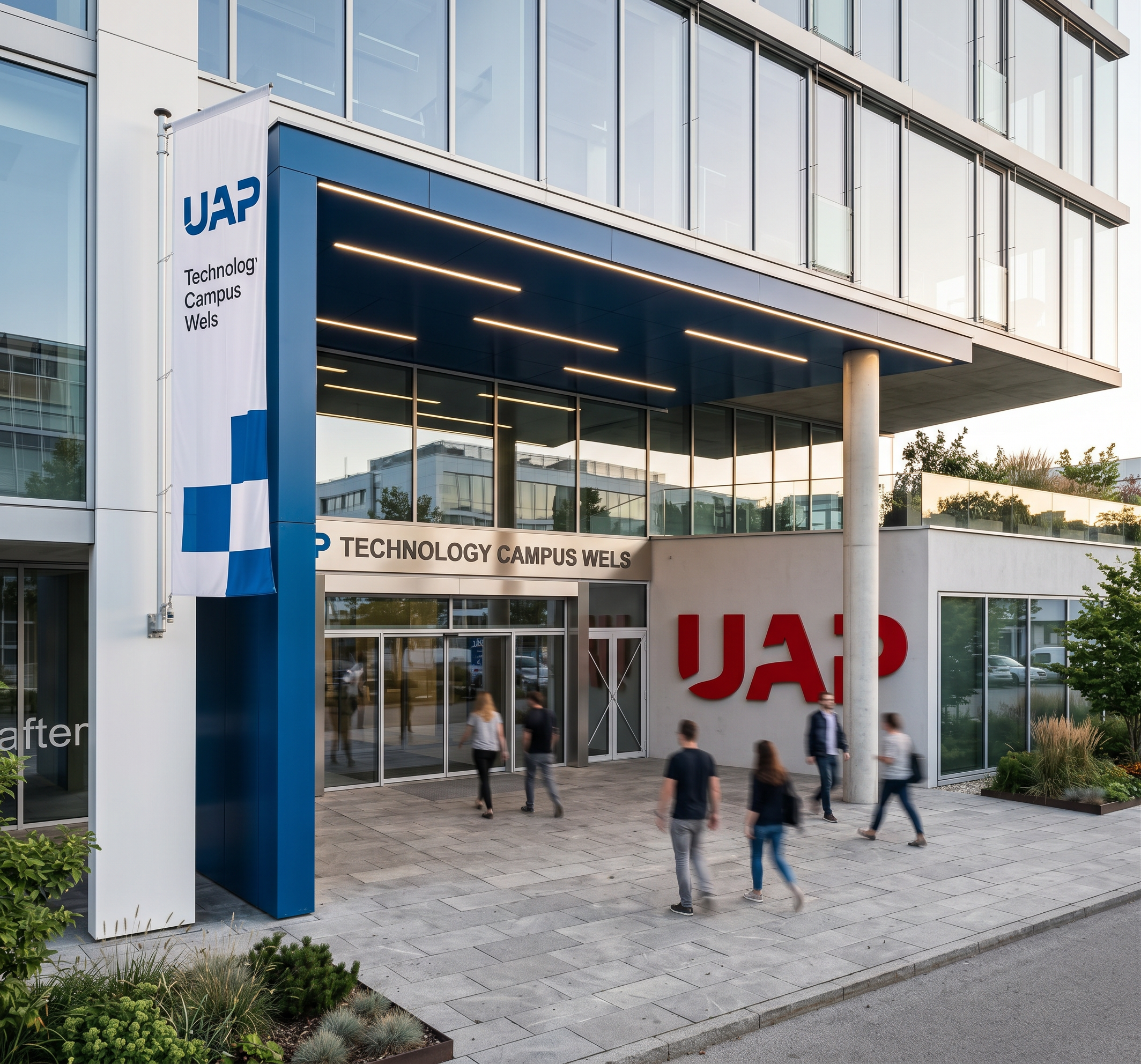
- Prompt
- IMPORTANT: Preserve the uploaded image exactly as it is. Do not redesign, modify, replace, add, remove, or invent any architectural elements, buildings, windows, doors, proportions, structures, objects, or details that are already visible in the main image. The geometry, composition, camera perspective, framing, proportions, and existing elements must remain unchanged. The result should look like a professionally photographed real-life scene, not like a CGI image.
Use the additional uploaded reference images only as visual references for atmosphere, materials, paving, signage, flag design, lighting, and overall visual mood. Do not copy or introduce architectural elements from the reference images that are not present in the main image.
Atmosphere and realism
Create a natural, sophisticated and realistic architectural atmosphere based on the reference images.
Maintain realistic daylight, shadows, reflections, material textures and physically accurate lighting.
Avoid exaggerated HDR effects, artificial colors, excessive contrast, oversaturation, or a "3D-rendered" appearance.
The final image should resemble a high-end professional architectural photograph.
Entrance lighting
The horizontal/linear strips visible on the ceiling of the entrance are LED light strips. Make these strips visibly illuminated in the final image.
The LED strips should emit a realistic, soft and continuous light.
The lighting should naturally interact with the surrounding ceiling and walls.
Do not change their position, shape, dimensions, or design.
Colors
The blue element at the entrance must use exactly this RGB color:
RGB: 0, 76, 150
The red "UAP" lettering on the right side in the middle of the image must use exactly this RGB color:
RGB: 228, 7, 38
Keep these colors accurate and consistent with the uploaded image and reference images.
UAP lettering
The "UAP" lettering on the right side, in the middle of the image, should remain in its existing position and form. Reproduce its appearance realistically and accurately without changing its size, placement, proportions, or surrounding architecture.
Flag on the white surface
On the white surface visible in the left foreground, add a realistic flag displaying the logo/text:
"UAP Technology Campus Wels"
The flag design, logo, typography, proportions, colors, and overall appearance should follow the uploaded reference images as closely as possible.
The flag must look physically realistic:
realistic fabric material
natural folds and wrinkles
realistic attachment
physically plausible shadows
natural interaction with the surrounding environment
Do not place the flag anywhere else and do not add additional flags.
Paved ground
The ground surface should be paved in the same style and appearance as shown in the reference images.
Use realistic paving stones, joints, scale, texture, color variation, perspective, and natural wear.
Do not alter the existing ground layout beyond applying the referenced paving appearance. Do not introduce additional landscaping or architectural elements.
Strict preservation rules
Do not alter the building architecture.
Do not change the camera angle or perspective.
Do not change the image composition or crop.
Do not add people, cars, plants, trees, furniture, signs, buildings, or other objects that are not already present.
Do not remove existing objects.
Do not invent architectural details.
Do not reinterpret the design.
Do not change the dimensions or proportions of any existing element.
Use the reference images strictly for the specified visual characteristics.
Final goal: A highly realistic, professionally photographed-looking architectural image that is visually faithful to the uploaded main image, with only the specifically requested enhancements: realistic atmosphere, illuminated entrance LED strips, reference-style paving, and the "UAP Technology Campus Wels" flag on the existing white foreground surface.
- Created
- October 1, 2026