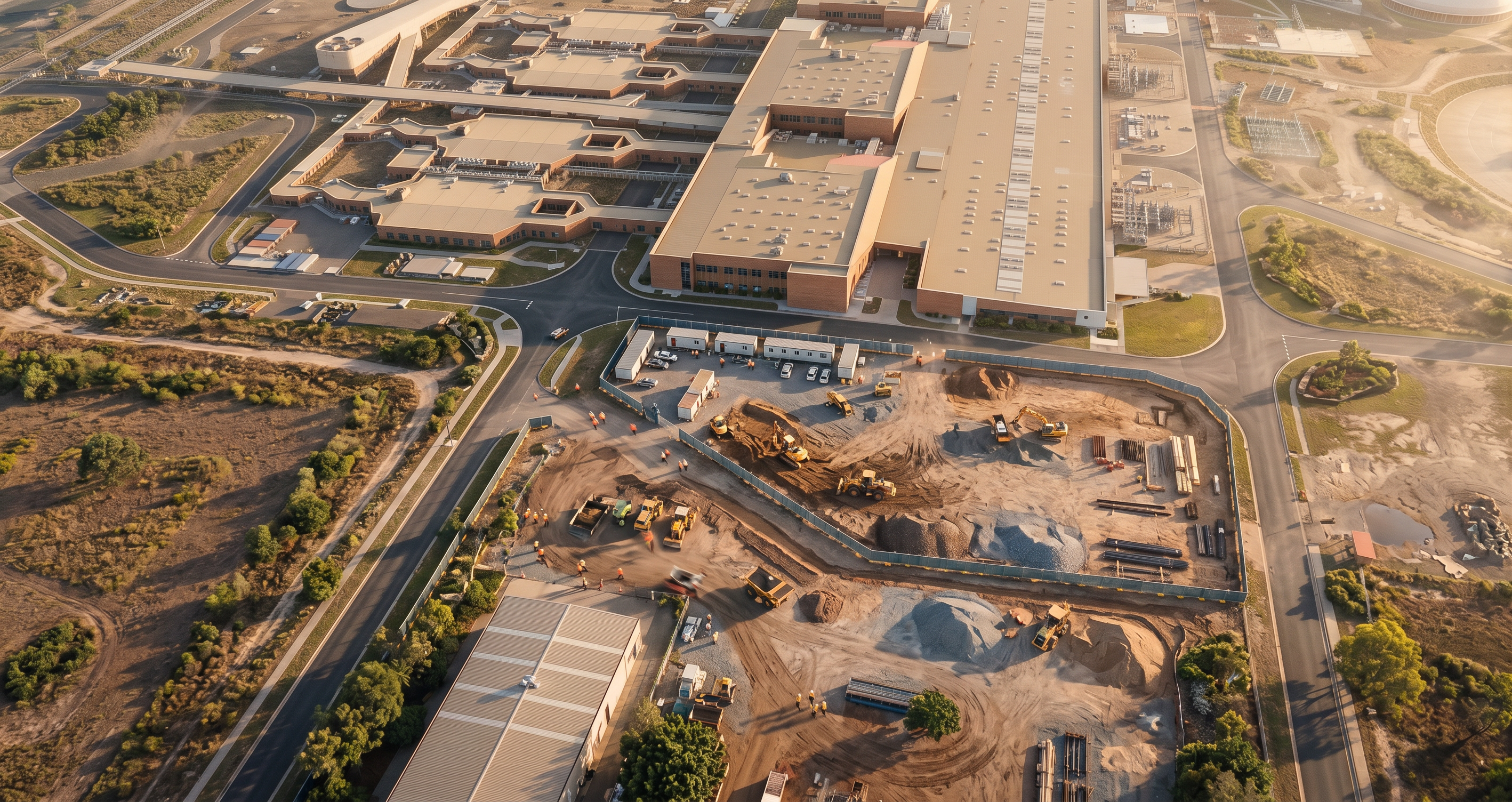
- Prompt
- Use the attached image as the base reference for a live construction site. Transform this illustrative 2D site map into a fully photorealistic 3D aerial rendering of an active construction site under Stage 1 works. SITE CONTEXT: - The outlined blue boundary represents the active construction zone. - Surrounding buildings currently shown as flat/2D map elements are to be interpreted as fully modelled 3D institutional buildings with realistic height, depth, façades, and rooftop plant. - Maintain the existing road network, site access points, and context layout, but upgrade all elements to realistic materials (asphalt, concrete, landscaping, kerbs). CONSTRUCTION SEQUENCING (STAGE 1): - Early works / site establishment in progress. - Include: - Temporary site fencing around the boundary - Site compound near access point (site offices, lunchroom, amenities, laydown areas) - Construction vehicles (utes, trucks, delivery vehicles) - Earthworks activity (excavators, graders, compactors) - Cleared and partially graded ground with realistic soil textures - Material stockpiles (gravel, sand, structural materials) - No completed buildings within the site yet (early stage works only). VISUAL STYLE: - Highly photorealistic rendering (not illustrative or diagrammatic) - Natural lighting consistent with a sunny Queensland environment - Realistic shadows, textures, and construction wear (dust, tyre tracks, disturbed ground) - Slight atmospheric haze for depth CAMERA: - Elevated oblique aerial perspective (similar angle to input image but refined) - Focus on the construction site while maintaining surrounding buildings for context DETAILING: - Add scale-appropriate workers with PPE - Include subtle movement cues (tracked ground, active plant positioning) - Ensure the site feels active and operational, not staged OUTPUT: - Photorealistic construction site visual suitable for tender submission - Maintain overall geometry and proportions of the original plan, but upgrade all elements to realistic 3D
- Created
- June 17, 2026