Skip to content
Render tools
# Edit the Existing Render Only

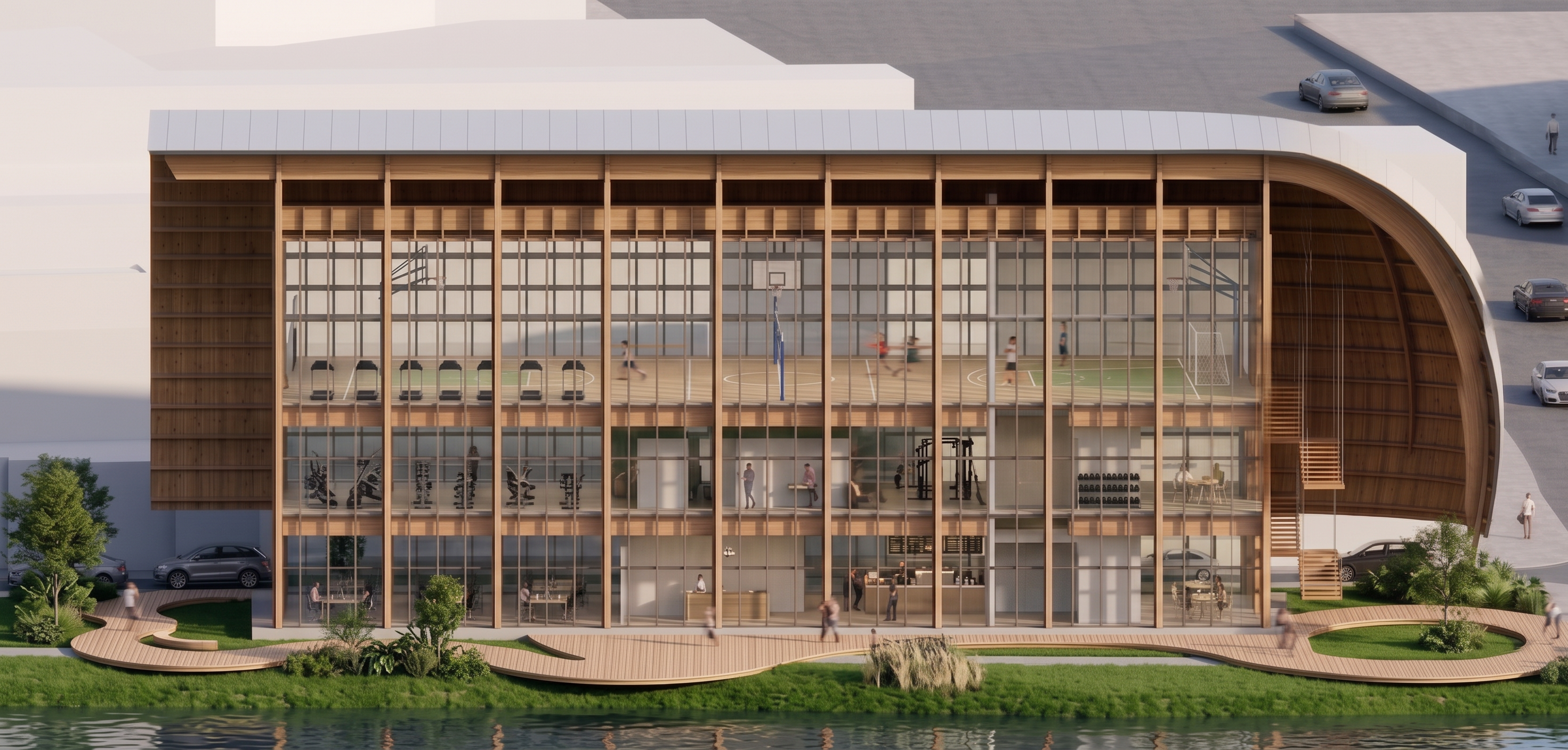
Use the attached render as the **base image**.

This is an **image editing task**, **not** a new render.

The architecture, lighting, camera, perspective, and overall quality are already correct and approved.

Do **NOT** regenerate the image.

Do **NOT** redesign the building.

Only perform the corrections described below.

---

# IMPORTANT

I have marked several **white rectangular volumes inside the building with cyan annotations.**

These white volumes are **NOT furniture**.

They are **NOT architectural elements**.

They are **NOT walls**.

They are **NOT service spaces**.

They are temporary placeholder geometry that was accidentally left inside the render.

**They must disappear completely.**

---

# REMOVE THE WHITE BLOCKS

Delete **every white block that has been marked with cyan.**

Completely remove them from the image.

Do **not** replace them with cabinets, shelves, walls, furniture, offices, or any other objects.

Simply remove them so the correct interior spaces become visible.

After removing them, the interior should appear continuous and unobstructed.

Nothing should remain where those white blocks were located.

---

# KEEP THE EXISTING INTERIOR

The gym, cafeteria, sports court, circulation spaces, and all existing interior elements should remain exactly as they are.

Do **not** redesign the interior.

Do **not** move furniture.

Do **not** add furniture.

Do **not** remove furniture.

Do **not** change the interior layout.

The only objects that must disappear are the **cyan-marked white blocks**.

---

# DO NOT MODIFY THE ARCHITECTURE

Do **NOT** change:

* roof
* timber structure
* timber columns
* beams
* slabs
* glass prism
* suspended staircase
* service core
* floor heights
* number of floors
* building geometry
* camera
* perspective
* framing
* composition
* lighting
* reflections
* materials
* landscape
* vegetation
* people
* vehicles

Everything else must remain **pixel-for-pixel identical** to the current render.

---

# FINAL OBJECTIVE

The final image should be exactly the same as the current render.

The **only** visible difference should be that the cyan-marked white placeholder blocks have been completely removed, revealing the correct interior spaces behind them.

No other changes are allowed.


Create renders like this

Turn any photo, sketch, or floor plan into a photoreal render in seconds.