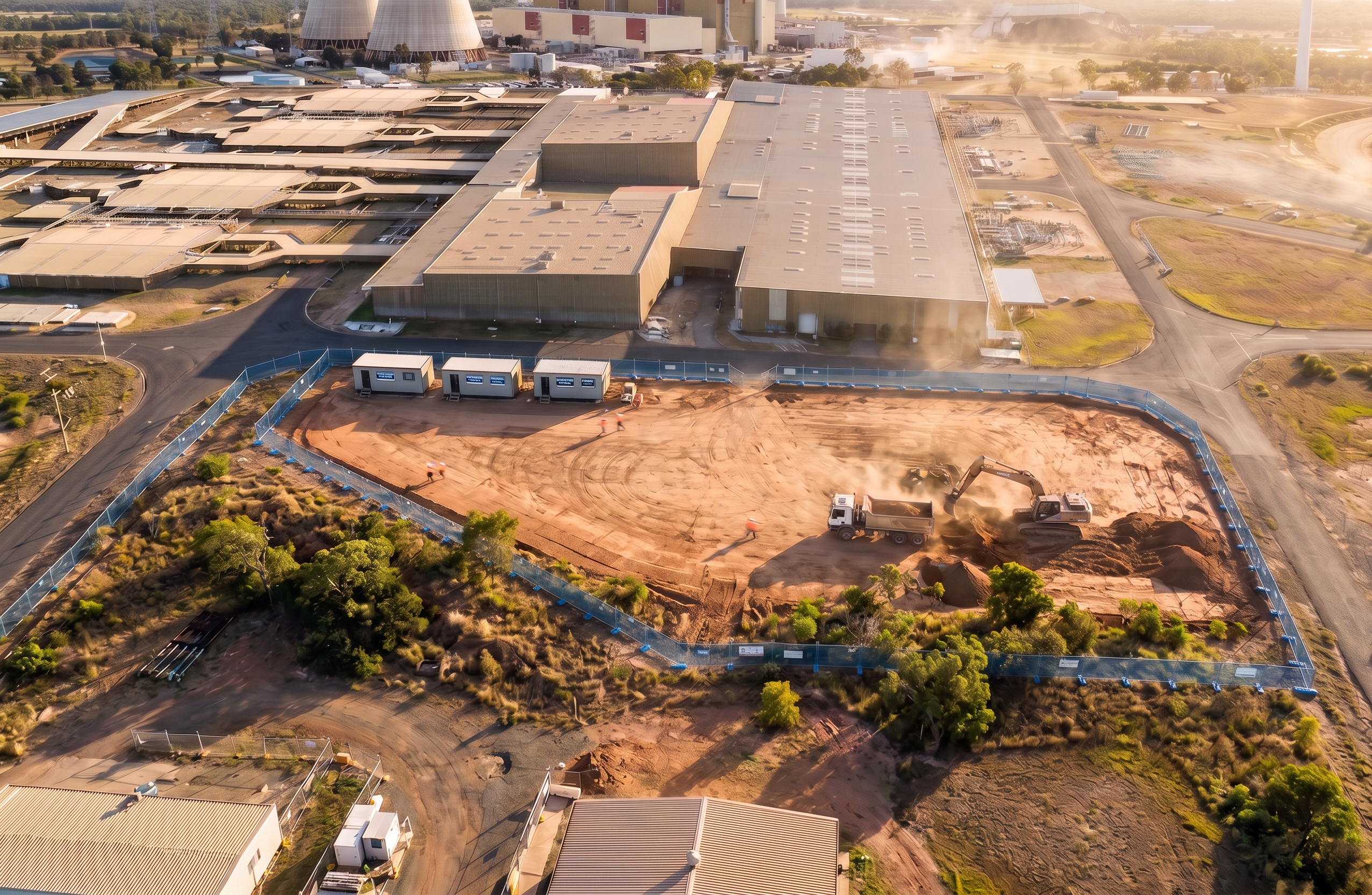
- Prompt
- Use the provided image as the fixed base reference. Do not change camera angle, perspective, framing, scale, site layout, or introduce any new objects or scenery. Maintain all elements exactly as shown unless specifically modified below. Apply the following targeted modifications only: Background buildings (critical) Adjust the industrial buildings behind the construction site so they appear approximately 10 metres in height Maintain the same footprint, position, and architectural form, only increase vertical height Ensure height increase is proportionally realistic relative to nearby elements (vehicles, containers, site sheds, and cooling towers) Keep roof profiles and façade layout consistent — no redesign or added features Site fencing (construction site perimeter only) Convert all construction site fencing to mid-blue (Hutchies blue) mesh fencing Maintain: Same fence alignment and layout Same post spacing and height Same base supports/feet Do not add signage or additional fencing elements Strict controls (do not break these) Do not move or alter workers, machinery, trucks, or site sheds Do not modify excavation, ground levels, or earthworks Do not change roads, vegetation, or surrounding industrial infrastructure Do not alter lighting, shadows, or atmospheric conditions Do not change any other buildings except the specified background structures Output must remain photorealistic and visually identical to the original image aside from these specific changes.
- Created
- June 24, 2026