Skip to content
Render tools
AI Render Studio Prompt

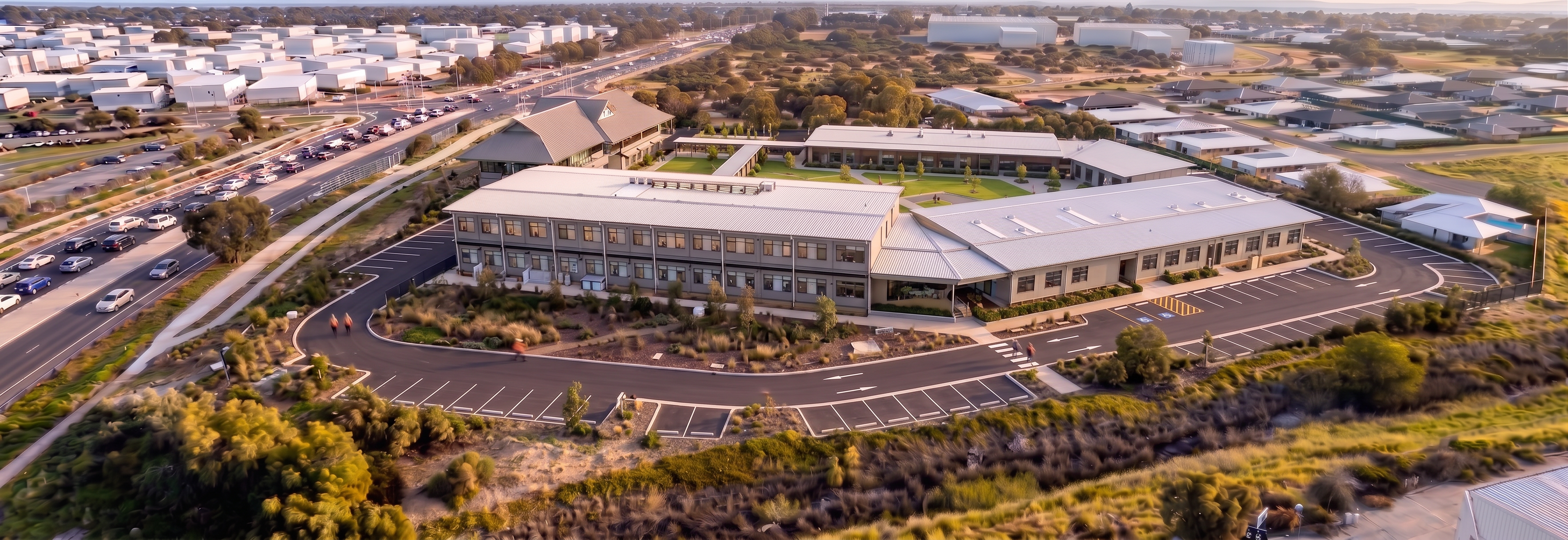
Use the supplied construction render as the primary and only reference image.

This is an image progression and completion task.

This is not a redesign task.

This is not a scene generation task.

Maintain the image exactly as shown.

Critical Camera Lock Requirement

Preserve exactly:

Camera position
Camera angle
Camera height
Perspective
Focal length
Cropping
Image composition
Building locations
Building footprints
Building heights
Site fencing alignment
Road alignments
Background buildings
Drainage corridor
Surrounding neighbourhood

The finished image must align exactly with the reference image.

Do not:

Rotate the camera.
Zoom the camera.
Pan the camera.
Change the viewing angle.
Reframe the project.

The final image should appear as though it was taken from the exact same drone position several weeks later.

Building Preservation

Maintain all buildings exactly as shown.

Preserve:

Building footprints
Building locations
Roof geometry
Building connections
Existing retained building
Architectural form

Do not:

Add buildings.
Remove buildings.
Extend buildings.
Change roof forms.
Create new structures.
Alter building geometry.
External Works Scope

Only progress the project through completion of:

Pavements

Add only where logical and adjacent to buildings:

Entry pavements
Concrete footpaths
Accessible pathways
Building connections
Service pathways

Do not create new circulation layouts.

Do not redesign the site.

Landscaping

Add landscaping only within areas already intended for landscaping.

Introduce:

Turf
Garden beds
Native shrubs
Small feature trees
Mulched planting areas

Maintain realistic scale.

Do not create large new landscape islands.

Do not alter site geometry.

Car Parking

Progress parking works only where shown in the existing layout.

Add:

Line marking
Wheel stops
Signage
Completed asphalt surfaces

Do not change parking configuration.

Site Completion Status

Buildings should appear substantially complete.

External works should appear approximately 90-95% complete.

Some minor finishing works may still be visible.

The image should communicate:

"Building construction complete, external works nearing completion."

Absolute Restrictions

Do not:

Change perspective.
Change camera angle.
Change image composition.
Add buildings.
Add retaining walls.
Add landscape features not shown in the reference.
Change pavement layouts.
Change road geometry.
Change fencing alignment.
Modify surrounding development.
Most Important Instruction

Use the supplied image as the master reference. Preserve 100% of the building geometry, camera position, perspective, site layout and surrounding context. Only add pavements, landscaping, line marking and external finishing works. The final image must look like the reference image photographed later in the project programme, not a new rendering from a different viewpoint.

Success Criteria

✅ Same camera angle
 ✅ Same perspective
 ✅ Same building footprints
 ✅ Same background
 ✅ Same fencing alignment
 ✅ No additional buildings
 ✅ No new retaining walls
 ✅ No redesign of external areas
 ✅ Pavements added only where appropriate
 ✅ Landscaping added only where appropriate
 ✅ Clear progression toward practical completion


Everything inside and outside the site boundary must remain in exactly the same position as the reference image. Only complete the external works. Any change in camera angle, site layout, building geometry or landscape layout constitutes an incorrect result.

Create renders like this

Turn any photo, sketch, or floor plan into a photoreal render in seconds.