- Prompt
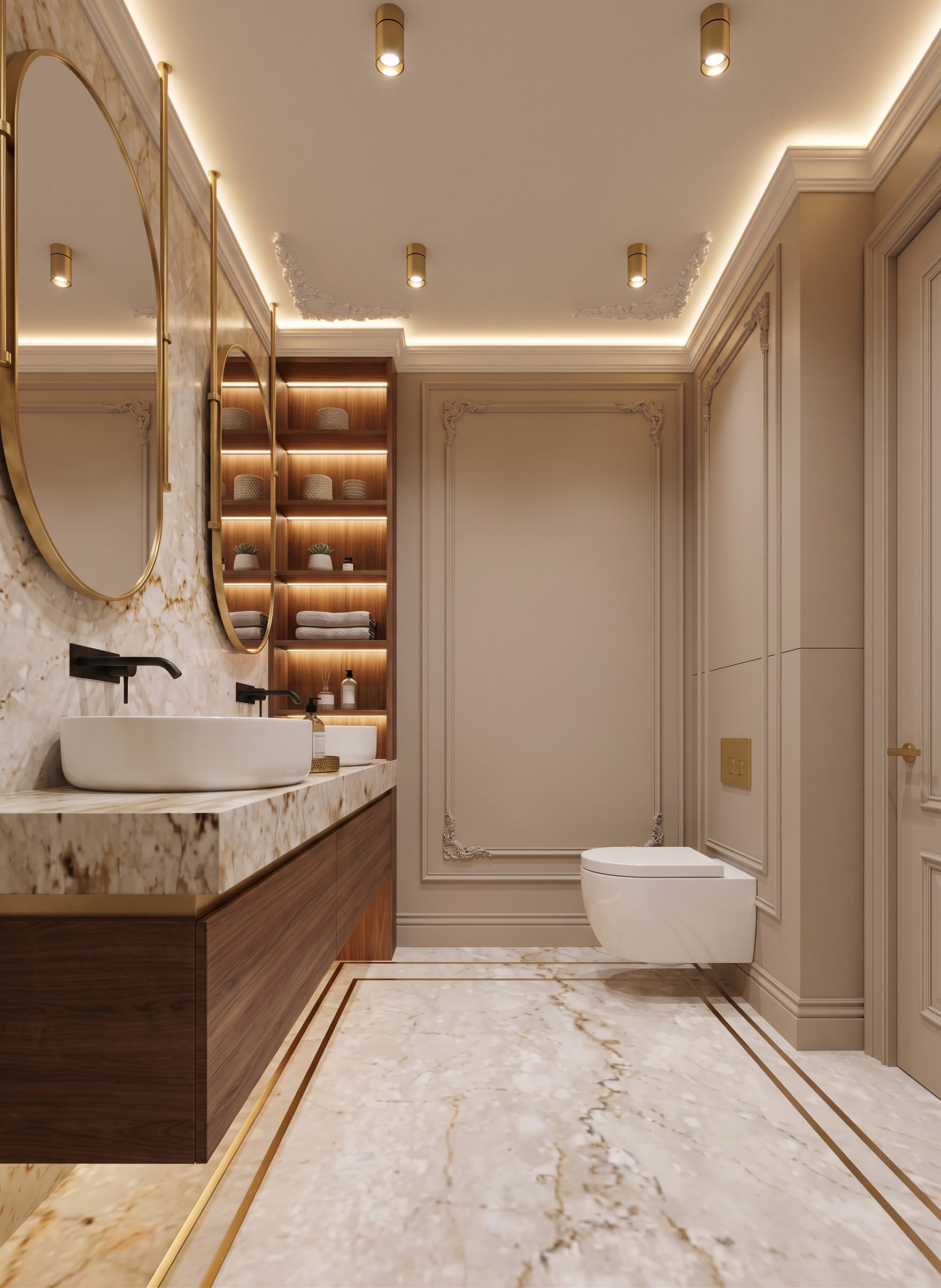
- Create a highly photorealistic interior render based on the provided 3D model.
Do not change the image dimensions, aspect ratio, camera angle, camera position, perspective, composition, geometry, layout, proportions, or interior design. Preserve the original 3D model exactly. The goal is to improve realism and apply the materials, colors, lighting, and atmosphere from Reference Image 1.
Use Reference Image 1 as the main material, color, and atmosphere reference, as it shows the exact same bathroom from a different camera angle.
• The floor must be finished with the same marble as in Reference Image 1. The black linear strips in the floor must be rendered as elegant brass profiles/inlays, matching the reference.
• The walls with decorative mouldings must have the exact same sophisticated warm beige tone as in Reference Image 1.
• On the right side, preserve the toilet in its existing position. Behind the toilet, create an MDF wall panel in the same warm beige color as the walls, with decorative mouldings matching the overall design. The flush plate above the toilet must be finished in gold/brass.
• Preserve the ceiling mouldings exactly as shown in the 3D model. Keep the white ceiling cornice with integrated indirect lighting, matching Reference Image 1.
• On the left side, preserve the wooden vanity/cabinet and use the exact same wood tone and finish as in Reference Image 1.
• The mirrors must have elegant brass frames matching the reference.
• Preserve the row of wooden shelves. Use the same wood finish as Reference Image 1, add integrated warm lighting to the shelves, and style them with refined decorative objects consistent with the decor and atmosphere of Reference Image 1.
The final result should look like a high-end luxury interior photography render with realistic materials, natural reflections, accurate marble texture, refined brass details, realistic wood grain, soft warm integrated lighting, subtle shadows, and physically accurate light behavior.
Reference Image 1 is the primary source for all materials, colors, finishes, lighting mood, and decorative styling. The 3D model must remain structurally and compositionally unchanged.
- Created
- August 28, 2026