- Prompt
- Use IMAGE 1 as the EXACT architectural reference for the mosque.
Use Reference Image ONLY as the reference for CAMERA ANGLE, VIEWPOINT, FRAMING, SCALE and SITE COMPOSITION.
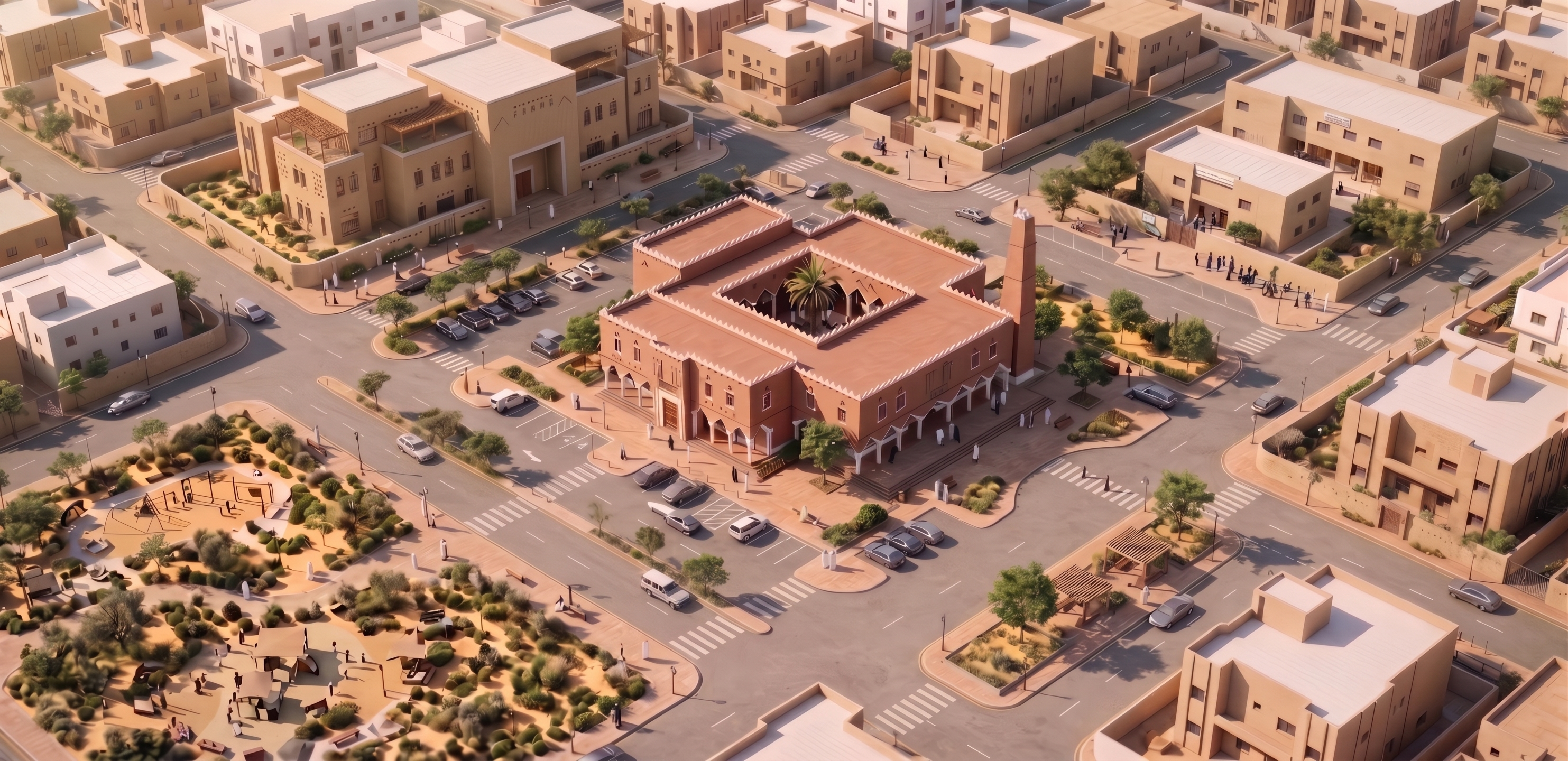
Transform the street-level mosque in IMAGE 1 into a photorealistic HIGH-ANGLE 3D ISOMETRIC / AXONOMETRIC BIRD’S-EYE SITE VIEW.
CAMERA — CRITICAL:
Match IMAGE 2 as closely as possible:
- same elevated oblique bird’s-eye angle
- same viewing direction and downward angle
- same isometric/axonometric feeling
- same framing and visual scale
- mosque centered as the main subject
- full roof, complete footprint and entire site visible
- similar amount of surrounding neighborhood context
IMAGE 2 IS CAMERA REFERENCE ONLY. Do NOT copy its mosque architecture, massing, façade, materials or minaret.
MOSQUE — PRESERVE IMAGE 1:
Keep the mosque architecture exactly as shown in IMAGE 1:
- exact Najdi style and proportions
- same rectangular massing
- same façade composition and openings
- same entrance and arcades
- same roof/parapet character
- same warm earthen materials and white details
- same tall rectangular Najdi minaret
- NO DOME
- NO extra floors
- NO redesign or change in proportions
Reconstruct unseen sides consistently using the same architecture.
SITE:
Clearly show the complete mosque site with a professionally planned parking layout:
- organized realistic parking bays
- accessible parking near main entrance
- clear vehicle entry and exit
- logical internal vehicle circulation
- drop-off near main entrance
- sidewalks and curbs
- pedestrian paths from parking to entrances
- pedestrian crossings
- landscaped islands, shade trees and palms
- clear separation of cars and pedestrians
Parking must look FUNCTIONAL and PLANNED, not randomly placed cars.
Show the entire site boundary without cropping. Include surrounding Riyadh streets and low-rise contemporary Saudi buildings similar in scale and density to IMAGE 2, but keep them visually secondary.
STYLE:
Photorealistic architectural visualization, warm Riyadh daylight, realistic shadows and materials, desert-adapted landscaping, clean professional architectural rendering.
DO NOT:
- add a dome
- change the mosque or minaret
- change massing or number of floors
- copy architecture from IMAGE 2
- use street-level view
- use top-down plan view
- crop the site
- hide parking
- create exploded view
- add text, labels, arrows, logos or annotations
FINAL:
The EXACT mosque from IMAGE 1, shown from the SAME CAMERA ANGLE, ELEVATION, FRAMING and SITE-VIEW COMPOSITION as IMAGE 2, with complete parking, circulation, pedestrian routes, landscaping and surrounding streets clearly visible.
- Created
- August 28, 2026