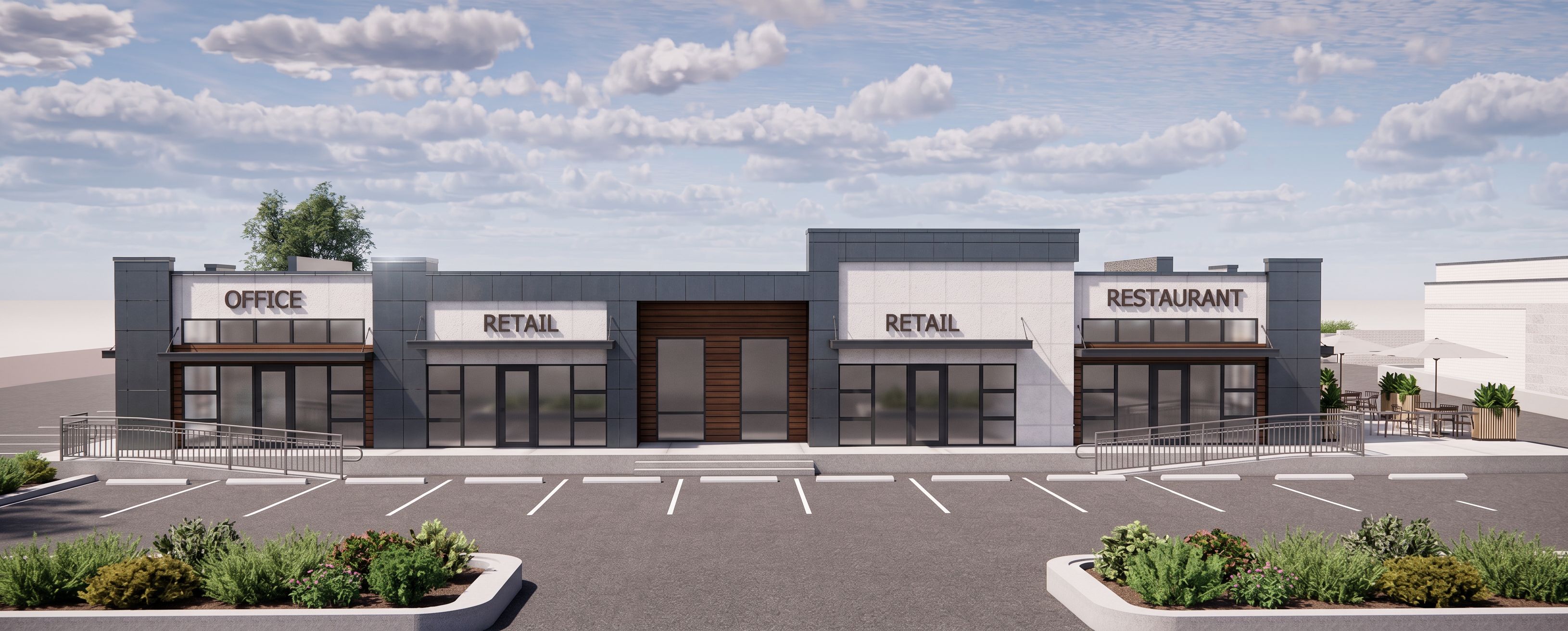
- Prompt
- Create an ultra high-resolution, photorealistic architectural render based exactly on the provided reference image/design. Enhance the rendering quality with realistic lighting, reflections, shadows, textures, material definition, depth, and fine architectural details while keeping the entire design completely unchanged. Do not modify, redesign, add, remove, relocate, resize, or replace any architectural elements, finishes, materials, windows, doors, metal panels, furniture, landscaping, lighting fixtures, or structural components. Preserve the exact same layout, geometry, proportions, camera angle, perspective, composition, and colors as shown in the original reference. Render everything with extremely sharp, clean, and realistic detail. Avoid any rendering glitches, distortions, warped geometry, duplicated objects, stretched textures, unrealistic reflections, artifacts, noise, pixelation, or blurry areas. Ensure all lines, edges, materials, and surfaces appear crisp, smooth, and professionally finished with consistent quality throughout the entire image. Use realistic non-see-through window glazing with natural reflections and subtle opacity so the interior is not clearly visible through the glass. Keep the glazing clean, realistic, and architecturally accurate without transparency issues. Apply balanced cinematic lighting and realistic ambient shadows to create a polished, professional-grade render. The final image should look crystal clear, highly detailed, visually clean, and completely free of blur or imperfections while maintaining the original design exactly as provided., keep exact camera angle
- Created
- May 20, 2026