- Prompt
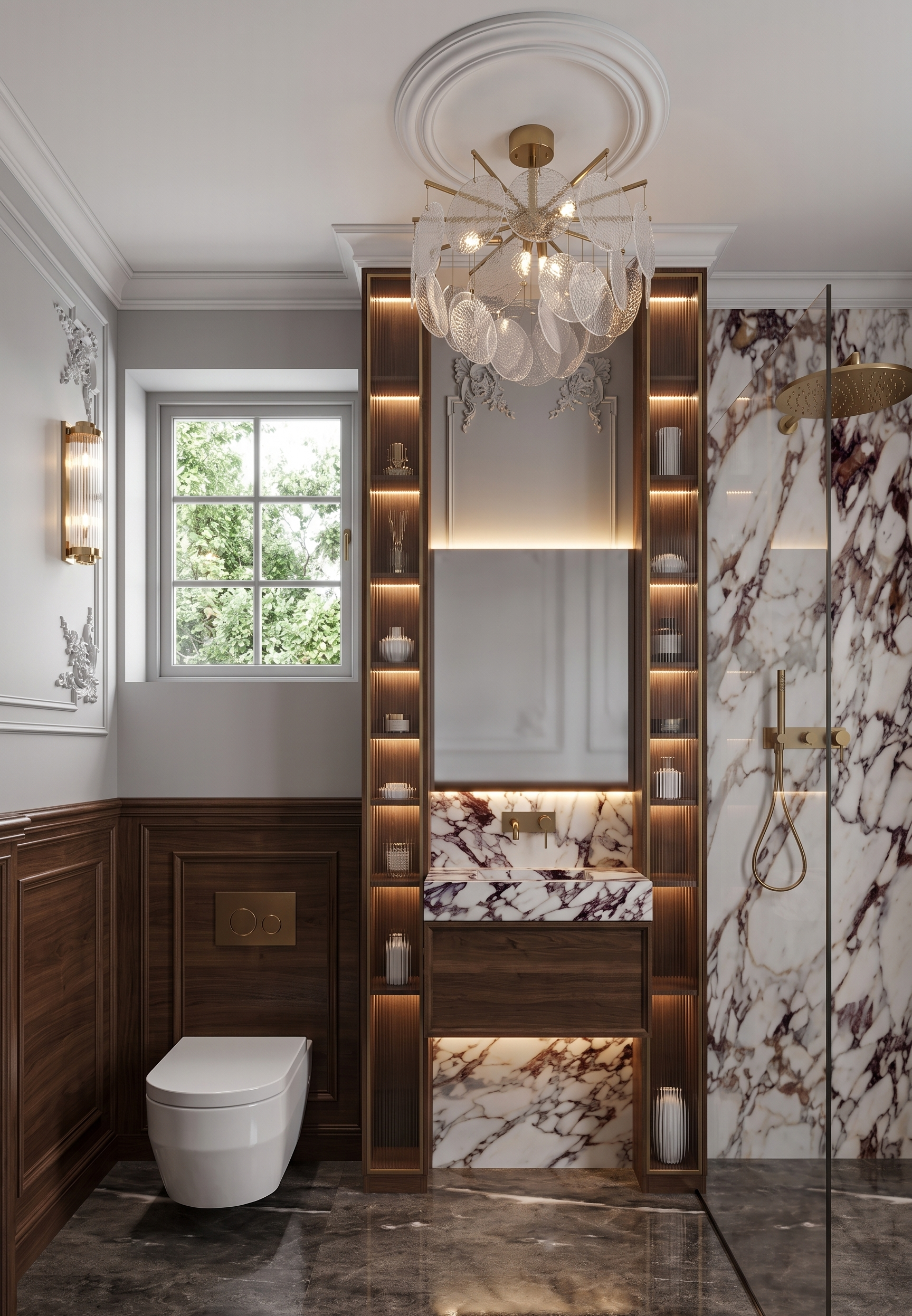
- Create an ultra-photorealistic, premium-quality interior render from the provided 3D model. Critical requirements: Do not change the camera angle, composition, perspective, geometry, proportions, layout, architectural elements, materials, or overall design. Dont change the dimensions of the picture or its proportion Preserve the original scene exactly as modeled. Only enhance realism, lighting, textures, and add the specified design details. The final result should look like a high-end luxury interior visualization suitable for an international architectural portfolio. Walls Add dark wood wall paneling to the lower portion of the walls. The wood tone must match the reference image exactly. The paneling should include decorative moldings as shown in the reference. Preserve all existing wall moldings and classical detailing. Pay attention to the horizontal moulding on the wall between wooden panel and painted wall Vanity Area In the center, there is a marble washbasin. Add matching marble surfaces above and below the vanity exactly as designed. Install a wall-mounted brushed gold faucet integrated into the wall. Mirror The black rectangle above the faucet is a mirror. Add subtle warm LED backlighting at the top and bottom edges of the mirror. Add some blurred reflection on the mirror Above the mirror, continue the decorative wall with classical moldings. Display Cabinets On both the left and right sides of the mirror, create tall, narrow floor-to-ceiling wooden display cabinets with the shelfes with the same space between each other. The wood finish should match the wall paneling. Integrate warm LED lighting inside the cabinets. Place elegant decorative objects inside. Close the cabinets with semi-transparent fluted (reeded) glass matching the reference image. Shower Area The shower enclosure on the right should be finished in premium marble. The shower head, controls, and all plumbing fixtures must be brushed gold. Lighting Replace the central ceiling chandelier with the fixture shown in the reference image. Replace the wall sconce on the left with the fixture from the reference. Use realistic warm architectural lighting that enhances the luxurious atmosphere without overexposing the scene. Window The gray rectangle above the toilet represents a window. Add a refined window frame. Outside the window, create a subtle, elegant view with lush greenery Materials & Rendering Use physically accurate PBR materials. Marble should have realistic veining, depth, and polished reflections. Wood should display natural grain and a rich premium finish. Gold fixtures should have realistic brushed metallic reflections. Glass should accurately reproduce the appearance of fluted translucent glass. Maintain soft global illumination, realistic indirect lighting, natural shadows, and accurate reflections. Final Style The final render should feel timeless, elegant, and ultra-luxurious, comparable to premium hospitality interiors and top-tier architectural visualizations. Every material should appear authentic, refined, and highly realistic while preserving the original 3D model without altering its composition or design.
- Created
- July 29, 2026