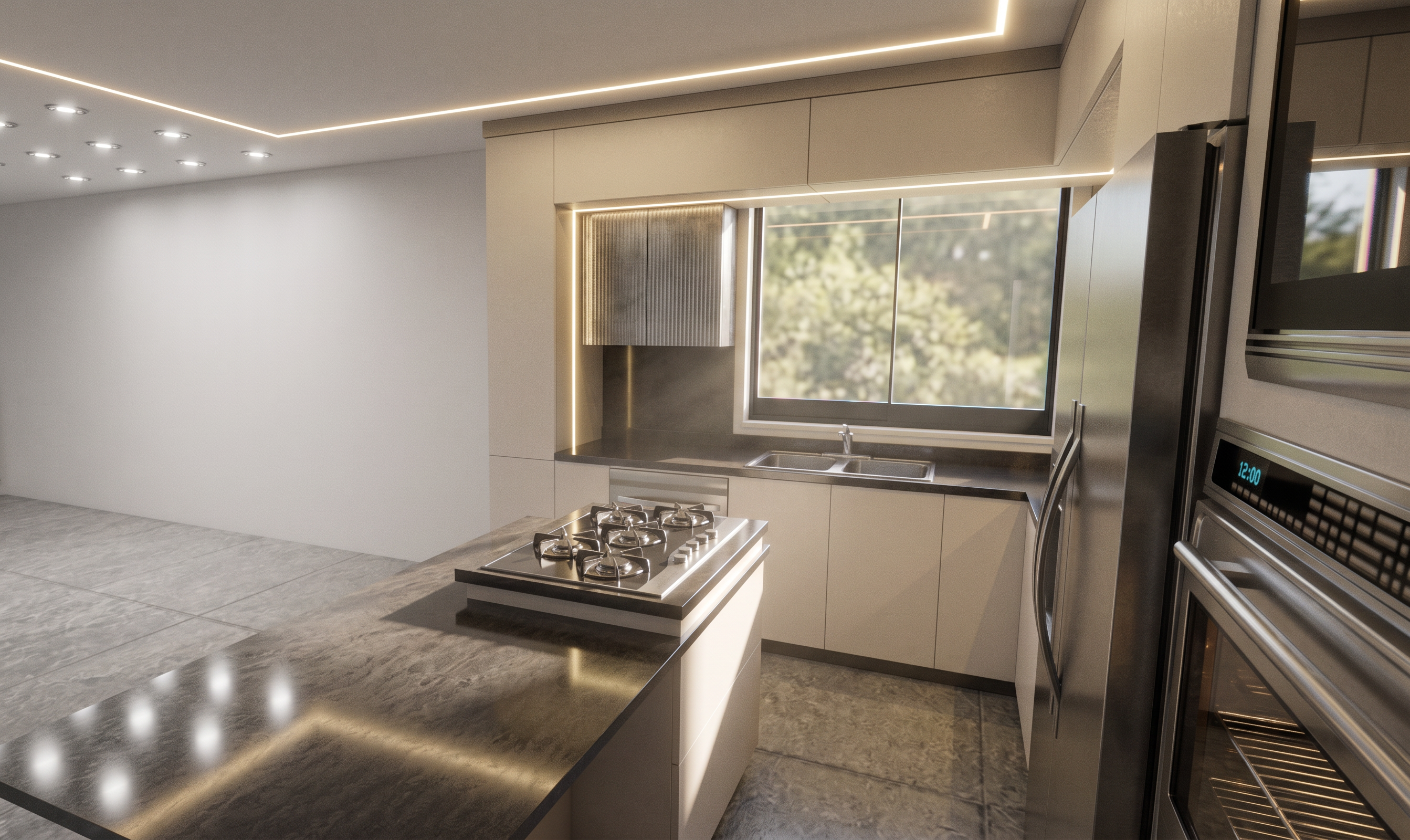
- Prompt
- Re-render this interior design scene into an ultra-photorealistic, high-end architectural visualization while preserving the original design with absolute accuracy.
STRICTLY DO NOT CHANGE:
- Floor plan or layout
- Camera angle, perspective, or composition
- Furniture design, dimensions, or placement
- Architectural details
- Decorative objects and accessories
- Material types, colors, textures, or finishes
- Lighting fixture locations
- Ceiling design, wall design, flooring, and cabinetry
Enhance ONLY the visual realism by:
- Applying physically accurate PBR materials while preserving the original material appearance.
- Increasing image resolution and sharpness with crisp, clean details.
- Adding realistic micro-textures, subtle imperfections, and natural surface reflections.
- Creating soft, natural daylight entering through the windows with realistic sun rays, accurate sun direction, and soft ambient bounce lighting.
- Enhancing the hidden LED lighting (cove lighting) so it emits a realistic, soft, warm glow while maintaining its original position and intensity balance.
- Producing realistic global illumination, ambient occlusion, soft contact shadows, and accurate reflections.
- Balancing exposure, white balance, and contrast for a premium architectural photography look.
- Preserving all original colors exactly as they are.
- Creating a luxurious, elegant atmosphere without introducing any new furniture, decorations, materials, or architectural modifications.
Final output should look like a professional photograph captured with a high-end full-frame camera using architectural photography techniques, featuring ultra-realistic lighting, cinematic quality, exceptional material realism, and perfect visual fidelity to the original design.
- Created
- August 13, 2026