Skip to content
Render tools
Use the supplied Demolition Render as the master image and primary reference.

This is a construction sequence progression.

Do not create a new scene.

Do not reinterpret the site.

Do not redesign the construction footprint.

The finished image must look like the demolition render captured several weeks later from the exact same drone location.

Reference Priority
Reference 1 – Demolition Render (Highest Priority)

Use the demolition render for:

Camera position
Camera angle
Camera height
Perspective
Image composition
Fencing
Roads
Landscaping
Site levels
Lighting
Shadows
Background
Neighbouring properties
Drainage corridor
Retained building

These elements are fixed and must remain unchanged.

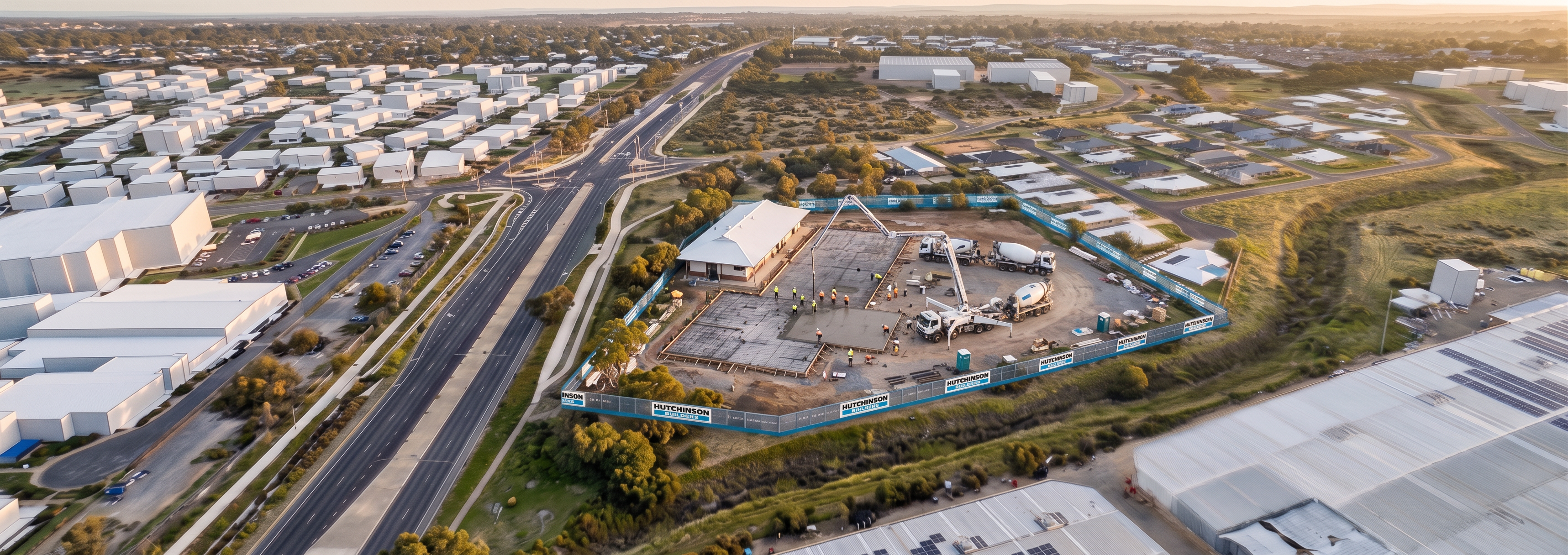
Reference 2 – 003 Concrete Slab Image (Construction Scope Only)

Use the 003 Concrete Slab image only to determine:

Slab location
Slab size
Slab orientation
Retained building location
Concrete pump position
Concrete truck location

Do not use this image to determine:

Camera angle
Perspective
Background
Lighting
Site composition
Construction Scope

Replicate the slab construction arrangement shown in the 003 Concrete Slab image.

The slab footprint is fixed.

The retained building shown adjacent to the slab must remain.

The slab must be located exactly where shown in the 003 Concrete Slab image.

Do not enlarge the slab.

Do not rotate the slab.

Do not relocate the slab.

Do not add additional slab areas.

Retained Building

The retained building adjacent to the slab is fixed geometry.

Maintain:

Building position
Building footprint
Building size
Roof configuration
Orientation

Do not remove it.

Do not partially demolish it.

Do not replace it.

Do not relocate it.

Construction Activities

Only add:

Concrete pump truck
Concrete agitator trucks
Freshly poured slab
Reinforcement mesh
Formwork
Small concrete crew

Keep the activity focused around the slab footprint only.

Absolute Restrictions

Do not:

Change the camera angle.
Change the camera height.
Change the perspective.
Change the background.
Change the fencing alignment.
Change the road network.
Change surrounding houses.
Change industrial buildings.
Change vegetation.
Change the retained building.
Expand construction outside the footprint shown in 003 Concrete Slab image.
Most Important Instruction

Treat the demolition render as a photograph. Edit only the area inside the construction zone. Preserve 100% of the existing background, perspective, fencing, retained building, roads, vegetation and image composition. Replace the demolition activities only with the slab construction arrangement shown in the 003 Concrete Slab image.

Success Criteria

If the demolition render and slab render are overlaid:

✅ Same camera position
 ✅ Same fencing
 ✅ Same retained building
 ✅ Same roads
 ✅ Same vegetation
 ✅ Same neighbourhood background
 ✅ Same lighting

The only visible difference should be that demolition activities have been replaced by the concrete slab construction arrangement shown in the 003 Concrete Slab reference image.

Create renders like this

Turn any photo, sketch, or floor plan into a photoreal render in seconds.