Skip to content
Render tools
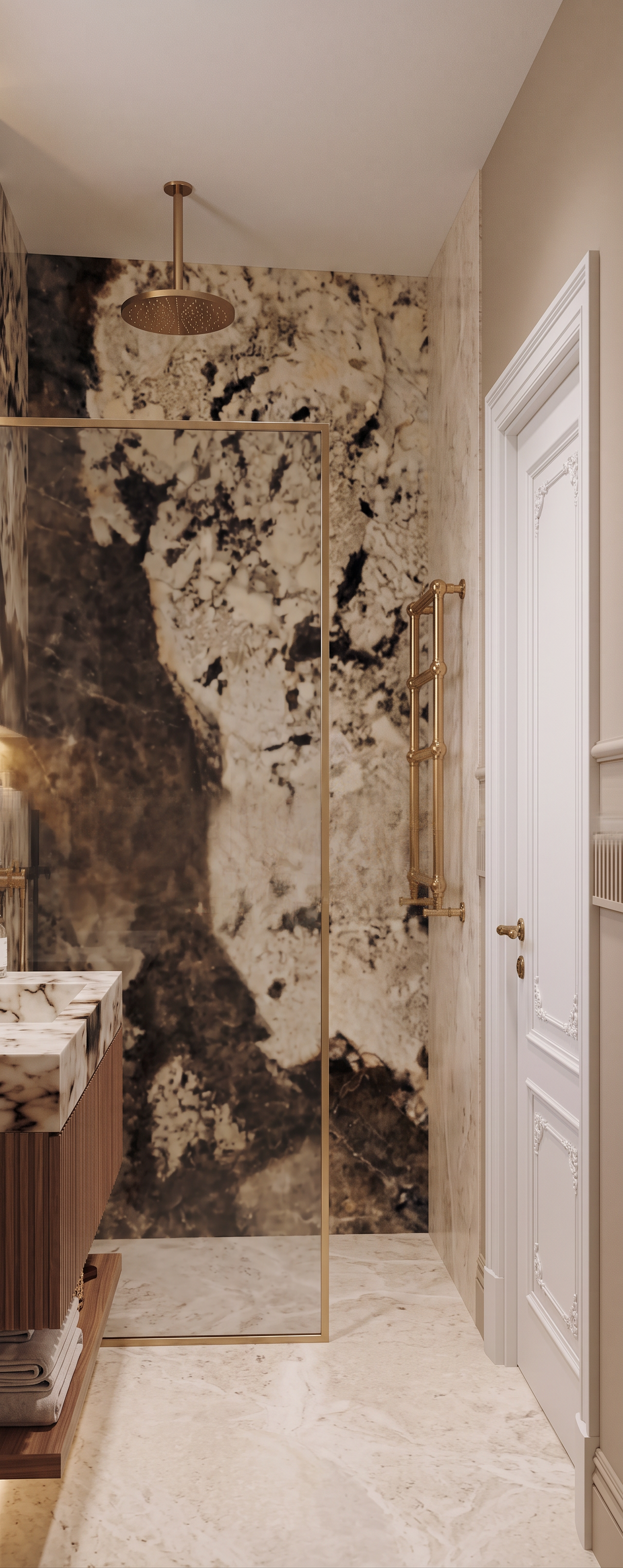
Create a photorealistic high-end architectural render of the bathroom. Dont change the dimensions of the render and its proportions, dont change camera angle, geometry and design. 


LEFT SIDE

On the left side of the image, show part of the washbasin and the wooden vanity underneath, 

Use the same marble for the sink and same wood tone for the cabinet under the sink as in the reference 1 because this is the same space from the different point of view

FRONT WALL

The main frontal wall is finished with marble exactly as in the render, floor of the whole bathroom is made of light beige marble as floor in the reference 1


SHOWER AREA — RIGHT and left wall  

On the wall to the right and left, inside the shower area, use the same light beige marble as on the bathroom floor.
On the left side place the radiator as in the reference 2


The shower head comes directly from the ceiling and is made of brass, with a refined warm brushed brass finish.

The glass shower enclosure and all of its visible metal framing/profiles are also made of brass. Use the same warm brushed brass finish as the ceiling shower head. The brass frame should be slim, elegant and realistically integrated into the shower glass.


The white rectangular opening on the right side is a doorway.

Replace the empty opening with a classic white interior door with an ornate carved / decorative door frame, similar to the portion of the door visible in Reference Image 2.

The door should have:

classic white finish
decorative carved casing / architrave
elegant traditional detailing
a gold / brass door handle

The door must fit naturally into the existing architecture and proportions.


BEIGE PAINTED WALL

The remaining beige wall is painted, not marble.

Use the same warm beige paint color as in Reference Image 1.

Most importantly, preserve the existing decorative wall treatment:

three horizontal moldings
one ribbed / fluted molding
two simple smooth horizontal moldings

Keep the same hierarchy, spacing, proportions and elegant architectural detailing as in Reference Image 1.

Create renders like this

Turn any photo, sketch, or floor plan into a photoreal render in seconds.