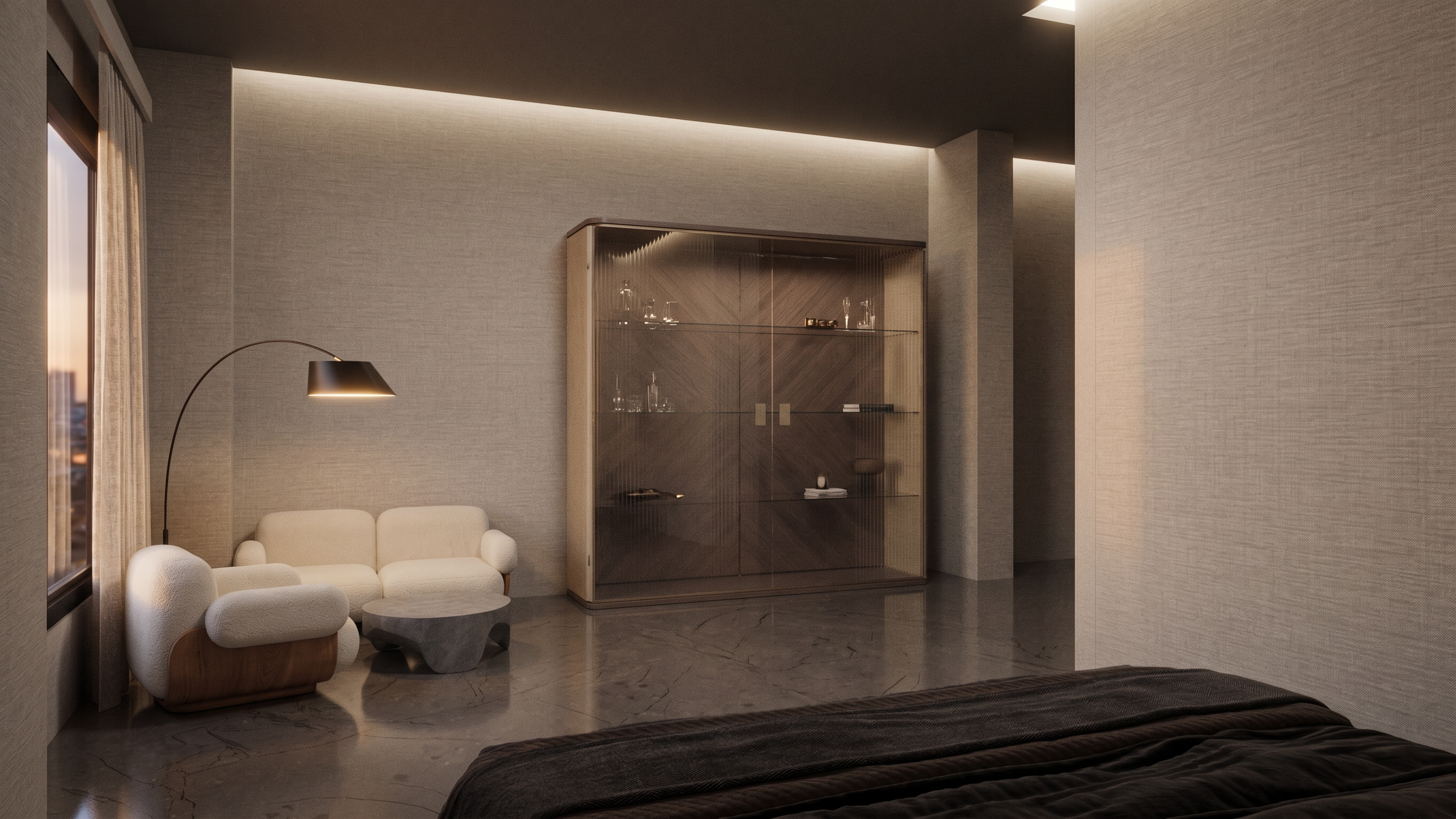
- Prompt
- Enhance this hotel room raw render while preserving the exact camera angle, composition, layout, furniture positions, and architectural design.
Tasks:
* Correct and improve all lighting (natural daylight, ambient light, and artificial lighting) to create a realistic luxury hotel atmosphere.
* Increase overall render quality to photorealistic level.
* Improve material textures and surface details (wood, fabric, stone, metal, glass, paint, and flooring) with realistic PBR appearance.
* Add accurate reflections, shadows, global illumination, ambient occlusion, and subtle depth.
* Balance exposure, contrast, white balance, and color grading for a high-end hospitality presentation.
* Remove render noise, artifacts, blur, and low-quality areas; sharpen details naturally without over-processing.
* Enhance bedding, curtains, upholstery, wall finishes, and bathroom elements with realistic texture definition.
* Maintain realistic proportions and avoid changing any furniture, decoration, or architectural elements.
* Output should look like a professionally post-produced luxury hotel interior render suitable for client presentation and portfolio use.
Style reference: premium boutique hotel, warm neutral tones, soft cinematic lighting, ultra-realistic architectural visualization, 4K quality.
- Created
- August 9, 2026