- Prompt
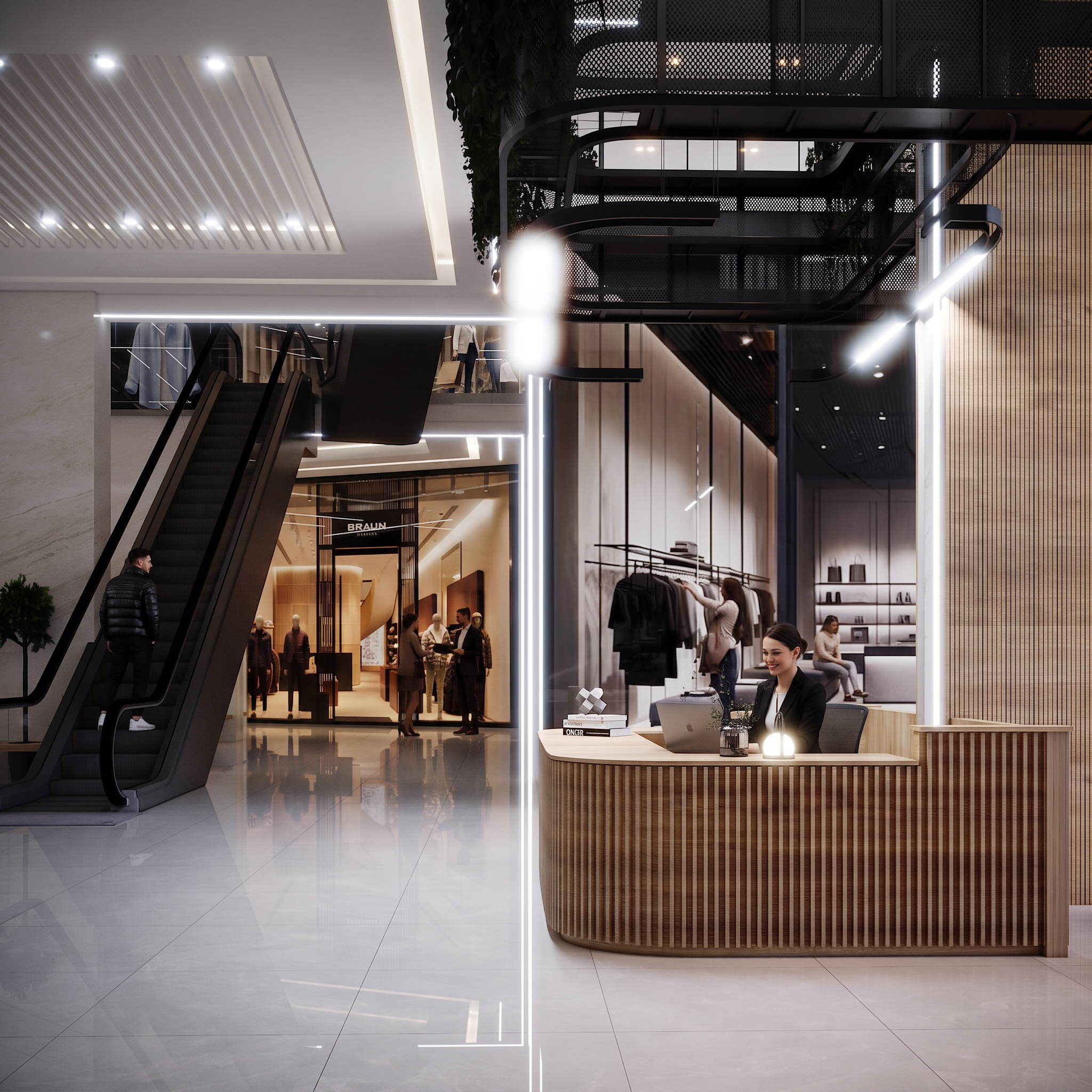
- Transform this architectural render into an ultra-photorealistic luxury shopping mall while preserving the architecture exactly. Do not modify the camera angle, composition, lighting design, materials, storefronts, reception desk, escalator geometry, ceiling, walls, glass, floor, or proportions. This image is the next shot of the previous scene. Maintain continuity with the previous render. Keep the same stylish man from the previous shot on the escalator. He is approximately 30 years old, wearing a premium black puffer jacket, black trousers and white sneakers. Preserve his appearance exactly. Inside the BRAUN store, keep the same realistic customers from the previous shot. Add one elegant sales assistant helping a customer. Their clothing and positions should feel like a natural continuation of the previous scene. Behind the reception desk, add one professional receptionist wearing elegant black business attire, smiling naturally while working on a laptop. Inside the boutique on the right, add one customer browsing clothes and another customer sitting naturally on the sofa. On the upper floor, add two distant luxury shoppers walking naturally behind the railing. Replace all mannequin-like people with highly photorealistic real humans. Enhance all fashion displays with premium clothing, luxury accessories, shopping bags and realistic merchandising. Improve glass reflections, polished marble floor reflections, material realism, fabric textures, wood textures, lighting quality and shadow accuracy. Keep the environment elegant, premium and lightly populated. No architecture changes. No camera changes. No geometry changes. No object relocation. No extra furniture. No distorted faces. No unrealistic hands. No CGI appearance. No cartoon style. No duplicated people. No blurry details. Maintain ultra-photorealistic luxury architectural photography quality.
- Created
- July 30, 2026