Skip to content
Render tools
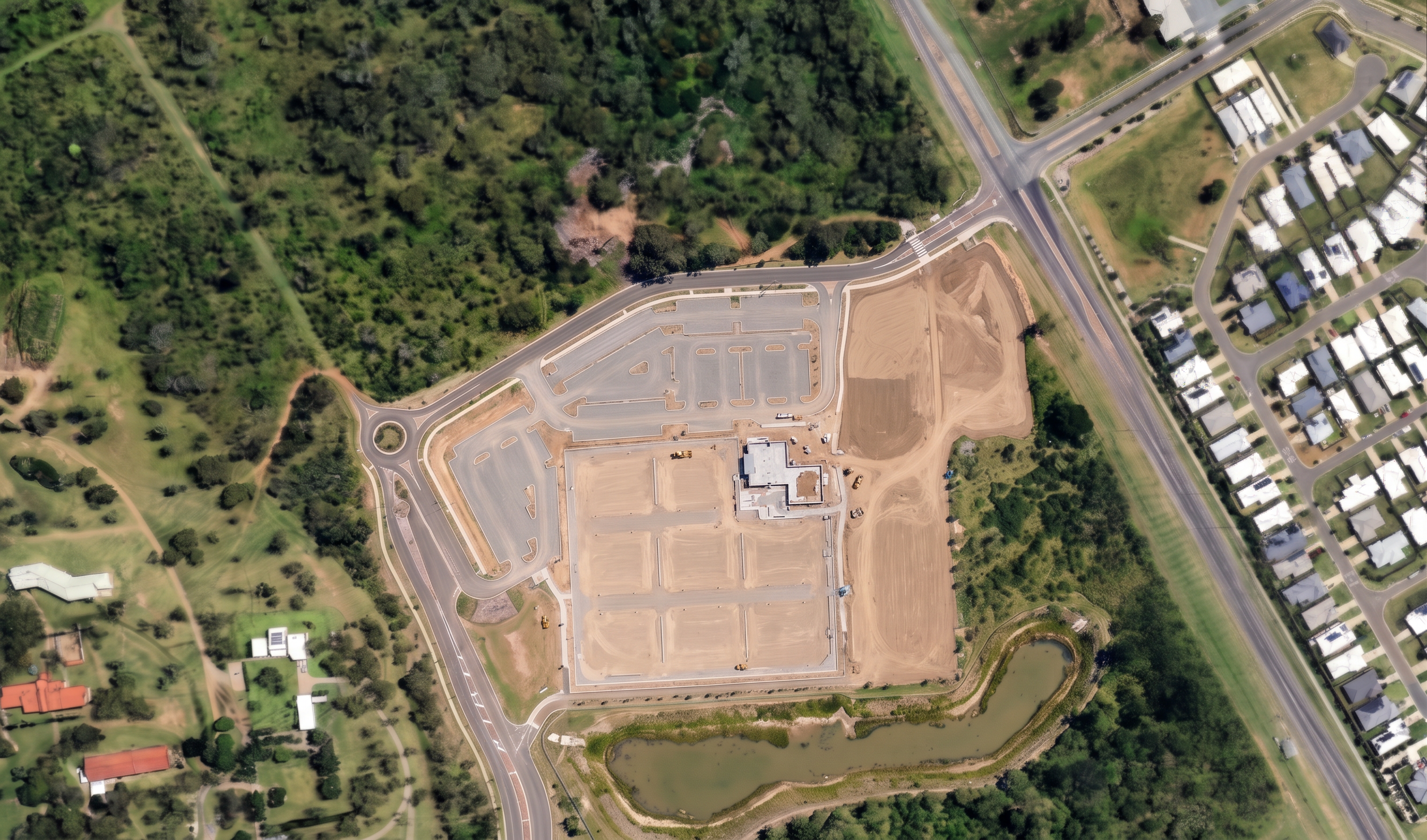
Stage 2 – Netball Court Foundations (Match Completed Render View)
Reference 1 – Completed Precinct Render

Use this image as the camera, viewpoint, framing, zoom level and composition reference.

Match:

Camera height.
Camera angle.
Image extent.
Orientation.
Scale.
Framing.
Amount of surrounding vegetation visible.
Road and residential context visible.

The final image must appear to have been photographed from exactly the same drone position as this image.

Reference 2 – Netball Foundations Render

Use this image only as the construction progress reference.

Maintain exactly:

Court foundation construction stage.
Gravel court platforms.
Carpark pavement formation.
Building construction progress.
Soil extents.
Vegetation extents.
Earthworks appearance.
Construction maturity.

Do not advance construction beyond this stage.

Prompt

Create a photorealistic aerial construction progress render.

The construction progress must remain identical to Reference 2.

The aerial viewpoint must match Reference 1 exactly.

This render represents the stage where:

Netball court foundations are established.
Gravel court pavement layers are visible.
Carpark pavement formation is underway.
Building construction is underway.
Recreation areas are not yet developed.
Landscaping has not commenced.
Court surfacing has not commenced.
Asphalt surfacing has not commenced.

Maintain the same amount of visible vegetation, roads and surrounding context shown in Reference 1.

The image should look like an earlier construction photograph captured from the identical drone position as Reference 1.

Critical Instructions

Do not:

Add labels.
Add annotations.
Add callouts.
Add legends.
Add text.
Add arrows.
Add dimensions.
Add descriptions.
Add captions.
Add construction notes.

The final image must contain no visible text whatsoever.

Do not:

Change construction progress.
Add completed courts.
Add coloured court surfacing.
Add completed landscaping.
Add completed recreation areas.
Add finished pathways.

Keep the construction stage identical to Reference 2.

Only change the aerial viewpoint to match Reference 1.

Create renders like this

Turn any photo, sketch, or floor plan into a photoreal render in seconds.