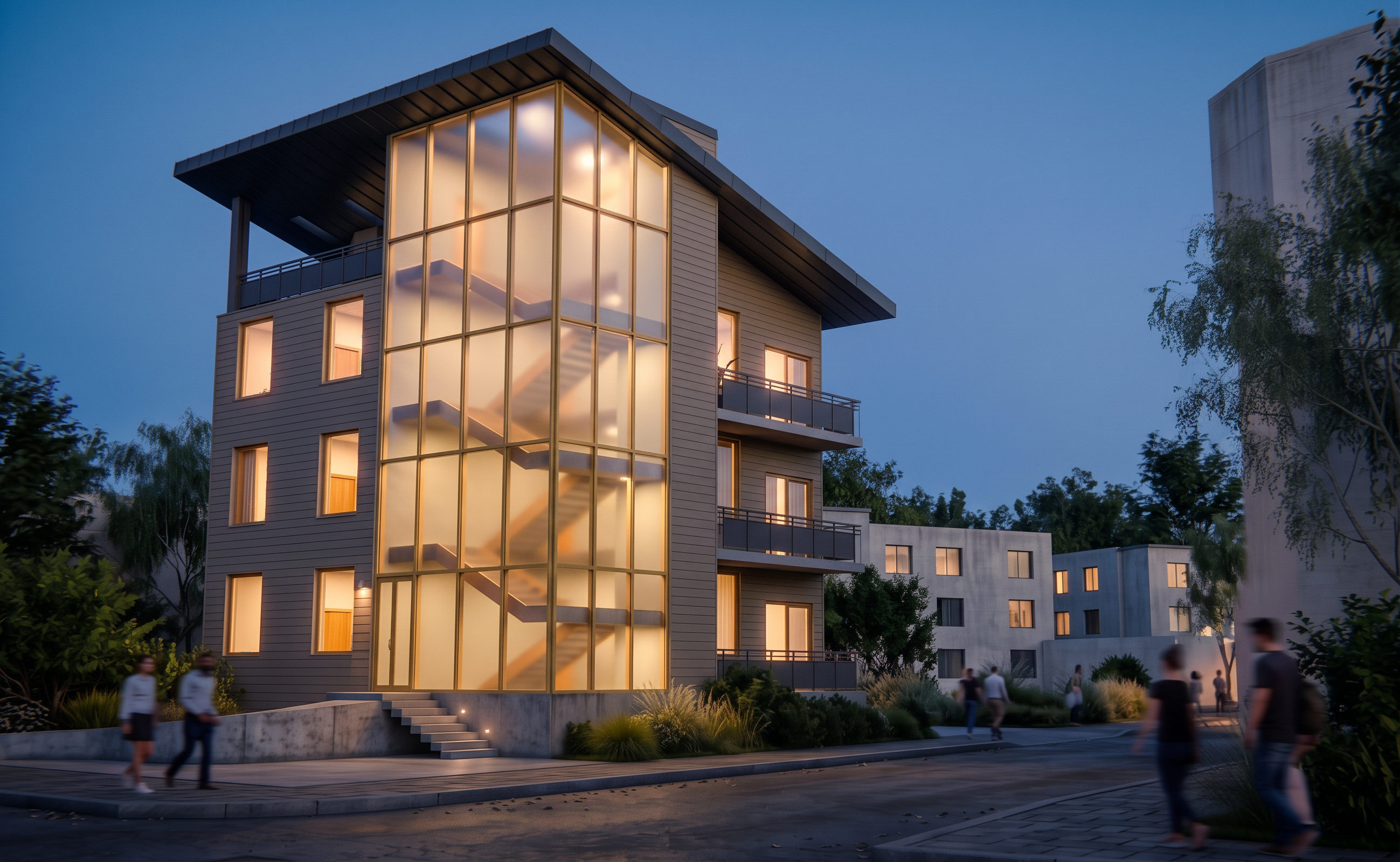
- Prompt
- Edit only the surrounding context and ground surfaces. Preserve the proposed building exactly as shown, including all materials, lighting, glowing glass tower, geometry, windows, roof, entrance, and details. Lock the camera, perspective, framing, and image dimensions. Keep every surrounding building’s exact height, width, silhouette, footprint, and spacing; do not move, resize, reshape, replace, or add buildings. Enrich their existing surfaces with realistic neutral residential siding, subtle panel joints, trim, and restrained weathering. Where windows already exist, refine their glass and frames and softly illuminate a few interiors; do not add or relocate openings. Improve existing roads with textured asphalt and sidewalks with concrete joints and subtle wear, preserving their boundaries. Add modest lawn and low planting only within the designated green space to the left of the proposal; keep all other areas paved as shown. Add gentle nighttime ambient light and realistic contact shadows so the context feels grounded without competing with the glowing tower. Preserve the proposed building and the composition exactly.
- Created
- October 14, 2026