- Prompt
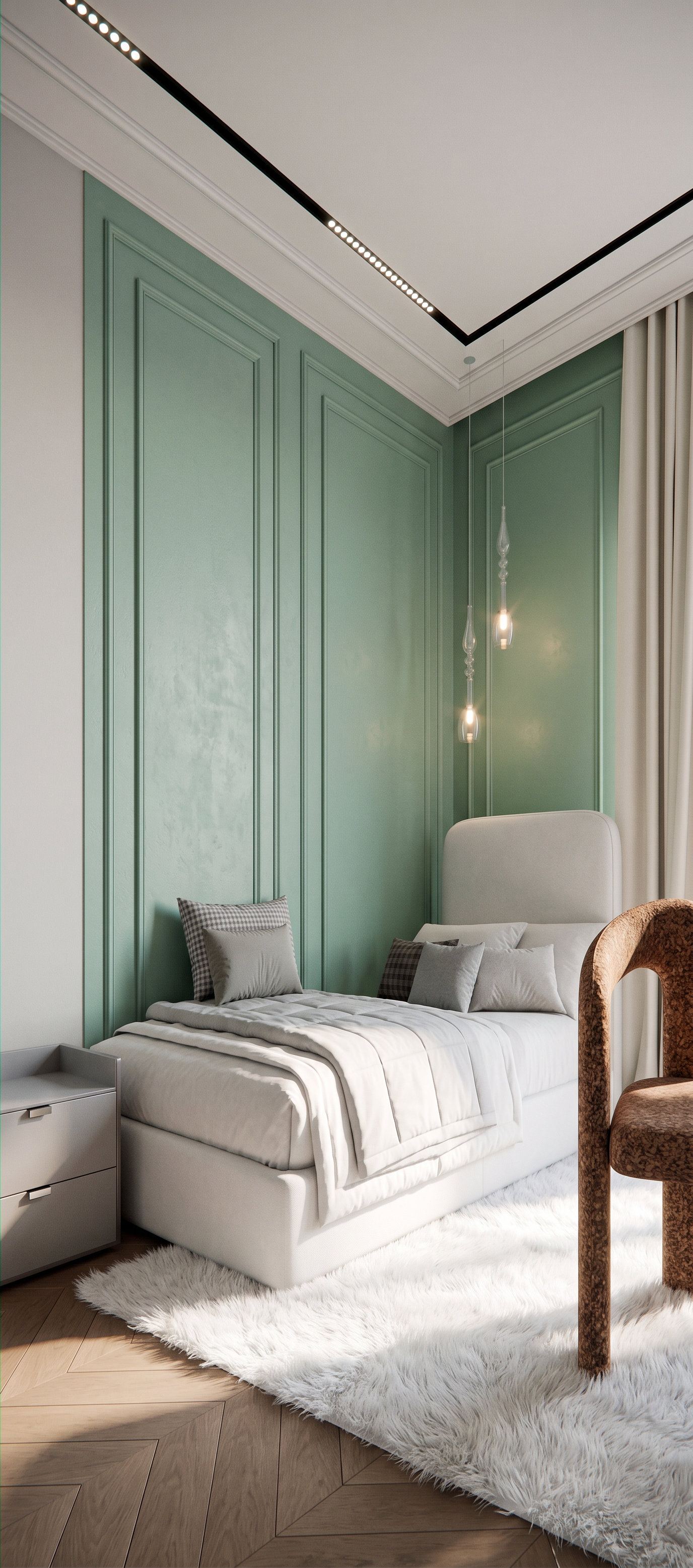
- Create a photorealistic render from the provided 3D model. CRITICAL CONSTRAINTS: Do NOT change the camera angle, perspective, geometry, proportions, materials, lighting setup, or any colors of the original scene. Everything must remain exactly as in the base model and reference. This is a strict visualization enhancement, not a redesign. TASK: Enhance the existing scene to achieve a high-end, photorealistic interior visualization while fully preserving the original composition. INTERIOR DETAILS (must match exactly): Two accent walls in a muted, desaturated mint color, exactly as defined in the model/reference. A bed upholstered in white fabric, clean and soft textile appearance. Add a modern, fluffy white rug on the floor, subtle and elegant, not overpowering the space. Maintain overall atmosphere and styling consistent with the reference images of the rest of the room. Ceiling must remain exactly as in the reference, since this is a continuation of another part of the same space. Above the bed, there are two pendant lights suspended from the ceiling — long, minimal, made of transparent glass. These must remain exactly as in the reference and be clearly visible. RENDER QUALITY: Ultra photorealistic, high-end interior visualization, physically accurate materials, natural soft lighting, realistic shadows, global illumination, sharp but natural detail, architectural visualization quality. IMPORTANT FINAL RULE: Absolute preservation of original 3D model structure, camera, and composition. Only improve realism and material rendering quality without any design or spatial changes.
- Created
- July 2, 2026