- Prompt
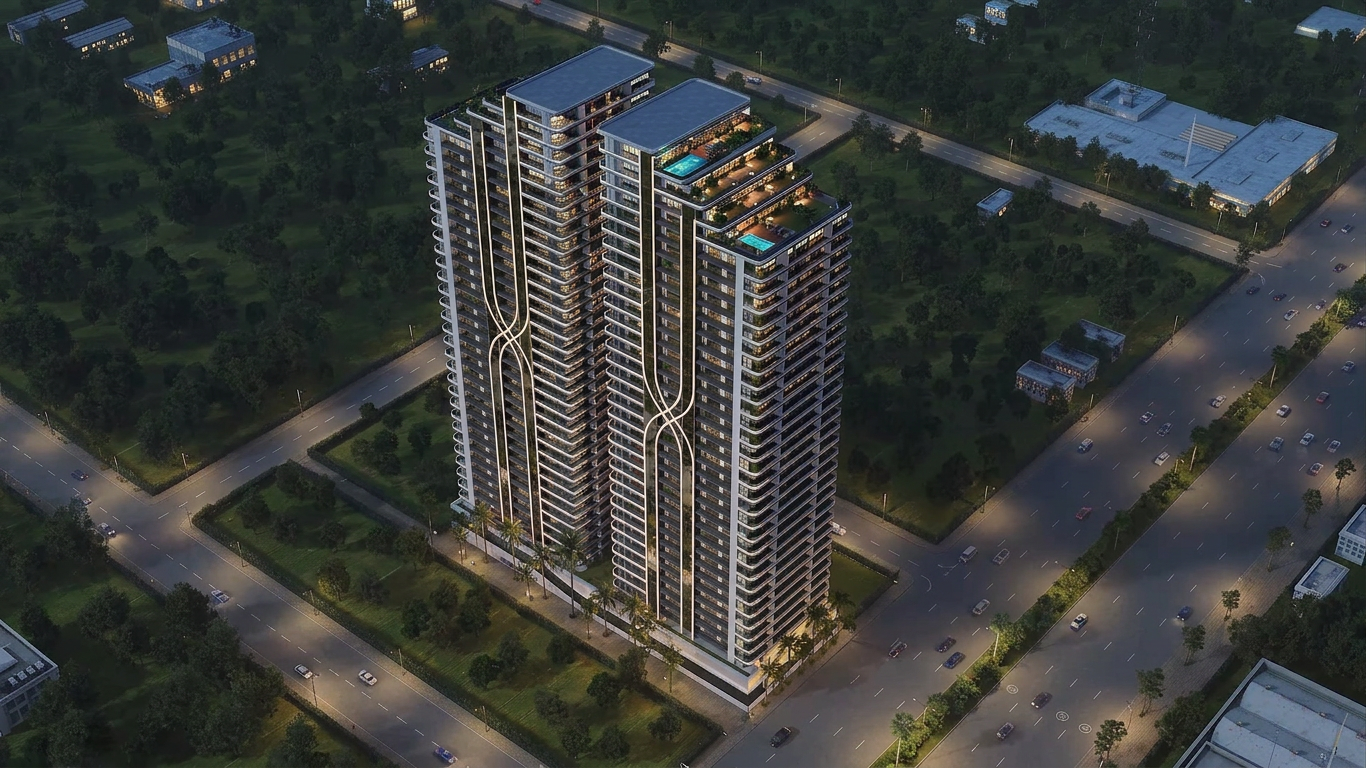
- 1) Main subject and key attributes: A modern multi-tower residential high‑rise (two slender towers joined along a central spine), thirty-plus stories tall. Continuous wraparound balconies on every floor with glass railings, dark tinted window walls, and distinctive white vertical ribbon fins that curve inward mid-facade on each tower. Rooftop terraces with turquoise swimming pools, seating areas, pergolas, planters, and mechanical penthouse boxes. Palm trees and landscaped hedges at the podium/entry. 2) Environment/background: Set at a large urban intersection within a park‑like city grid. Wide multi‑lane roads with sparse traffic and medians, surrounded by expanses of lawn and many evenly spaced trees. Scattered low-rise office/utility buildings in the distance. 3) Composition and camera framing: High-angle aerial three‑quarter view, looking down at the building’s corner. Moderate wide focal length; verticals slightly converging. The tower dominates center frame; roads form diagonals around the plot. 4) Lighting and color palette: Daytime sun from the right casting long shadows to the lower left. Clear skies implied. Colors: white and light gray structure, dark glass, deep greens of trees and rooftop landscaping, cool teal pool water, muted asphalt grays. 5) Materials, textures, and fine details: Smooth painted concrete/metal for the white fins and balcony slabs; reflective curtain wall glazing; transparent glass railings; lush plants on many balconies and rooftops; clean paving at ground level; cars on the roads; crisp shadow edges. 6) Style or realism level: Photorealistic architectural visualization/CGI with sharp detail and natural proportions. 7) Constraints: Preserve the twin‑tower form, the curving white ribbon motifs, continuous balconies, rooftop pools/terraces, palm‑lined base, aerial perspective, and surrounding green urban grid with wide roads. Avoid adding people, signage, brand names, dramatic weather, or changing the camera angle, building proportions, or lighting direction. , keep exact camera angle
- Created
- June 1, 2026