Skip to content
Render tools
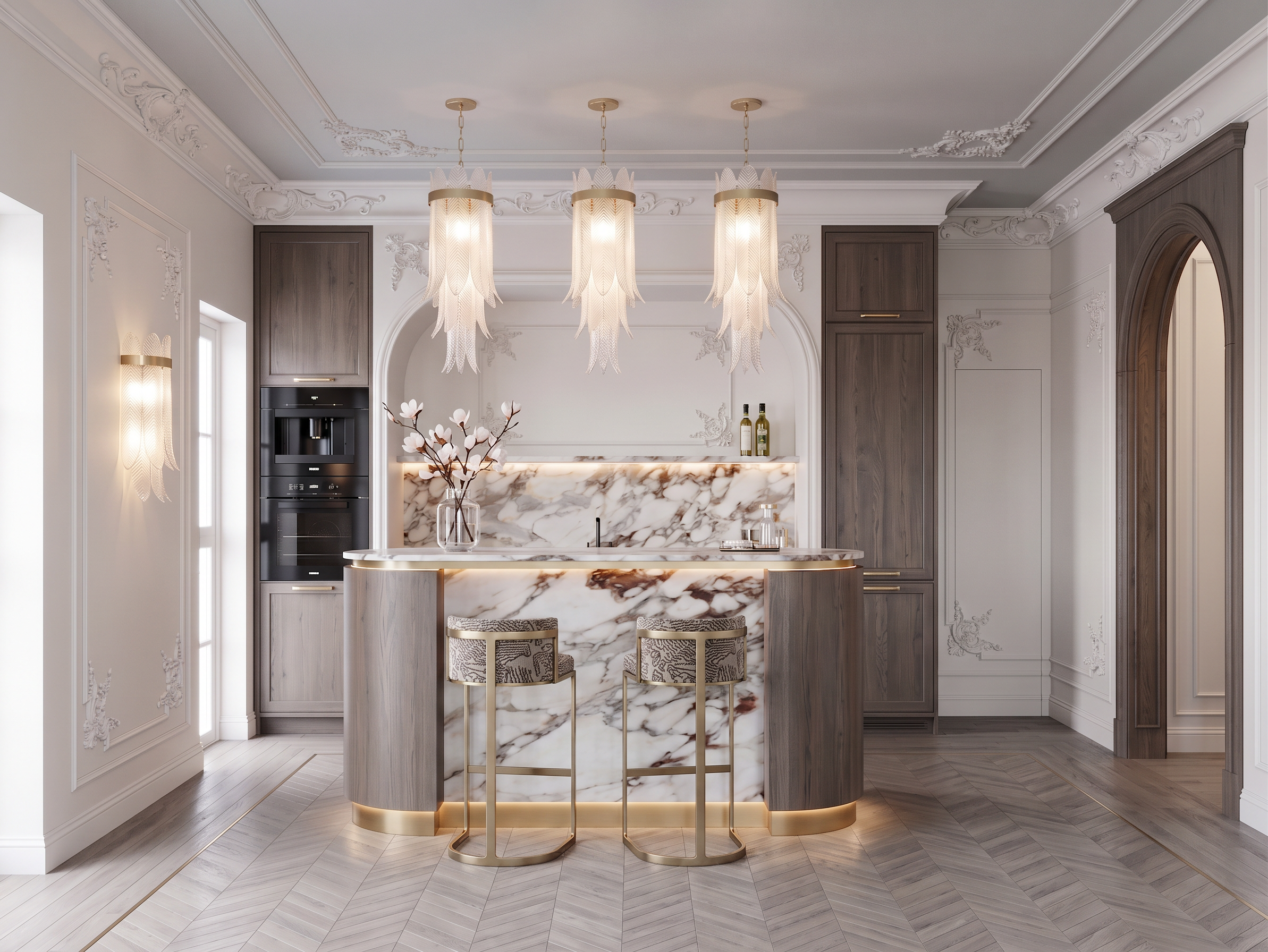
Edit the provided render while preserving the original image exactly.

STRICT INSTRUCTIONS:
- Do NOT change the camera angle.
- Do NOT change the composition.
- Do NOT change the room proportions.
- Do NOT change the layout.
- Do NOT change the architecture.
- Do NOT change the furniture placement.
- Do NOT change the lighting.
- Do NOT change the materials, except where specifically requested below.
- Keep the overall design exactly as it is.

Only make the following modifications:

1. Flooring
- Make the parquet color slightly lighter.
- Reduce the color variation so the wood appears more uniform.
- The oak should have a refined cool gray undertone.
- Eliminate any yellow or orange hues.
- Preserve the existing parquet pattern and layout.

2. Wood elements
- Lighten all dark wood slightly.
- Give the wood a more elegant gray-brown tone.
- Maintain the same matte finish and natural wood grain.

3. Bar stools
- Replace the existing bar stools with the ones shown in the attached reference.
- Match their design, proportions, upholstery, color, and materials as closely as possible.

4. Right archway
- Remove the carved decorative element above the arch.
- The opening should consist only of the arched wooden portal.
- The wooden arch surround remains in dark wood.
- There should be no carved ornament or decorative woodwork above the arch.

5. Ceiling
- Add additional decorative ceiling moldings matching the attached reference.
- The moldings should be elegant, classic, and proportional to the room.
- Integrate them naturally without changing the ceiling height or room geometry.

Rendering requirements:
- Preserve the same luxurious atmosphere.
- Keep the image highly photorealistic.
- Maintain realistic lighting, reflections, and shadows.
- Use physically accurate materials.
- Produce a premium architectural visualization with magazine-quality realism.

Create renders like this

Turn any photo, sketch, or floor plan into a photoreal render in seconds.