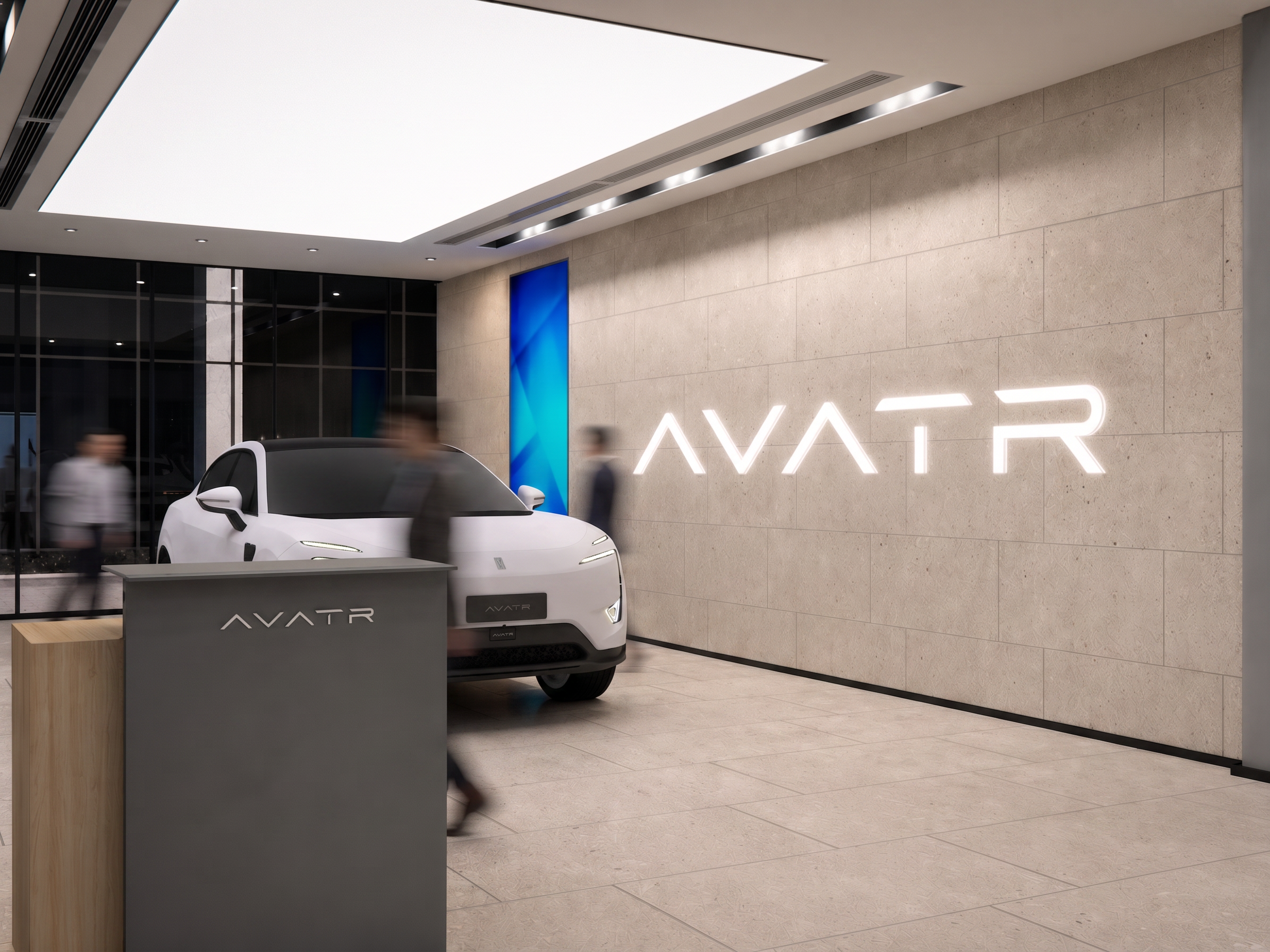
- Prompt
- Adjust the composition and scale only. Keep the original camera angle, architecture, materials, lighting, and layout unchanged. Reduce the vehicle size by approximately 10–15% to achieve a more realistic showroom proportion while keeping it in the exact same position. Enlarge the white illuminated "AVATR" wordmark on the stone wall by approximately 20–25%. Center the wordmark vertically between the finished floor and the ceiling, maintaining equal top and bottom margins. Keep the wordmark horizontally aligned on the wall and use clean white backlit channel letters with soft indirect glow. Do not add the AVATR icon or symbol—display the word "AVATR" only. Preserve all other elements exactly as in the original image. Ultra-photorealistic architectural visualization, high-end showroom, HQ, 8K, realistic materials, physically accurate lighting. Do not change the camera position, field of view, wall material, floor pattern, reception desk, lighting fixtures, ceiling, window system, vehicle design, reflections, colors, or showroom layout. Do not crop the image. Do not move any architectural elements. Do not add extra branding, logo icon, furniture, people, or decorative objects. Avoid distortion, stretched proportions, oversized car, oversized text, or perspective changes.
- Created
- July 2, 2026