Skip to content
Render tools
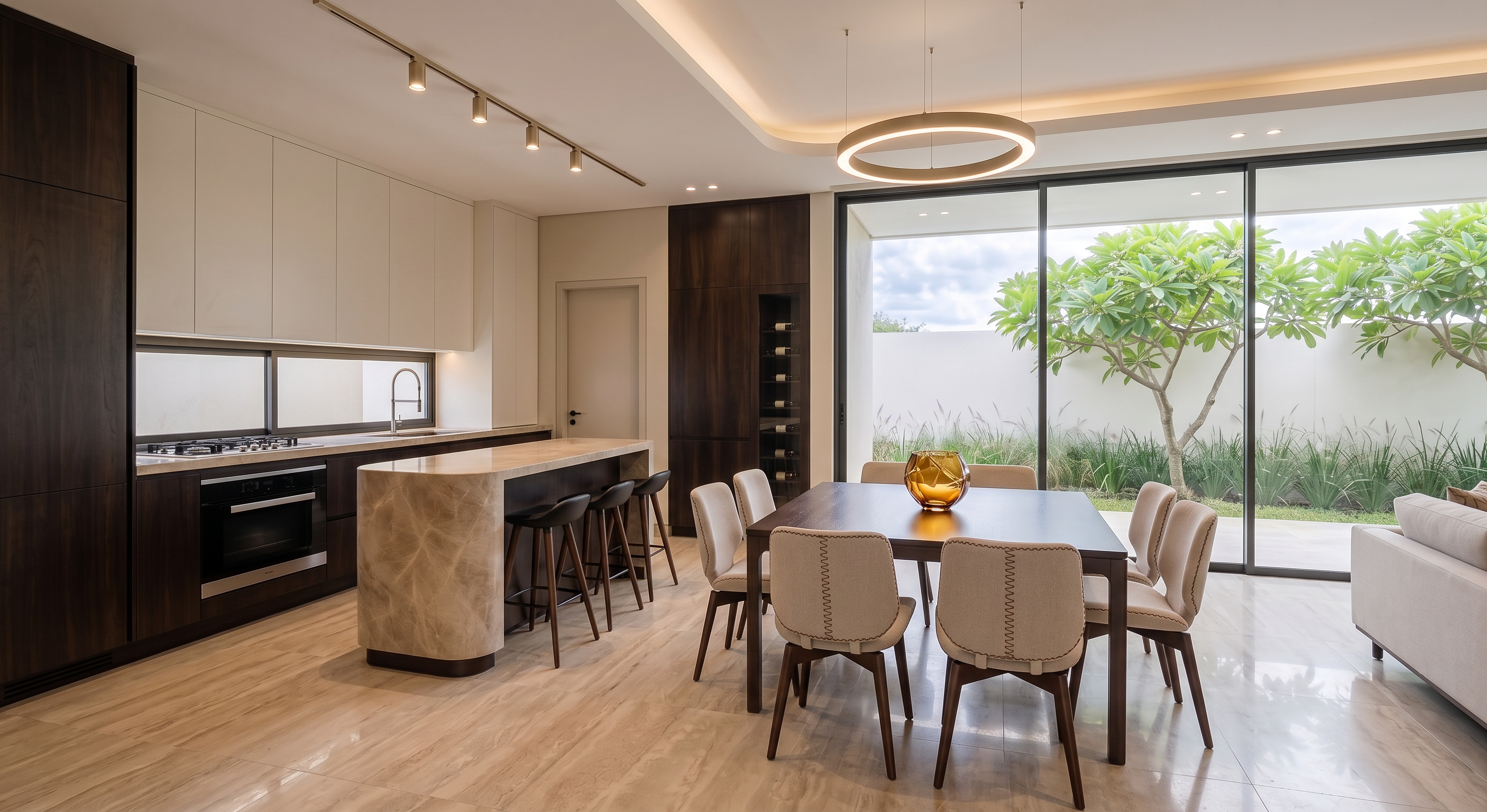
Recreate the room faithfully according to my design: a modern, well-lit room with a bright and spacious feel. The floor is made of ceramic tiles with a subtle travertine marble effect with veining exactly as shown in reference image 1. The lower cabinets and the wooden portion of the island are smooth very dark wood with minimal grain and knots, while the upper cabinets are satin pearl white.The countertops of the cabinets and the island are made of marble with beige tones as shown in reference image 2.The dining chairs are upholstered in light beige fabric with brown threads on the edges and center of the backrests, and the legs are made of dark wood.. The dining table is dark wood. The barstool legs are dark wood, and the seat is black. The walls and ceiling are smooth. Do not add people to the render.The color of the swing door is the same light beige as the walls and the lock is black. Do not alter the exterior of the render. Do not modify any walls. Leave the design as I created it. The sky should look realistic and slightly cloudy.The pendant light on the ceiling is champagne metal colored.The recessed ceiling track with the four spotlights is champagne metal colored. Do not add any other decorative objects. The reference image is a continuation of the space you are going to render; it is a guide for you to create the sky, the color and type of plants, the lighting and temperature of the lights, and the floor tiles as shown in the reference image so that it matches and looks like a continuation of the same space. The ambient temperature, sky,  ceiling lights temperature, color and type of plants, and floor tiles must be exactly as shown in reference image 1. The plants and grass should be exactly as shown in the reference image. Replace the vase on the table with the one shown in the reference image


Create renders like this

Turn any photo, sketch, or floor plan into a photoreal render in seconds.