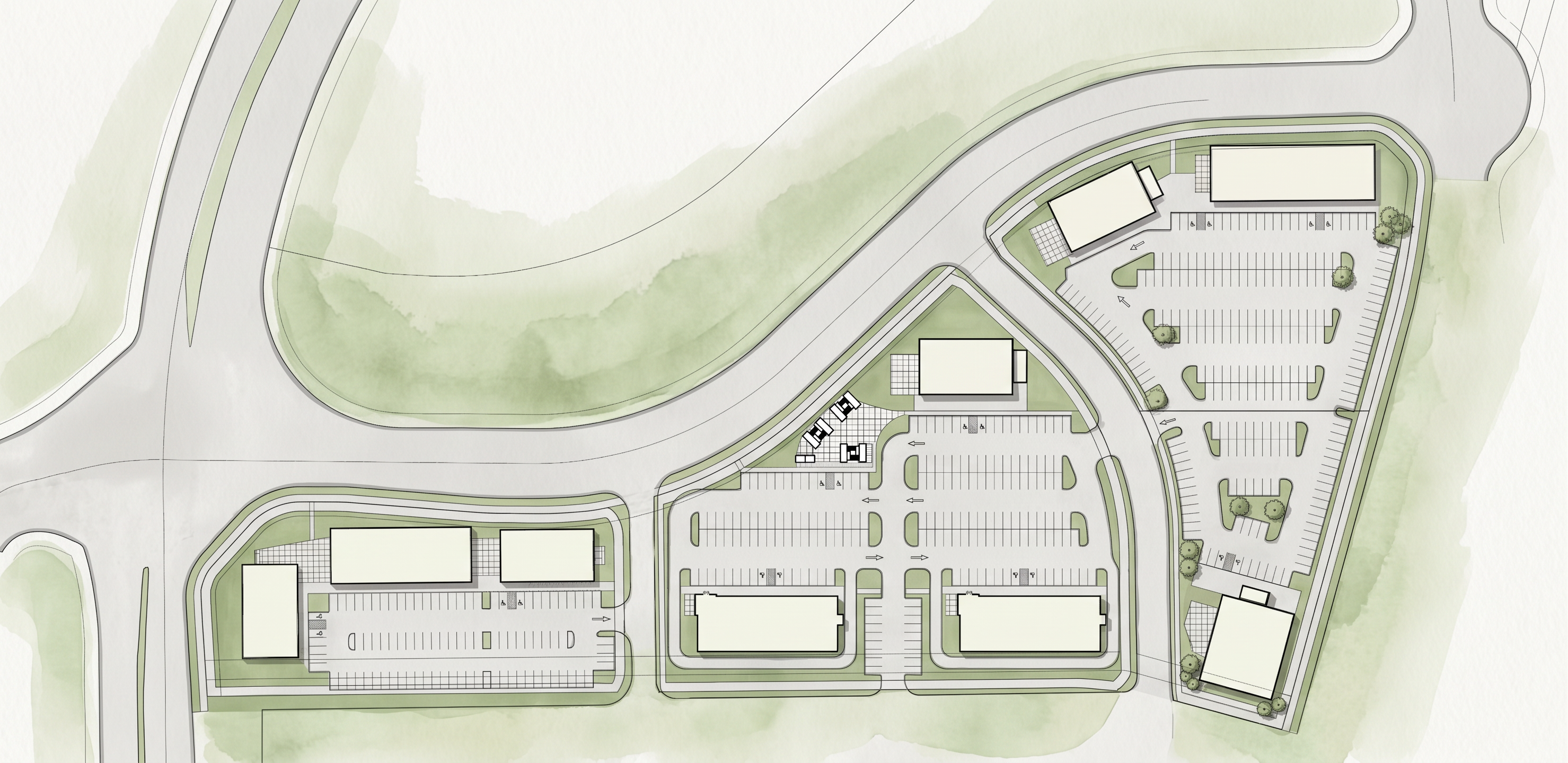
- Prompt
- Render the provided site plan exactly as shown. The goal is to create a clean, professional, presentation-quality architectural site plan while preserving the original drawing 100%.
STRICT PRESERVATION REQUIREMENTS
Do not change the site plan geometry, layout, dimensions, proportions, scale, or orientation.
Do not move, resize, rotate, delete, or modify any existing buildings, structures, property lines, setbacks, parking spaces, driveways, sidewalks, landscape areas, roads, utilities, or other site elements.
Do not add any new buildings, structures, landscaping, trees, cars, people, furniture, site amenities, fences, walls, lighting, or other objects.
Do not remove any existing elements.
Do not reinterpret the architectural design.
Do not redesign or improve the site plan.
Do not change the number, location, or configuration of parking spaces.
Do not alter building footprints or building locations.
Do not change roadways, drive aisles, sidewalks, curb lines, property boundaries, or site circulation.
Preserve all existing annotations, labels, dimensions, symbols, north arrow, legends, and graphic information exactly where they are.
Do not invent missing information or fill in blank areas with design elements.
RENDERING STYLE
Create a professional architectural site-plan rendering with a clean, realistic but controlled presentation style.
Maintain the exact original plan view / top-down camera angle.
Use subtle, realistic material differentiation to make the existing site elements easier to read.
Buildings should remain clearly identifiable and accurately aligned with the original drawing.
Paved areas should read as pavement/concrete/asphalt only where those materials are already indicated.
Existing landscape areas should remain in their exact locations.
Use subtle shadows only if they do not obscure or alter the drawing.
Keep the overall image clean, organized, and suitable for an architectural presentation.
Use restrained, professional colors and realistic textures.
Avoid excessive photorealism that could distort or obscure the original site-plan information.
MOST IMPORTANT
Accuracy is more important than visual enhancement. Treat the uploaded site plan as a locked reference drawing. The AI is only allowed to improve the visual presentation/rendering quality—not the design or content.
No additions. No deletions. No redesign. No reinterpretation. No geometry changes.
The final rendered image must match the original site plan element-for-element and location-for-location, with only the visual rendering quality enhanced.
- Created
- October 5, 2026