
AI Home Design
AI Home Design — Reimagine Your Home in Seconds
Snap a room or your facade, choose a style, and see your home redesigned — inside and out — before you commit to anything.


 4.9110,000+ architects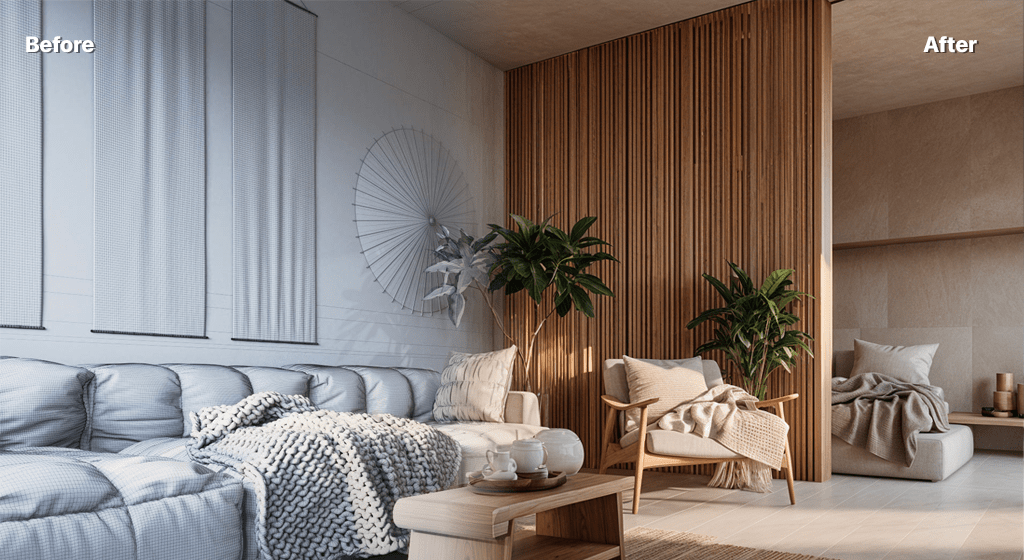
AI home design helps you picture changes to your home before you make them. Upload a photo of a room or your house exterior, pick a style, and AI Render Studio generates photorealistic home design concepts — new furniture, finishes, colours, and even facade treatments — in about twelve seconds, so decisions are based on an image rather than imagination.
Homeowners use it to plan a renovation, compare palettes, and align with family or a contractor on a direction before quotes go out. Because each run is fast and free to start, you can try a warm minimalist living room, a japandi bedroom, and a modern kitchen from the same photos and see which one feels like home.
It works indoors and out: restyle interiors room by room, or reimagine your home's exterior with different cladding, colours, and landscaping. Guide the result with a short prompt — "keep the layout, add oak floors and warm lighting" — and upscale your favourite to share.
FAQ
Frequently asked questions
Can AI home design work from photos of my actual home?
Yes. Photos of your real rooms or house exterior are ideal inputs. The AI keeps the existing layout and structure while restyling furniture, finishes, and colours so you see your own home reimagined.
Does it design both interiors and exteriors?
Both. You can restyle interior rooms and reimagine your home's facade — cladding, colour, windows, and landscaping — using the same account.
Do I need any design experience?
No. Choose a style preset and, optionally, type what you want in plain language. No design software or technical skill is required.
Keep exploring
Related tools
Start free
Try AI Render Studio now.
Turn a sketch, model or photo into a photoreal render in seconds. 3 free credits, no credit card.