
Best AI Rendering Software for Architecture (2026)
AI Render Studio Team · May 20, 2026
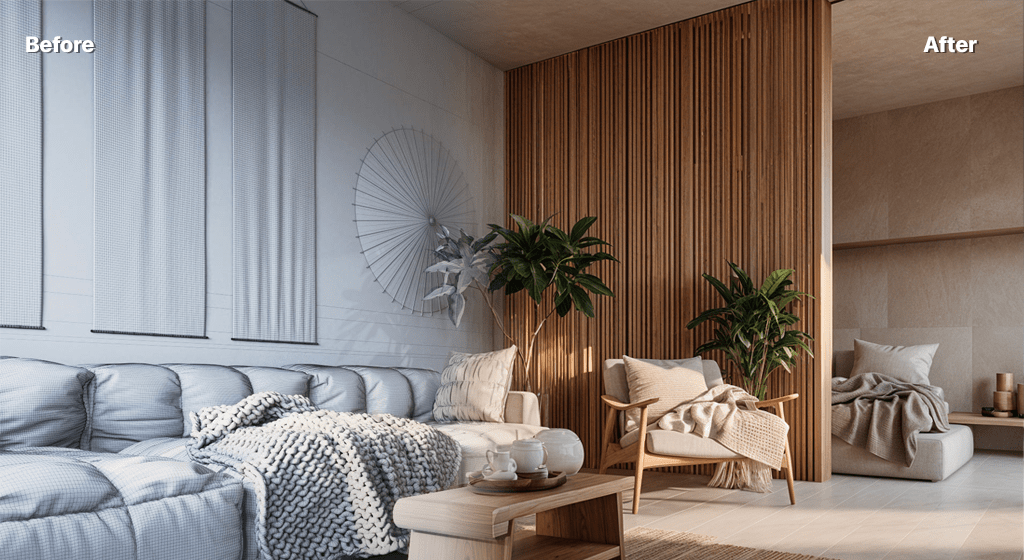
AI rendering software has matured quickly, and several tools now produce photoreal architecture images from a model, photo or sketch in seconds. This guide covers the criteria that actually matter when choosing one, so you can match a tool to your workflow rather than chase a feature list.
What to look for
- Architecture tuning. General image AIs produce generic results. Tools trained on architectural references respect how buildings and spaces actually look.
- Inputs supported. The best tools accept SketchUp, Revit, Rhino and ArchiCAD exports, photos, 2D plans and hand sketches.
- Speed and iteration. Seconds-per-render lets you generate many options. Look for fast turnaround and easy variation.
- Control. Style presets, prompt guidance and sketch-influence controls determine how faithfully the output matches your intent.
- Pricing model. Credit-based, pay-as-you-go pricing suits variable workloads; subscriptions suit heavy continuous use.
Where AI Render Studio fits
AI Render Studio is built around six architecture-tuned models for exterior, interior, masterplan, landscape, floor-plan-to-3D and sketch-to-render work, on a credit-based, no-subscription model with free credits to start. It runs in the browser on any device, which makes it a practical option for Mac users and teams without render hardware.
AI vs traditional renderers
AI tools are not a replacement for V-Ray or Lumion — they cover the fast, exploratory part of the workflow those tools are too slow for. If you need animated flythroughs or fully art-directed cinematic shots, keep a real-time or offline renderer. For concept visuals, design-review images and rapid option studies, AI rendering is dramatically faster.
How to decide
Start with the inputs you actually use and the outputs you actually need. If most of your work is concept and presentation imagery from models or sketches, an architecture-tuned AI tool with free credits is the lowest-risk place to begin. Try one on a live project and judge it on whether it shortens the path from idea to a visual a client understands.
New to the category? Read what AI rendering is first, or see the full AI rendering guide.
FAQ
What is the best AI rendering software for beginners?
Look for a browser-based, architecture-tuned tool with free credits and simple style presets so you can get a usable result without a learning curve. AI Render Studio is designed around this.
Is AI rendering software better than V-Ray?
It is faster and easier for concepts and options; V-Ray is more precise for final marketing imagery. Most teams use both.
Keep reading
Try it yourself
Render your design in seconds.
Turn a sketch, model or photo into a photoreal render. Start free — 3 credits, no credit card.