
What Is AI Rendering?
AI Render Studio Team · May 12, 2026
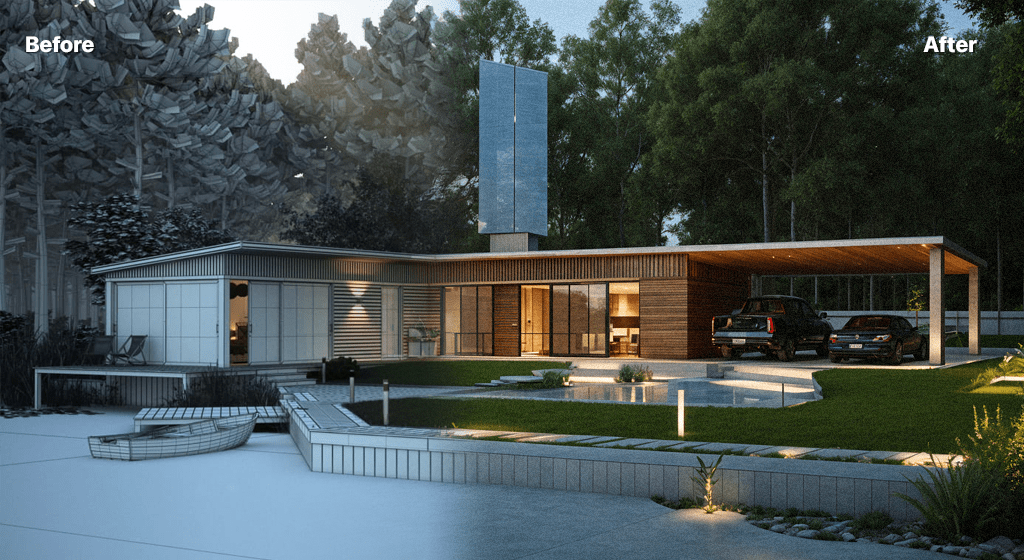
AI rendering is the use of generative AI models to turn a design input — a 3D model export, a photograph or a hand sketch — into a photorealistic image in seconds. Where traditional renderers simulate light physically, ray by ray, AI models are trained on millions of images and infer realistic materials, lighting and context directly. The result is a render in seconds rather than minutes or hours.
How AI rendering works
You provide an input and some guidance. The input can be a SketchUp or Revit viewport, a Rhino screenshot, a photo of a building or room, a 2D plan, or a sketch. The guidance is a style choice and an optional text prompt describing materials, lighting and mood. The model reads your geometry and intent and generates a photoreal image, which you can iterate on or download. Because each render is fast and cheap, you can produce many variations instead of a single view.
AI rendering vs traditional rendering
AI rendering and traditional tools like V-Ray, Corona and Lumion solve different problems. Traditional rendering gives precise, physically accurate, fully controllable output — ideal for final marketing hero shots — but it is slow and requires careful scene setup. AI rendering is far faster and ideal for concept work, design reviews and producing options early. Most teams use AI upstream and traditional rendering for the last mile. We cover this in depth in our comparison of AI rendering tools.
Where it fits in the workflow
AI rendering is strongest in the early and middle stages of a project, where communicating an idea quickly matters more than pixel-perfect accuracy: concept exploration, competition boards, feasibility studies, client presentations and option studies. AI Render Studio packages this into six architecture-tuned tools — exterior, interior, masterplan, landscape, floor-plan-to-3D and sketch-to-render — each tuned for a specific task.
Is AI rendering accurate enough?
For concept and presentation work, yes. AI renders read as real architecture and communicate intent clearly. They are not measured drawings, so for dimensioned documentation you keep your BIM and CAD output. The practical rule: use AI to explore and sell ideas, and traditional tools where precision is contractual.
To go deeper on the full picture — tools, comparisons and workflow — see our guide to AI rendering for architecture.
FAQ
Is AI rendering free?
Many tools, including AI Render Studio, offer free credits to start. AI Render Studio gives new accounts 3 free credits with no credit card required.
Does AI rendering replace architects?
No. It is a visualisation tool that speeds up communication and option-exploration. Design judgement, coordination and documentation remain the architect's work.
Keep reading
Try it yourself
Render your design in seconds.
Turn a sketch, model or photo into a photoreal render. Start free — 3 credits, no credit card.